Advisor at a glance
How Advisor finds what needs attention and turns it into insights.
Advisor watches your company and recommends what to do. Every night it runs a set of checks (called detectors) over your data: cash, expenses, receivables, budgets, taxes, people, sales and operations. Each check computes facts from your records, for example "Spend on travel was 4,812.40 EUR in June; the median of the last 6 months was 2,105.00 EUR". The result is an insight with the numbers, why it matters and recommended next steps.
The numbers always come from the check, never from the AI. The AI only phrases the text, and a text that mentions a number, date or name that is not in the facts is thrown away. Without AI, fixed text templates are used.
Advisor follows the Company | Product switch in the header. On the Company side you see what concerns running the company: finance, people, customers and operations. On the Product side you see what concerns what you sell with: leads, calls and meetings from Outreach, and the compliance of your products.
Who can use this
- Owner
- Admin
- Accountant
- Sales
- Purchase
- HR Manager
- Viewer
Steps
1. Open Advisor
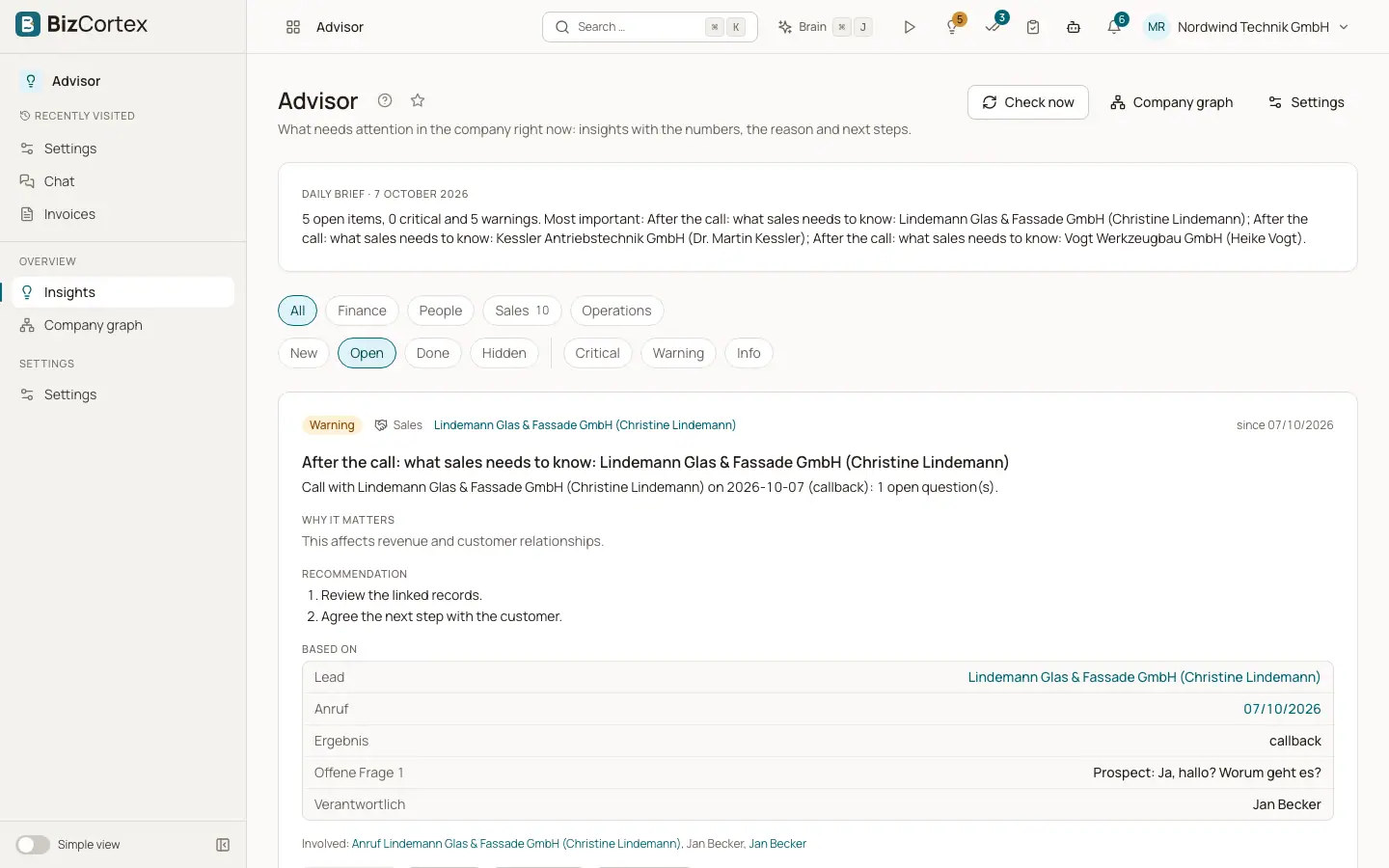
Open the Advisor app from the app launcher. The sidebar has Insights, Company graph and Settings.
2. Read the daily brief
At the top of Insights you see the daily brief: a short summary of your most important open items.
3. Work through the feed
The feed lists insights ordered by importance. Open the evidence, follow the recommendation, create a task or ask Brain.
4. Close what is handled
Mark an insight as Done, snooze it with Later, or Hide it. Tell Advisor when an insight is Not useful.
Fields and options
- Area
Finance, People, Sales, Operations or Compliance.
- Company and Product side
Each check belongs to one side of the Company | Product switch. Lead, call and meeting checks and the compliance checks are on the Product side, everything else on the Company side. Without a product app there is only one side and you see everything.
- Severity
Critical, Warning or Info.
- Ranking
Insights are ordered by a score made of severity, the money or number of people affected, how new the insight is, how often it came back, and how useful people in your company found this kind of insight.
- Life cycle
The same situation found again updates the existing insight instead of creating a new one. When a check no longer finds the situation, the insight is resolved. If it comes back later, the insight reopens and its counter ("N times") rises. Insights with an end date (for example an absence overlap) expire after that date.
Good to know
- Advisor is part of the Brain package (Pro and Enterprise bundles).
- The nightly run starts at 05:00 (German time). The cash runway check also runs every hour. Some checks run right after an event, for example after a call or when a leave request is created.
- Advisor reports new and escalated insights as events, so automation rules can forward them, for example to a chat channel or a webhook.
Related
- The insight feed and its filters
Browse, filter and page through your insights.
- Who sees which insight
The rules that decide who receives an Advisor insight.
- Finance checks
Every finance check of Advisor, when it triggers and its default thresholds.