Advisor on the home page, in the header and on records
Where Advisor insights appear outside the Advisor app.
You do not have to open Advisor to see what is important. Insights also appear in three other places.
Who can use this
- Owner
- Admin
- Accountant
- Sales
- Purchase
- HR Manager
- Viewer
Fields and options
- Header badge
A badge in the header shows how many new insights you have on the current side of the Company | Product switch ("N new insights from the Advisor"). Click it to open the feed.
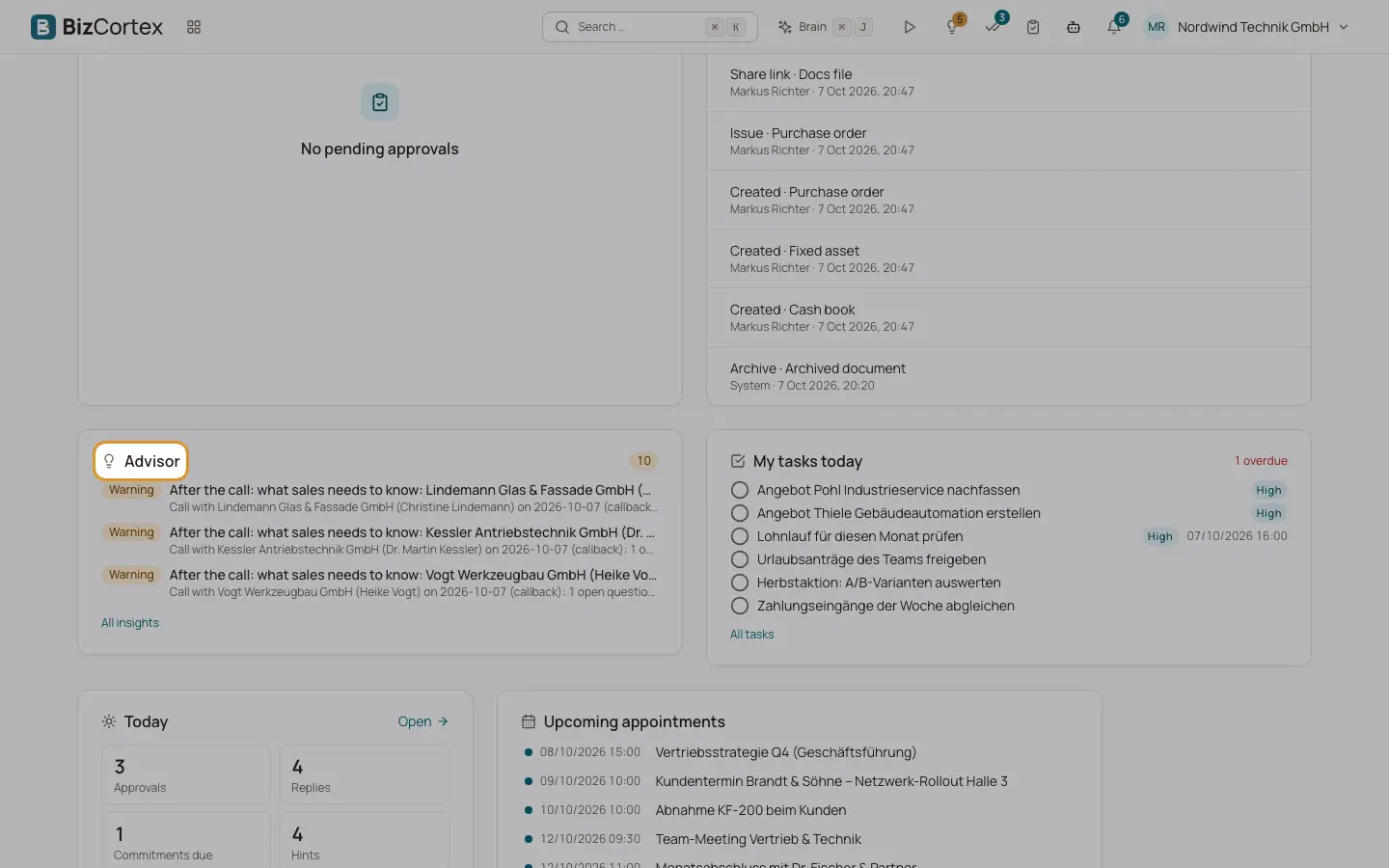
- Home widget
The Advisor widget on your home page shows your top 3 open insights and the counts of critical, warning and info insights. On the Company home page it shows company insights, on the Product home page product insights (Outreach and compliance). Click "All insights" to open the feed. With nothing open it shows "All clear."
- Record pages
Customer, project, lead and employee pages have an Advisor section with up to 5 open insights about that record, in a compact form. Click "Details" to expand a card, "Go to the Advisor" or "All N in the Advisor" to see the rest.
Related
- Insight cards and their actions
What an insight card shows and everything you can do with it.