Attaching files to a Brain conversation
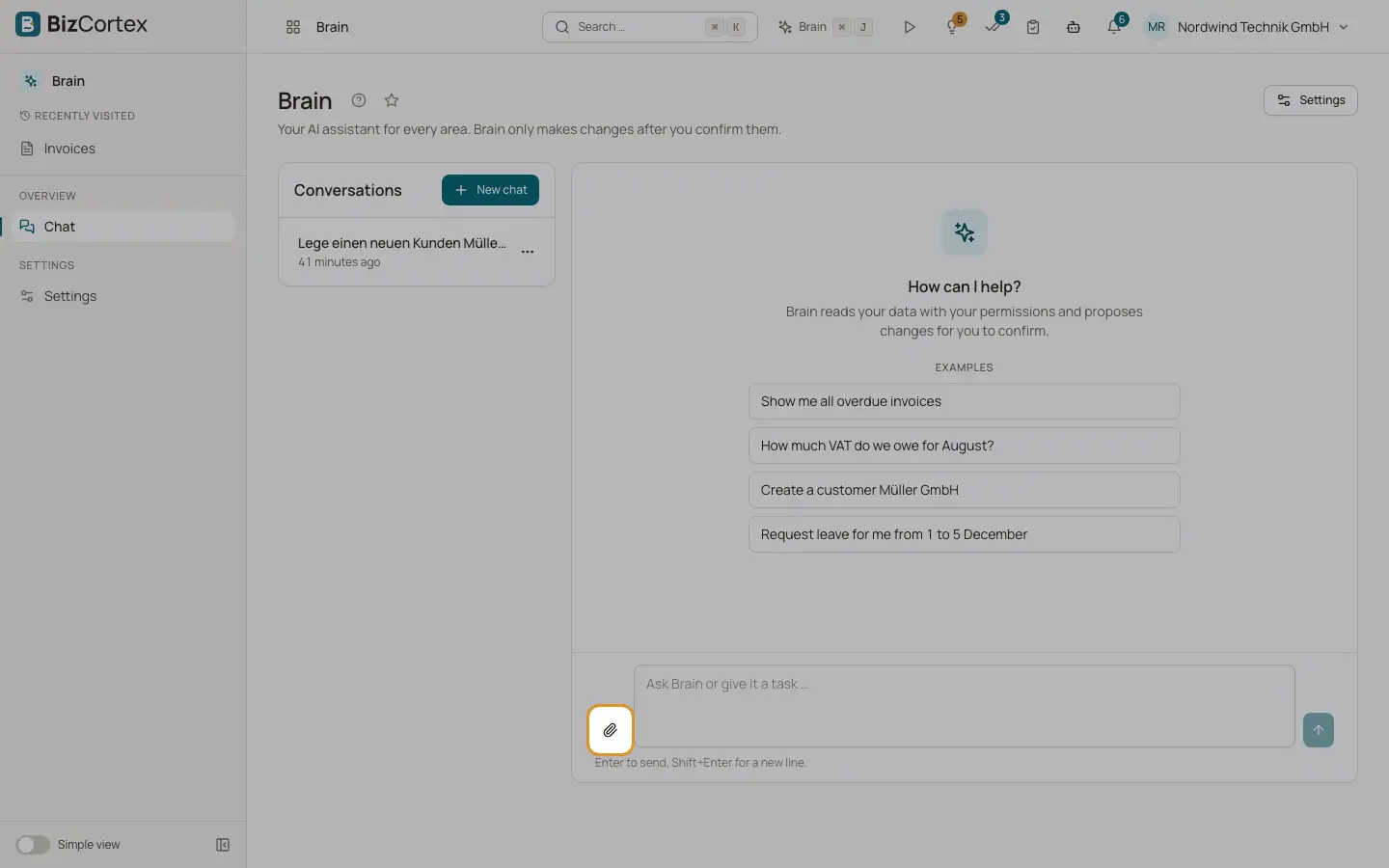
Give Brain a PDF, image, spreadsheet or document to read.
You can attach files to a conversation so that Brain can read them. Typical uses: "Create a bill from this PDF", "Check this list of customers against our data", "Summarise this contract". The content of a file is treated as data only. Instructions written inside a file are never followed.
Who can use this
- Every member with a built in role: Owner, Admin, Accountant, Sales, Purchase, HR Manager, Employee, Viewer and Compliance
- Members with a custom role only when the role includes the Brain chat permission
Steps
1. Attach a file
Click "Attach a file" next to the input field, or drag files onto the chat ("Drop files here").
2. Check the list
Attached files appear under "Attachments". Click "Remove" next to a file to take it out again.
3. Ask your question
Send your message. Brain reads the file in parts as needed.
Fields and options
Brain reads the text. Electronic invoices embedded in a PDF (ZUGFeRD, Factur X, XRechnung) are read as structured data. Scanned pages without text are read by the AI image reader; up to 8 scanned pages per file.
- Images
PNG, JPEG and WebP. The AI image reader transcribes the text.
- Spreadsheets
Excel (.xlsx) and CSV. Brain detects the header row and reads up to 2,000 rows over all sheets.
- Word
.docx files: paragraphs as text and tables as tables.
- Text
Plain text and Markdown files.
- XML
XRechnung, UBL and CII electronic invoices are read as structured data; other XML as text.
- Maximum size
20 MB per file. A larger file is refused with "The file is too large (max. 20 MB)."
Good to know
- Other file types are refused with the message that this file type is not supported.
- Brain cannot upload your file into a record (for example as an attachment of an invoice). Upload the file there yourself.
- Attached files are personal data of the conversation and are deleted together with it.
Related
- Letting Brain fill a form
Brain can fill the form that is open on your page. You review and save.