Product form and product types
Every field of the product form, the four product types and tracking options.
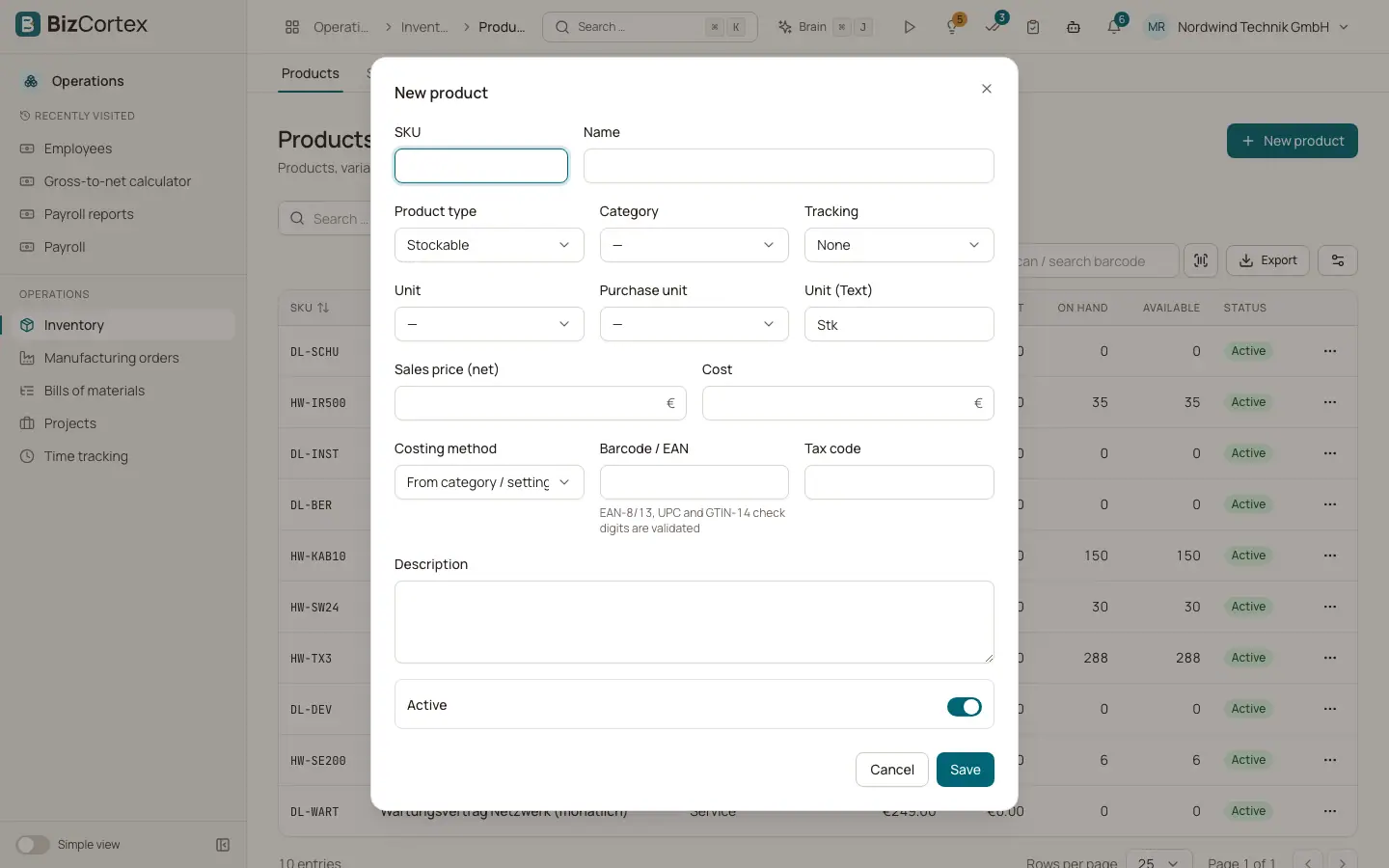
The dialog "New product" (or "Edit product") holds the master data of a product. The product type decides how BizCortex treats it in stock and in accounting.
Who can use this
- Owner and Administrator
- Purchasing
- Anyone with the Inventory product write permission
Fields and options
- SKU
Your article number. It must be unique. Variants get the SKU of the parent plus the codes of their attribute values.
- Name and Description
The name shown in lists and documents, and an optional longer text.
- Product type
Stockable: stored, counted, valued and posted to the ledger. Consumable: quantities are tracked but not valued, and stock may go below zero. Service: never moves in stock. Kit / bundle: a set of other products. Every stock move of a kit is split into moves of its components, following the active kit bill of materials.
- Category
Groups products. Accounts, tax code and costing method are inherited from the category when the product does not set them.
- Unit and Purchase unit
The unit the product is stored in, and the unit you buy it in. Both must belong to the same unit category, for example pieces and cartons.
- Tracking
None, Lot or Serial number. Lot tracked products need a lot on every receipt. Serial tracked products need one serial number per unit.
- Costing method
FIFO or Moving average. "From category / settings" uses the method of the category, or the default from the inventory settings (Moving average). The method is locked once the product has stock moves.
- Sales price (net)
The default sales price without tax. Price lists on the Prices tab can override it.
- Cost
The default unit cost. It is used to value stock when no better cost is known.
- Barcode / EAN
Optional. Numeric codes with 8, 12, 13 or 14 digits must have a valid check digit (EAN 8, UPC A, EAN 13, GTIN 14). A barcode must be unique in your company.
- Tax code
The tax code for sales and purchases. If empty, the tax code of the category applies.
- Active
Switch off to archive the product. Archived products cannot be moved.
Good to know
- Service products cannot be used in stock moves and cannot be components of a bill of materials.
- Only Stockable products are valued and posted to the ledger. Consumables only count quantities.
Related
- Product page and its tabs
Overview, variants, prices, suppliers, images, stock and history of one product.
- Categories, units and attributes
Set up product categories with their accounts, units of measure and variant attributes.
- Kits and bundles
Sell and move sets of products that are split into their components automatically.