Stock and lots
See current stock per bin and lot, and trace lots and serial numbers with expiry dates.
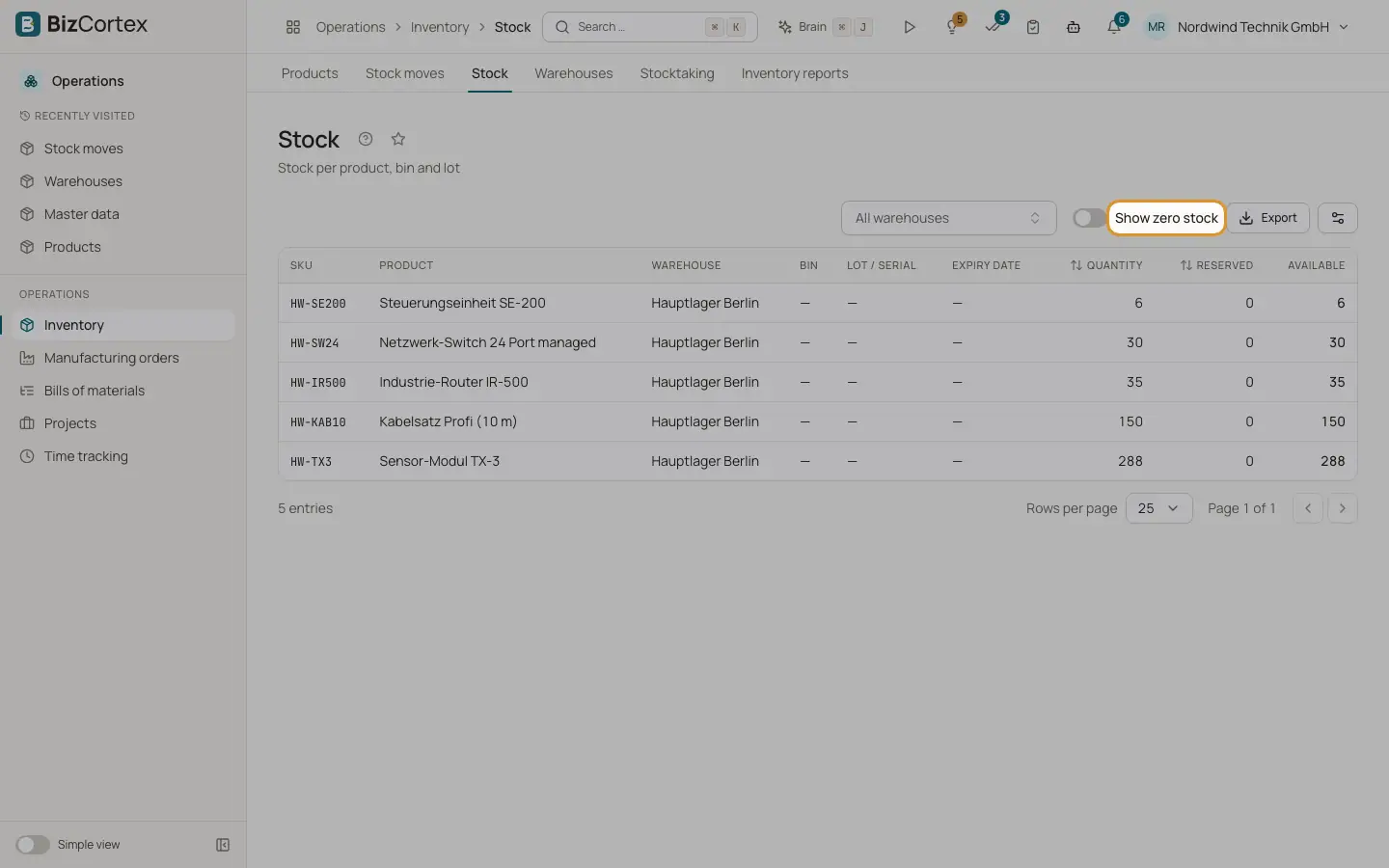
Open Operations, Inventory, Stock to see the stock per product, warehouse, bin and lot. Open Lots and serial numbers to manage lots and trace goods.
Who can use this
- Anyone with the Inventory stock read permission (Stock page)
- Anyone with the Inventory lot read permission (Lots page)
Steps
1. Read the stock page
The table shows product, warehouse, bin, lot or serial, expiry date, quantity, reserved, available, unit cost and value. Use "All warehouses" to filter by one warehouse. Switch on "Show zero stock" to also see empty positions.
2. Create or edit a lot
On Lots and serial numbers click "New lot". Choose the product and enter the lot or serial number, the expiry date, the best before date and notes. Usually lots are created during a receipt, so you rarely need this button.
3. Find expiring goods
Use the filter "Expiring by" and pick a date. The list shows every lot that expires before that date with its quantity on hand. Expired lots are marked "Expired".
Good to know
- A serial number that is already in stock cannot be received again.
- Outgoing moves without a chosen lot take the lot with the earliest expiry date first.
Related
- Stock moves
Post receipts, deliveries, transfers, adjustments and scrap, and reserve stock.
- Stocktaking
Create a count, print count sheets, enter counted quantities and post the differences.