Projects list
Create projects, filter by status, copy them and invoice unbilled time.
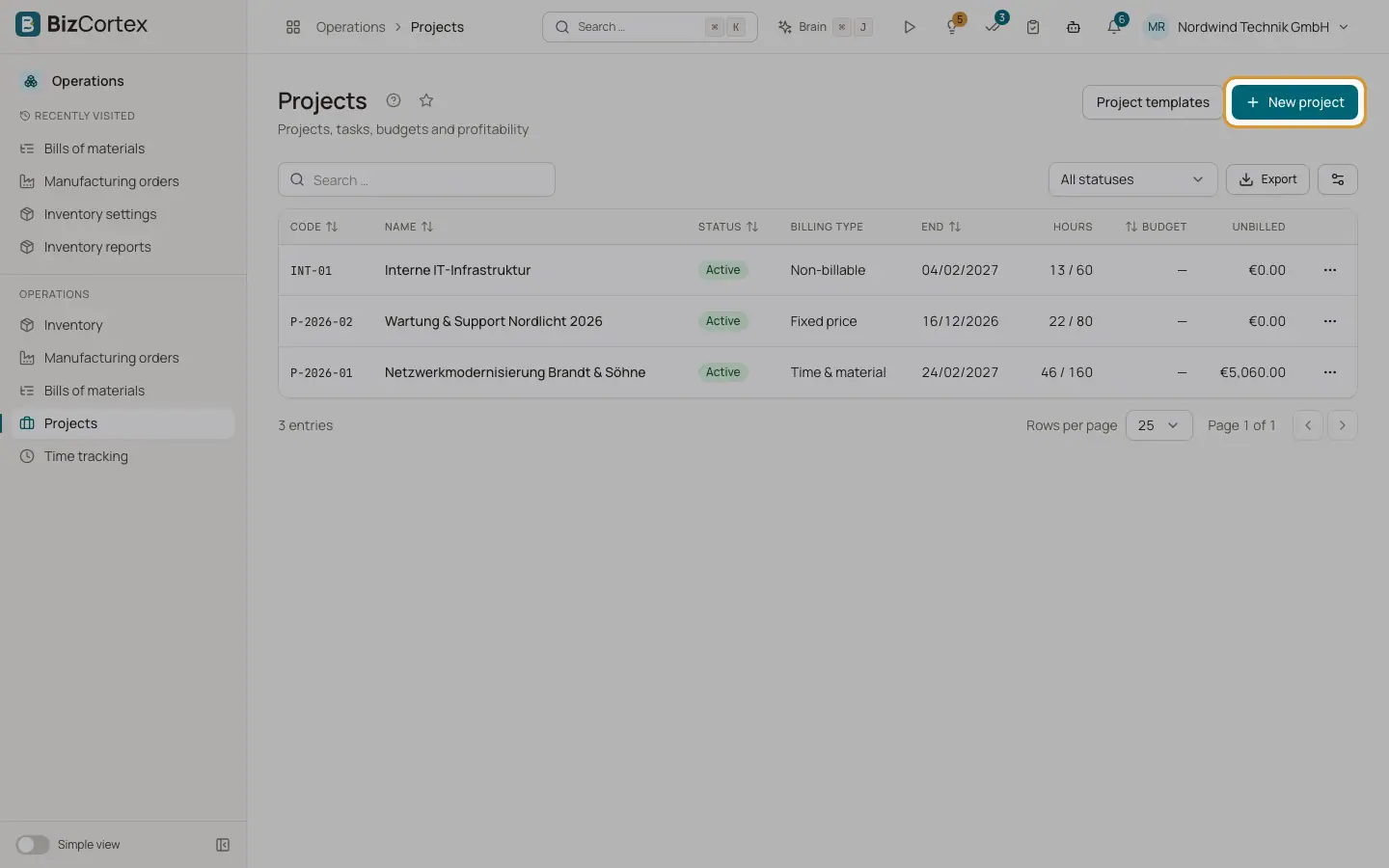
Open Operations, Projects. The list shows code, name, customer, status (Active, On hold, Completed), billing type, end date, hours, budget and the unbilled amount. Templates are not shown here.
Who can use this
- Owner, Administrator and Sales (full access)
- Accountant, HR manager and Viewer (read only)
- Employee (sees projects, works on tasks)
Steps
1. Create a project
Click "New project" and fill in the form (see the fields below). When you save, BizCortex creates four default task columns (Offen, In Arbeit, Review and Erledigt, meaning Open, In progress, Review and Done) and adds the project manager to the team as Manager.
2. Filter
Use "All statuses" to show only Active, On hold or Completed projects.
3. Copy a project
Choose Copy in the row menu. Enter a new name, an optional customer and a start date. Task and milestone dates are shifted to this start date. Choose "Copy team", "Copy milestones" and "Save as template". Stages, tasks, subtasks, dependencies and checklists are copied; completed tasks and checklist items start open again.
4. Create an invoice
Choose "Create invoice" in the row menu. A draft invoice is created in Sales from the unbilled time, with a due date 14 days from today. Check and send it in Sales.
Fields and options
- Code
A short project code.
- Customer
The customer the project is for.
- Project manager
Becomes a Manager member, sees team time and can approve timesheets of the project.
- Billing type
Time & material (time is billable by default), Fixed price, or Non billable.
- Hourly rate
Project rate used when no more specific rate exists.
- Fixed price
For fixed price projects. Revenue is the fixed price or the invoiced amount, whichever is higher.
- Budget (amount) and Budget (hours)
Used for budget alerts and the burn down chart.
- Start and End
The end cannot be before the start.
- Currency
A 3 letter ISO currency code.
- Colour
Colour of the project in calendars and charts.
- Template
Templates are hidden from the project list and do not accept time.
Good to know
- A project with billed time cannot be deleted.
- The "Create invoice" action prices time at the hourly rate of the project, not at the individual rates. For exact rates use Time billing.
- Profitability and billing assume one currency per project.
Related
- Project overview and profitability
Revenue, cost, margin, budget and the burn down chart of a project.
- Project templates
Save stages, tasks and milestones as a template and start new projects from it.
- Time billing
Turn unbilled time and rebillable expenses into invoice lines and mark them as billed.