Replenishment
Maintain reorder rules and get purchase suggestions for products that run low.
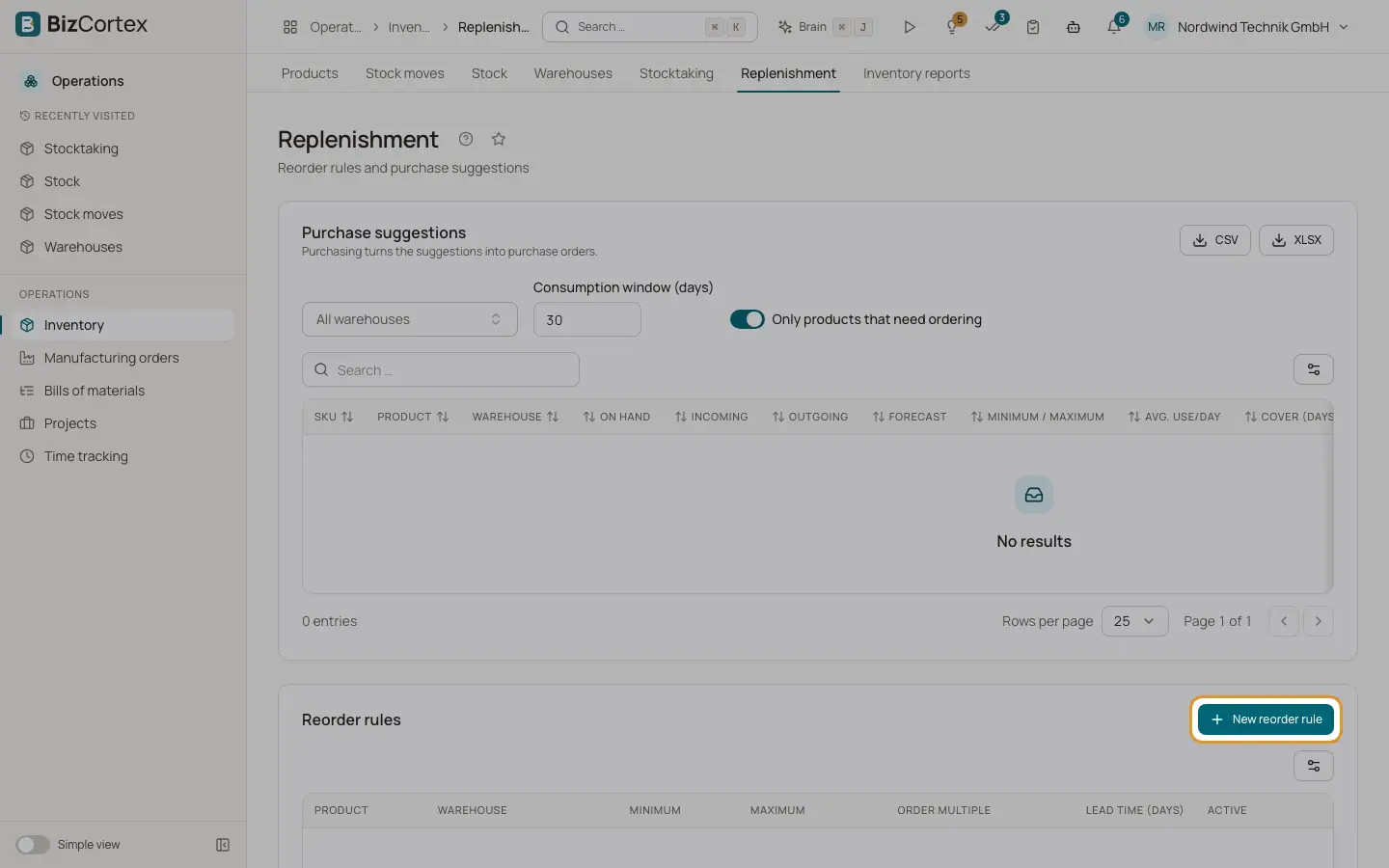
Open Operations, Inventory, Replenishment. Reorder rules tell BizCortex the minimum and maximum stock of a product in a warehouse. The page then calculates purchase suggestions. The suggestions themselves create nothing. Purchasing turns them into purchase orders.
Who can use this
- Owner and Administrator
- Purchasing
- Accountant and Viewer (read only)
Steps
1. Create a reorder rule
Under Reorder rules click "New reorder rule". Choose product and warehouse, and enter Minimum, Maximum, "Order multiple" and optionally "Lead time (days)". Empty lead time means the lead time of the preferred supplier.
2. Read the suggestions
Under Purchase suggestions set the "Consumption window (days)" and optionally switch on "Only products that need ordering". Each line shows On hand, Incoming, Outgoing, Forecast, average use per day, lead time demand, cover in days, the suggested quantity, the vendor and the estimated cost. The status is "Order" or "Sufficient".
3. Look at the demand forecast
Open the "Demand forecast" of a product to see what was consumed in the window and the forecast for the next period.
Fields and options
- Forecast
On hand plus incoming (open receipts) minus open outgoing moves.
- Avg. use/day
Deliveries and manufacturing consumption in the window, divided by the number of days.
- Lead time demand
Average use per day multiplied by the lead time.
- Order
Shown when the forecast minus the lead time demand is at or below the minimum.
- Suggested
Maximum minus forecast plus lead time demand, rounded up to the order multiple and to at least the minimum quantity of the supplier.
Related
- Product page and its tabs
Overview, variants, prices, suppliers, images, stock and history of one product.
- Inventory reports
Stock on hand, movement history, slow movers, turnover, ABC analysis and the year end inventory list.