Stock moves
Post receipts, deliveries, transfers, adjustments and scrap, and reserve stock.
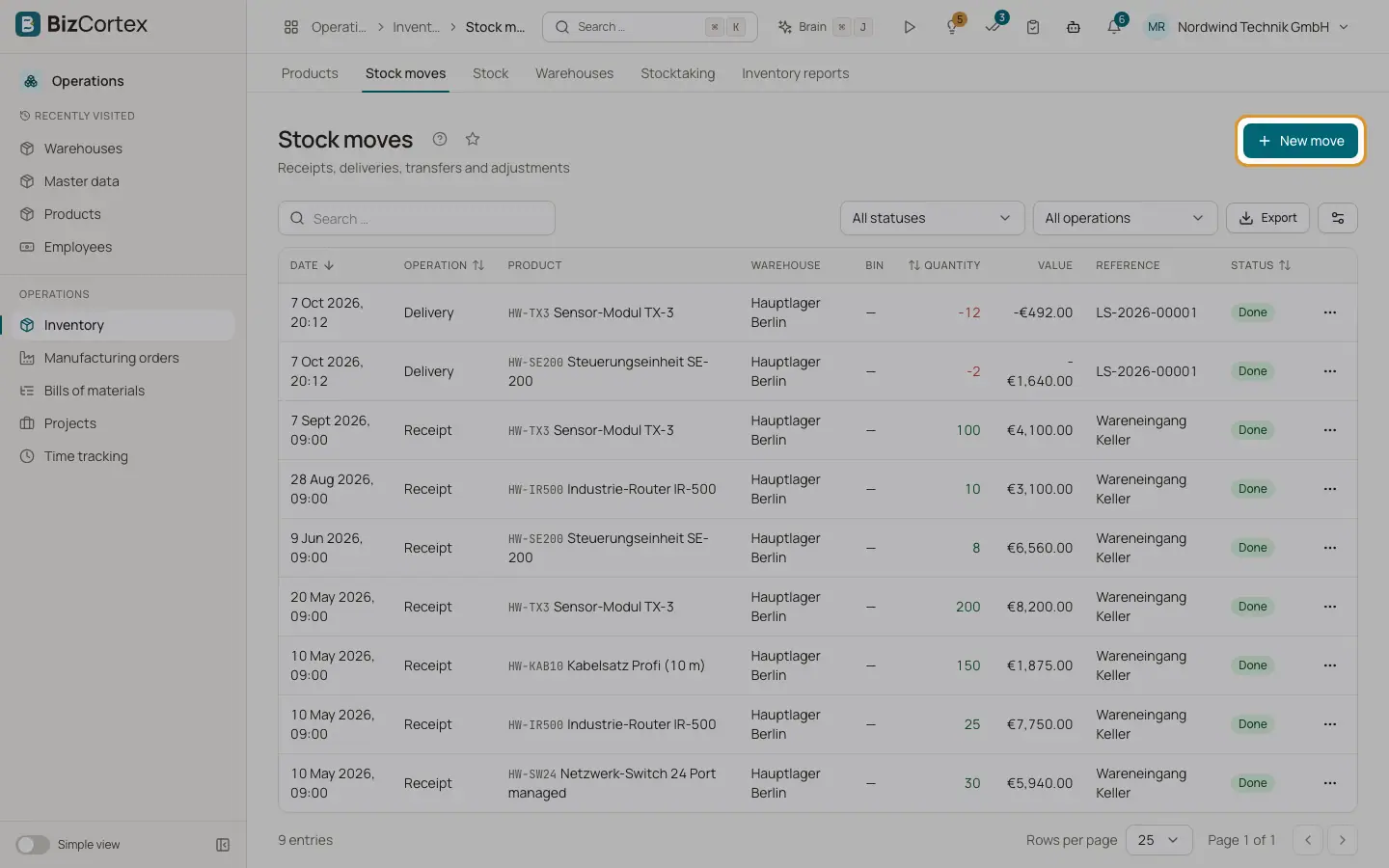
Open Operations, Inventory, Stock moves. Every change of stock is a stock move. A move belongs to a move group: one operation you enter creates one group, which can hold several lines (for example a transfer has a line out of the source and a line into the destination, and a delivery may take stock from several bins or lots).
Purchasing goods receipts and Sales delivery notes also create stock moves. They are posted at once and appear here as well.
Who can use this
- Owner and Administrator
- Purchasing
- Anyone with the Inventory stock write permission
- Accountant, Sales and Viewer (read only)
Steps
1. Create a move
Click "New move". Choose the operation: Receipt, Delivery, Internal transfer, Adjustment or Scrap. Choose the product, the warehouse and optionally the bin. Enter the quantity and, if you like, a different unit.
2. Add the details
For a transfer choose the "Destination warehouse" and "Destination bin". For a receipt of a lot tracked product choose an existing lot or type a "New lot" name with an optional expiry date. For serial tracked products enter the "Serial numbers", one per line. Enter a "Unit cost" for receipts if you know it, a "Reference" and notes.
3. Check the picking suggestion
For outgoing moves the dialog shows the "Picking suggestion (FEFO)": the lots with the earliest expiry date first, then the oldest stock. If there is not enough stock you see "Shortage" or "No available stock".
4. Post now or later
Switch on "Post immediately" to book the move at once. Otherwise the move is saved as Draft and you post it later.
5. Work with the list
Filter by "All operations" and "All statuses". Each row shows date, operation, product, warehouse, bin, quantity, value, reference, status, move group and the journal entry. Row actions: Reserve, Unreserve, Post, Cancel and Details.
Fields and options
- Draft
The move is entered but does not change stock yet.
- Reserved
Stock is set aside for the move. Reserved stock is no longer available for other moves. Reservation picks lots by earliest expiry first.
- Done
The move is posted. Stock changes, the value is calculated, and one journal entry is made for the group if perpetual inventory is on.
- Cancelled
The move was cancelled. A posted move is reversed with a storno journal entry.
- Quantity
Positive for all operations except Adjustment. For an adjustment the sign gives the direction: minus 2 decreases the stock by 2.
- Other operation types
Count difference is created by stocktaking. Consumption and Production are created by manufacturing orders. Return is used by other modules. You cannot pick these in the dialog.
Tips
- Use Reserve for goods you have promised to a customer but will ship later. They then no longer count as available.
Good to know
- Cancelling a posted move restores the stock and the valuation. If the received goods were already consumed by later moves, the cancellation is refused.
- Stockable products cannot go below zero. Consumables can.
- Archived products and service products cannot be moved.
- Moves are posted under the period rules of Finance. A move in a closed fiscal year or locked period is refused.
- Dedicated picking and packing documents and multi step routes are not available yet.
Related
- Stock and lots
See current stock per bin and lot, and trace lots and serial numbers with expiry dates.
- Stock valuation
Value your stock at any date with FIFO or moving average and compare it with the ledger.
- Kits and bundles
Sell and move sets of products that are split into their components automatically.