Warehouses and bins
Create warehouses and organise them into areas and bins.
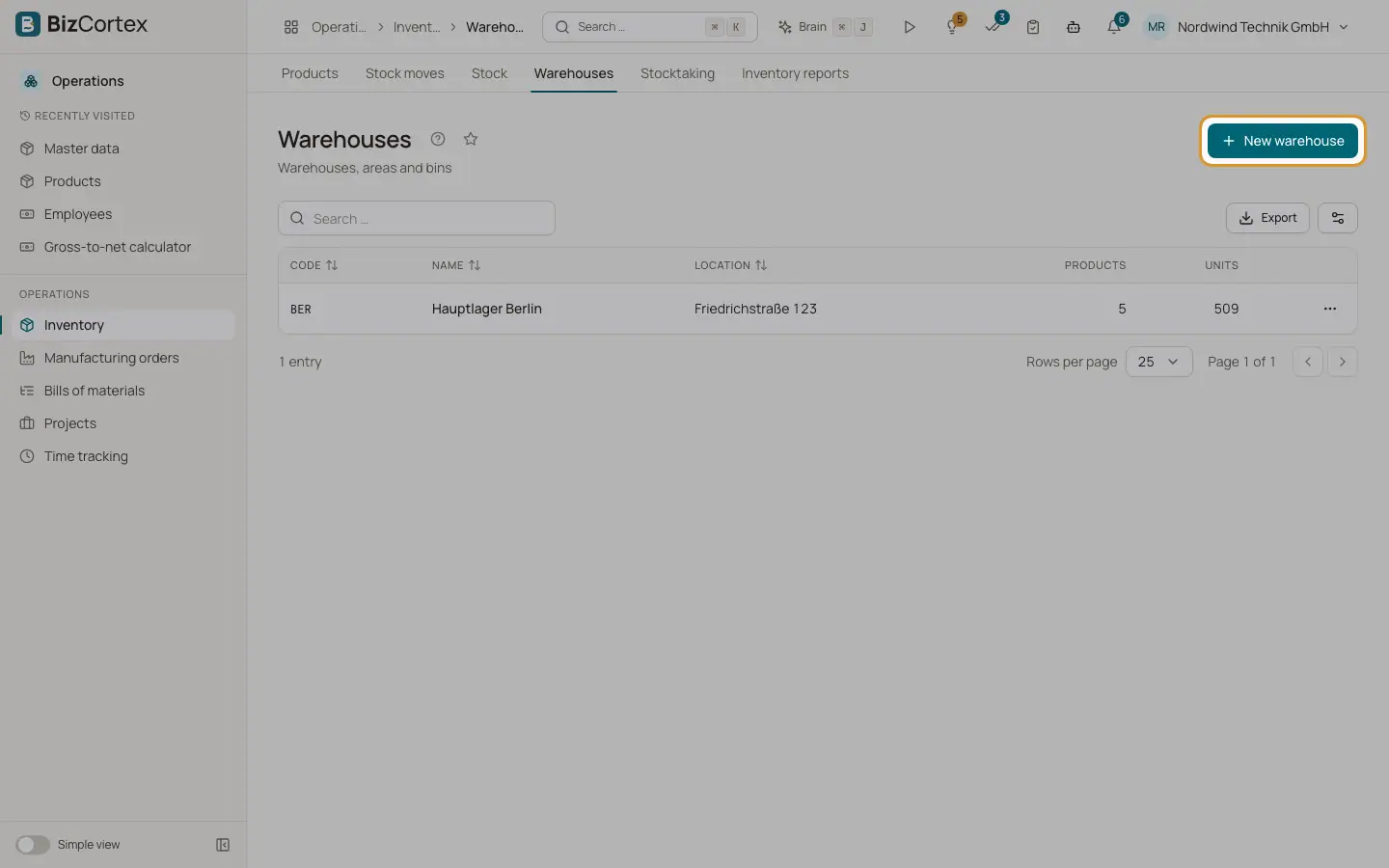
Open Operations, Inventory, Warehouses. Each warehouse has a name, a code and a location (address). Inside a warehouse you build a tree of storage places. An "Area (no stock)" groups other places. A "Bin" holds stock.
Who can use this
- Owner and Administrator
- Purchasing
- Accountant and Viewer (read only)
Steps
1. Create a warehouse
Click "New warehouse", enter the name, code and location, and save. The list shows how many products and units each warehouse holds.
2. Add bins
Open a warehouse and click "New bin". Enter a name, choose the type (Area or Bin) and, if needed, a "Parent bin". Repeat to build areas, shelves and bins.
3. See the stock
The warehouse page lists "Stock in this warehouse". Stock of a parent area includes the stock of all bins below it.
Good to know
- A bin that has stock moves cannot be deleted.
- Putaway rules (automatic choice of a bin on receipt) are not available yet.
Related
- Stock moves
Post receipts, deliveries, transfers, adjustments and scrap, and reserve stock.
- Stock and lots
See current stock per bin and lot, and trace lots and serial numbers with expiry dates.