Stock valuation
Value your stock at any date with FIFO or moving average and compare it with the ledger.
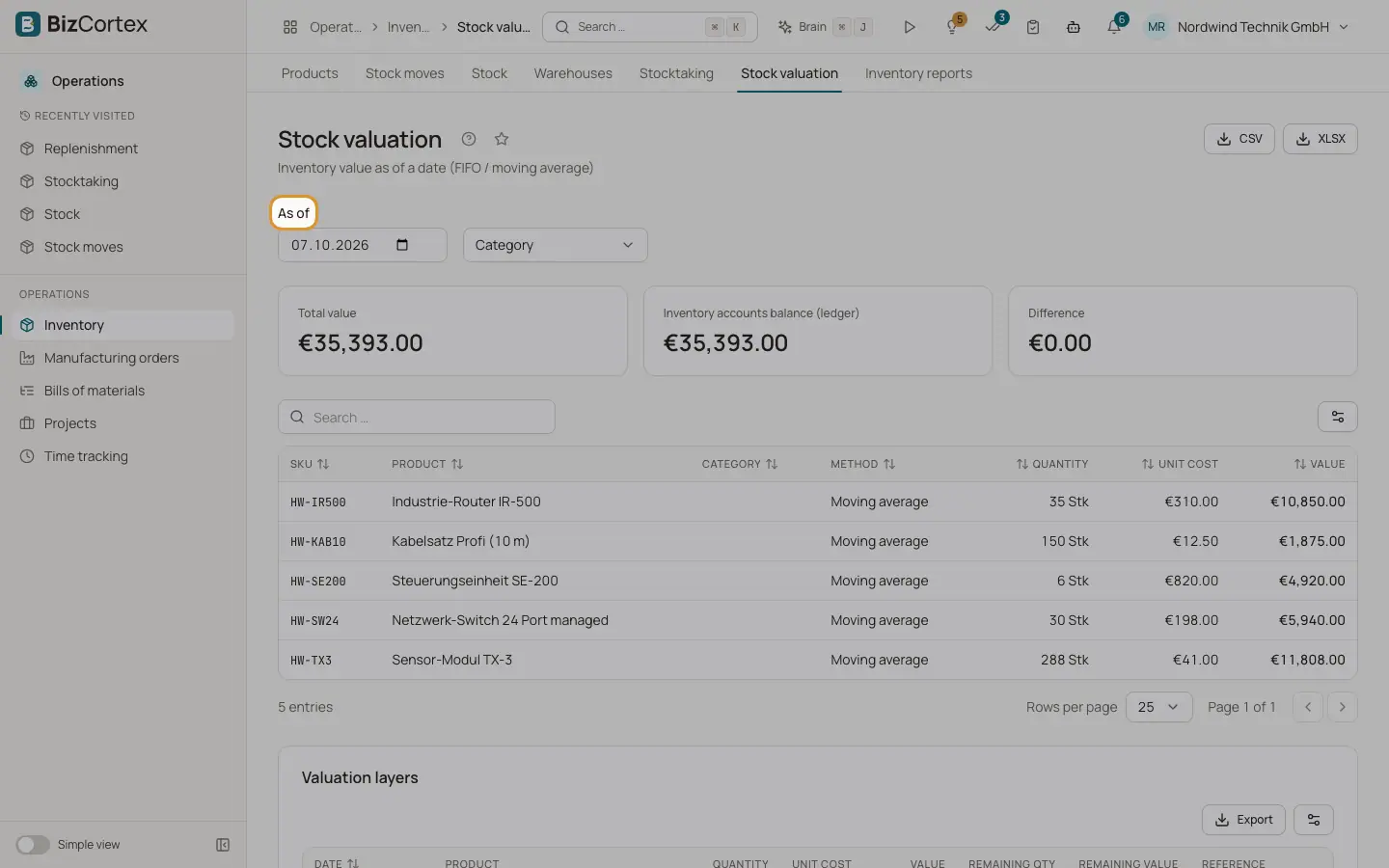
Open Operations, Inventory, Stock valuation. Choose a date in "As of". BizCortex shows each Stockable product with quantity, value, unit cost and method, the total value, the "Inventory accounts balance (ledger)" and the Difference between the two.
Every receipt creates a valuation layer at its unit cost. With FIFO, outgoing goods use up the oldest layers first. With Moving average, outgoing goods are valued at the average cost of all stock. Internal transfers do not change the value, because the value is calculated per product across all warehouses.
Who can use this
- Owner and Administrator
- Purchasing
- Accountant and Viewer (read only)
Steps
1. Check the value
Pick the date and read the total. A difference to the ledger usually means postings were made by hand on the inventory accounts, or perpetual inventory was off for some time.
2. Inspect the layers
Open "Valuation layers" for a product to see each receipt with its remaining quantity and remaining value.
Good to know
- With perpetual inventory on, receipts post inventory account against stock change, and deliveries post stock change (or the scrap account for scrap) against inventory.
- Only one currency (EUR) is used for valuation. Purchase prices in other currencies are not converted.
- Landed costs, a standard cost method and revaluation after a later invoice price difference are not available yet.
- A move with a date in the past is valued with the current layers. Retroactive FIFO recalculation is not available yet.
Related
- Inventory settings
Perpetual inventory, default costing method, default accounts and cycle count intervals.
- Inventory reports
Stock on hand, movement history, slow movers, turnover, ABC analysis and the year end inventory list.