Payment terms
Define due dates and cash discounts for invoices.
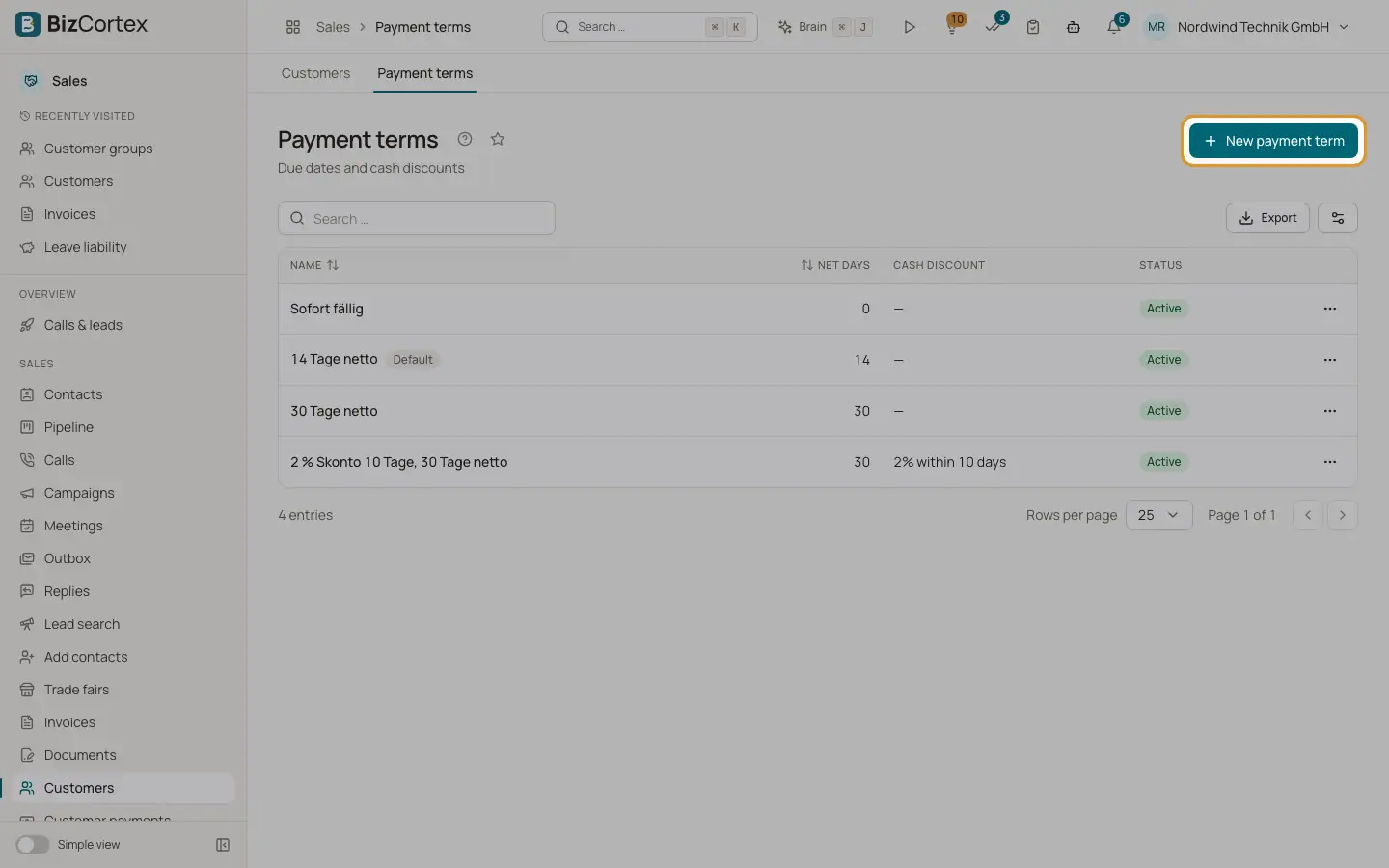
Open Sales, Customers, Payment terms. A payment term sets the due date (net days) and an optional cash discount (a percentage if paid within a number of days). The list shows name, default flag, net days, cash discount (for example "2 % within 10 days") and status.
Which term applies? BizCortex uses the term on the document, else the term of the customer, else the term of the customer group, else the default payment term from Sales settings, else the term marked as Default. The term sets the due date and the cash discount deadline of the invoice. Payment terms are shared with Purchasing, so vendors can use the same terms.
Who can use this
- Owner
- Admin
- Accountant
- Sales
- Viewer (read only)
Steps
1. Create a term
Click "New payment term". Give it a clear name, for example "30 days net, 2 % 10 days".
2. Enter days and discount
Enter Net days (0 to 365). For a cash discount, enter the percentage and "Cash discount within (days)". The discount period must not exceed the net days.
3. Optional printed text
Enter "Text on documents" if you want your own wording. Otherwise BizCortex writes the text from the days and the discount.
4. Default and active
Switch on Default to use this term when nothing else applies. Inactive terms cannot be chosen for new documents.
Fields and options
- Name
Required. Shown in the pickers.
- Net days
Days from the invoice date to the due date.
- Cash discount
Percentage below 100.
- Cash discount within (days)
Days during which the cash discount may be taken.
- Text on documents
Optional wording printed on PDFs.
- Default, Active
Default is the last fallback. Active controls whether the term can be used.
Tips
- When you record a payment, BizCortex proposes the cash discount automatically if the payment date is within the discount period.
Related
- Recording customer payments
Post money received, allocate it to invoices, grant cash discounts and keep the rest as credit.
- Sales settings
Every setting that controls invoices, dunning, fees, links and email delivery.