Sales settings
Every setting that controls invoices, dunning, fees, links and email delivery.
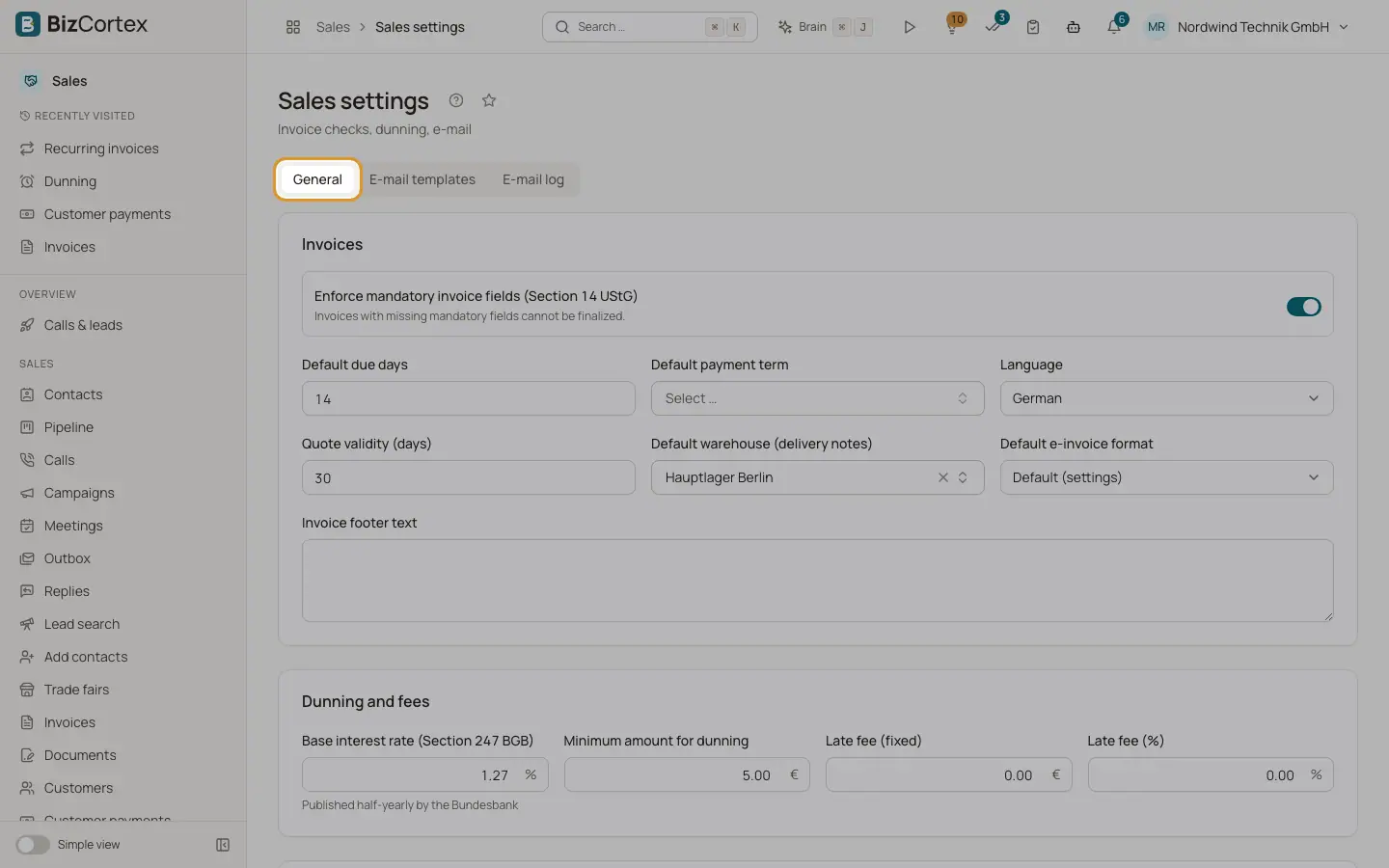
In the Sales app, open Sales settings in the Settings group of the sidebar. The page has three tabs: General, Email templates and Email log. The settings are created with default values the first time you open the page. Click Save after changes.
Who can use this
- Owner
- Admin
- Accountant
- Sales (with the Sales settings permission)
Fields and options
- Enforce mandatory invoice fields (Section 14 UStG)
On by default. Invoices with missing mandatory fields cannot be finalized.
- Default due days
Days until due when no payment term applies. Default 14.
- Default payment term
Used when neither document, customer nor group has a term.
- Language
Default document language, German or English.
- Quote validity (days)
Default Valid until of new quotes. Default 30.
- Default warehouse (delivery notes)
Warehouse used when a delivery note has none.
- Default e invoice format
Format used for customers without their own format. Default (settings) means the country default (XRechnung UBL in Germany).
- Invoice footer text
Extra text in the invoice footer.
- Base interest rate (Section 247 BGB)
Published half yearly by the Bundesbank. Default 1.27 percent. Basis of statutory default interest.
- Minimum amount for dunning
Invoices with a smaller open amount are not dunned. Default 5.
- Late fee (fixed) and Late fee (%)
Defaults for the "Late fee" button. Default 0.
- Base URL for public links
The web address of your BizCortex, used for public document links, payment return pages and portal sign in links. Must be a full URL starting with https.
- BCC for all document emails
Every document email is also sent to this address.
Good to know
- The quote and order PDFs can carry a "signed by" block with your saved signature (My account, Signature tab, "Use on documents"). The company switch for this block is not available on the Sales settings page yet.
Related
- Email templates and email log
Customize the emails for each document type and check what was sent.
- Finalizing an invoice
Check the mandatory details, finalize, and understand why an issued invoice is locked.
- Dunning levels
Set deadlines, fees, default interest and texts for each reminder level.