Sales at a glance
What the Sales app contains, where to find each part and who may use it.
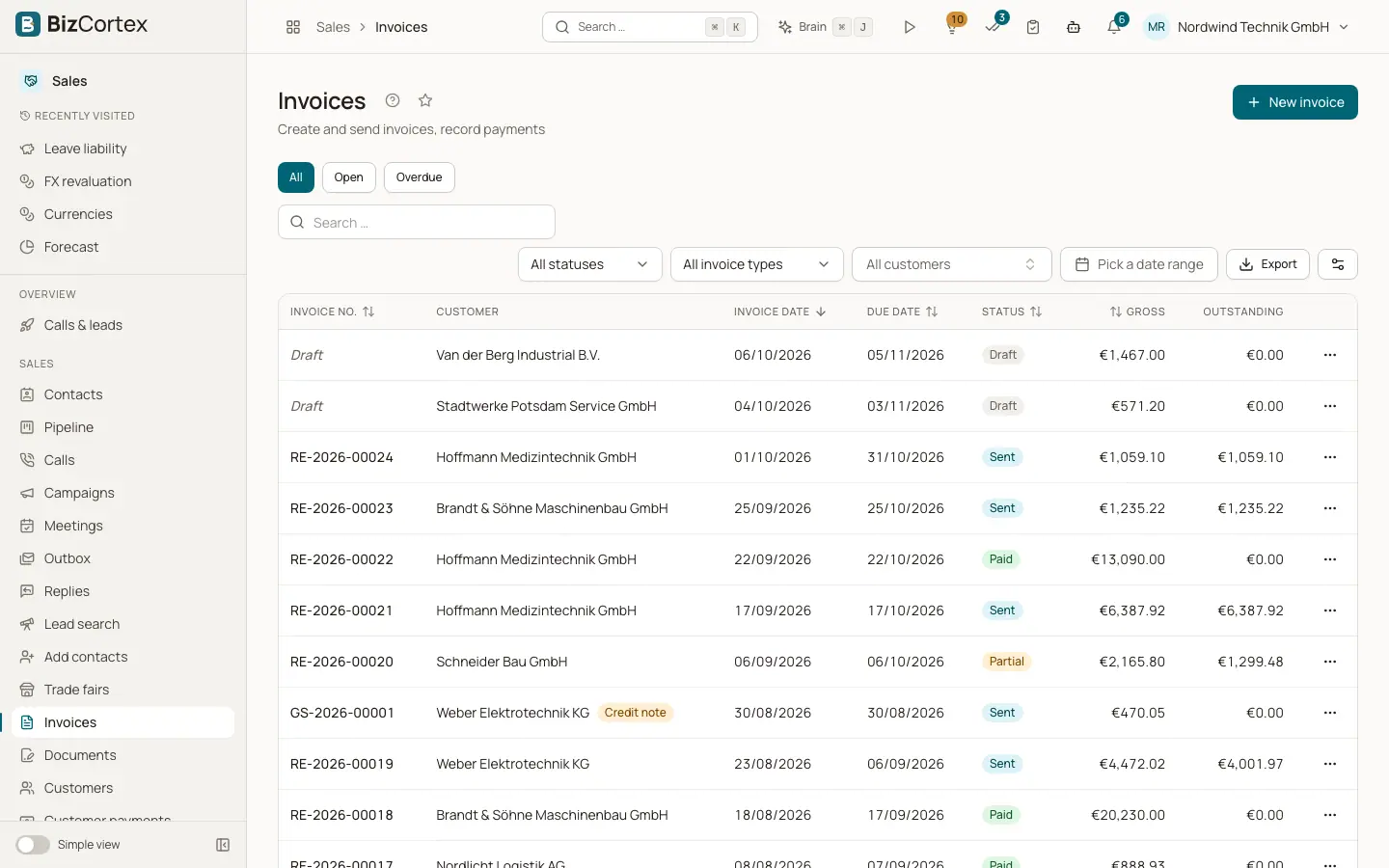
The Sales app is where you manage your customers and every document you send to them. Open it from the app launcher (Sales). The sidebar groups the pages: Invoices, Documents (Quotes, Orders, Delivery notes), Customers (Customers, Customer groups, Payment terms, Price lists), Customer payments, Dunning, Recurring invoices and Subscriptions. Sales settings and Payment providers sit in the Settings group of the sidebar.
The Sales package contains five modules that work together: Sales (customers and documents), Billing (subscriptions and usage billing), electronic invoicing, online payments (Stripe and PayPal) and the customer portal. The Sales package is part of the Starter, Pro and Enterprise bundles.
Who can use this
- Owner
- Admin
- Accountant
- Sales
- Viewer (read only)
Steps
1. Set up the basics
Before your first invoice, check your company profile (name, address, tax number or VAT ID). BizCortex checks these mandatory details when an invoice is finalized. Then create payment terms and your first customer.
2. Write documents
Create a quote, turn it into an order, deliver it with a delivery note and invoice it. You can also write an invoice directly without any previous document.
3. Collect the money
Record incoming payments, let customers pay online through a payment link, and send reminders with dunning runs when invoices are overdue.
Fields and options
- Simple view and All functions
In the simple view the sidebar hides specialist pages such as Customer groups, Price lists, the legacy quotes list and the advanced Billing pages. Switch to All functions to see every page, or use the search.
- Owner and Admin
Can do everything in Sales, including settings, payment providers and connections.
- Accountant
Full access to Sales, Billing, electronic invoices (outgoing and incoming) and online payments.
- Sales
Full access to Sales and Billing, outgoing electronic invoices, payment links, and read access to payment providers.
- Viewer
Can read everything but cannot change anything.
Tips
- Every list has a search box and an Export button that downloads the filtered list as CSV or Excel (XLSX).
- Every document has a History tab that shows who changed what and when.
Related
- Customers
Create and maintain customers with tax treatment, credit limit, language and electronic invoice settings.
- From quote to invoice
How quotes, orders, delivery notes and invoices connect, including partial quantities.
- The invoice list
Find invoices by status, type, customer and date, and record payments from the list.