Incoming electronic invoices
Receive XRechnung and ZUGFeRD invoices from vendors and turn them into draft bills.
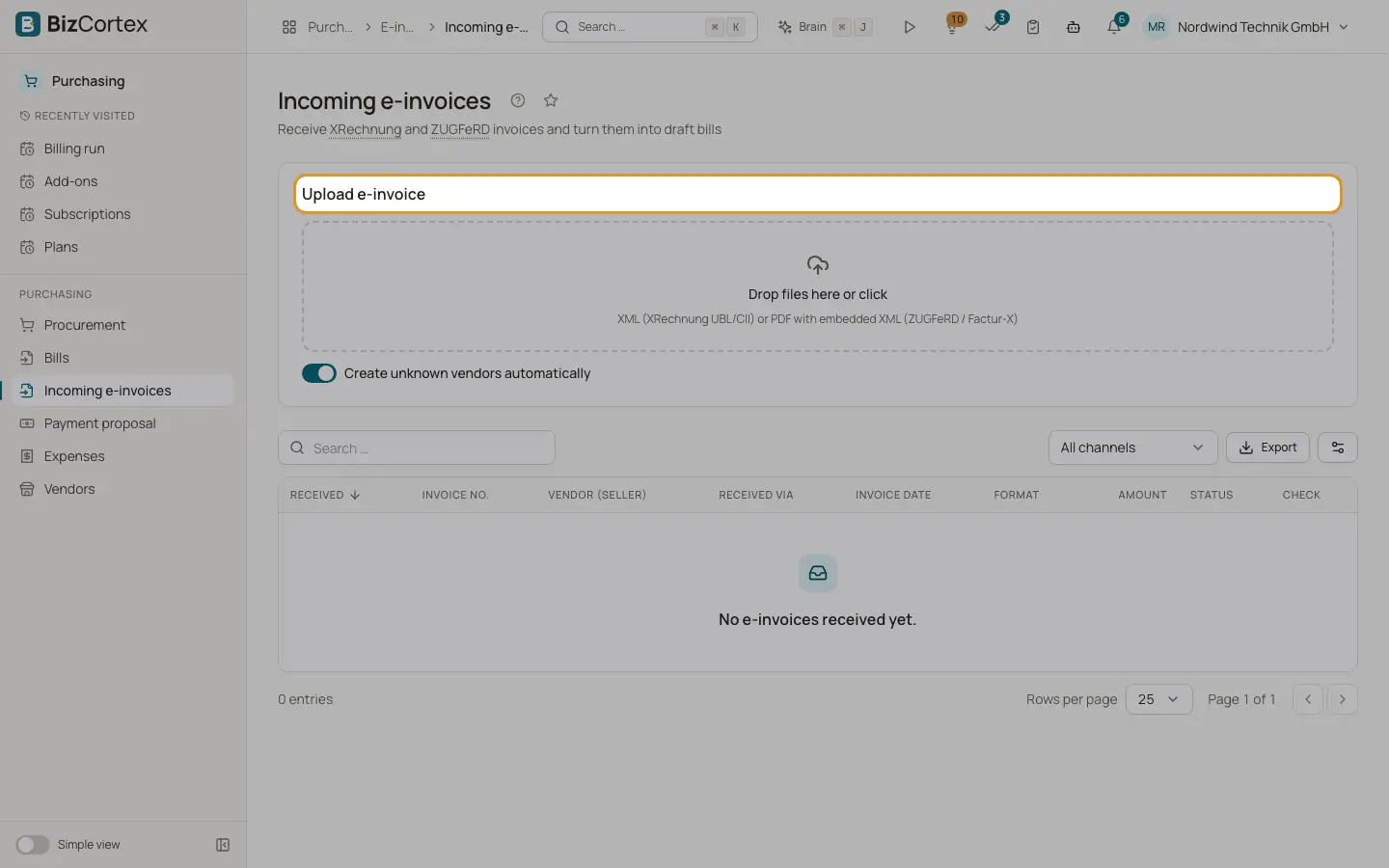
Open the Purchasing app, Incoming e invoices. Files arrive by upload, by the e invoice mailbox (IMAP) or over Peppol. BizCortex reads the file, validates it, finds the vendor and creates a draft bill for you to check. The list shows received date, invoice number, vendor, channel (Upload, Email, Peppol), invoice date, format, amount, status and the check result.
Who can use this
- Owner
- Admin
- Accountant
- Purchase
- Viewer (read only)
Steps
1. Upload
Drop an XML file (XRechnung UBL or CII) or a PDF with embedded XML (ZUGFeRD or Factur X) in "Upload e invoice". Keep "Create unknown vendors automatically" on to add new vendors. Maximum file size 20 MB.
2. Open the result
The detail page shows the invoice data (number, dates, format, seller and VAT ID, buyer, buyer reference, IBAN, payment terms, source), the lines with VAT, the amount payable and the validation report.
3. Check the bill
In the Bill card click "Open draft bill". If no bill was created, choose the vendor (or "Match / create automatically") and click "Create bill".
4. Delete if needed
Delete removes an incoming invoice as long as no bill exists. "Original file" downloads the received file.
Fields and options
- Statuses
Received, Parsed (read but no bill, see the message), Bill created, Failed (not an electronic invoice), Duplicate (a bill with the same vendor and number exists), Review (needs a person, for example a vendor credit note).
- Vendor matching
By VAT ID (ignoring case and spaces), then tax number, then exact name.
- Bill lines
Use the vendor default account. Tax categories are mapped to input VAT codes, document allowances and charges become extra lines, and cash discount terms are taken over.
- Foreign currency
The page shows the exchange rate used, or warns that no rate exists for the invoice date.
Good to know
- The same file cannot be received twice.
- Vendor credit notes are not booked automatically. They are kept for review with a link to the original bill when found.
- To receive by email, an admin sets up the e invoice mailbox connection (IMAP server, port, encryption, user name, folder, folder for processed mails, password) in Administration, Connections.
Related
- Bills (incoming invoices)
Record vendor invoices and follow their status.
- Setting up Peppol
Connect BizCortex to the Peppol network through Storecove.
- Outgoing electronic invoices
Download, validate and attach XRechnung, ZUGFeRD and other electronic invoice formats.