The customer page
Key figures, tabs and quick actions for one customer.
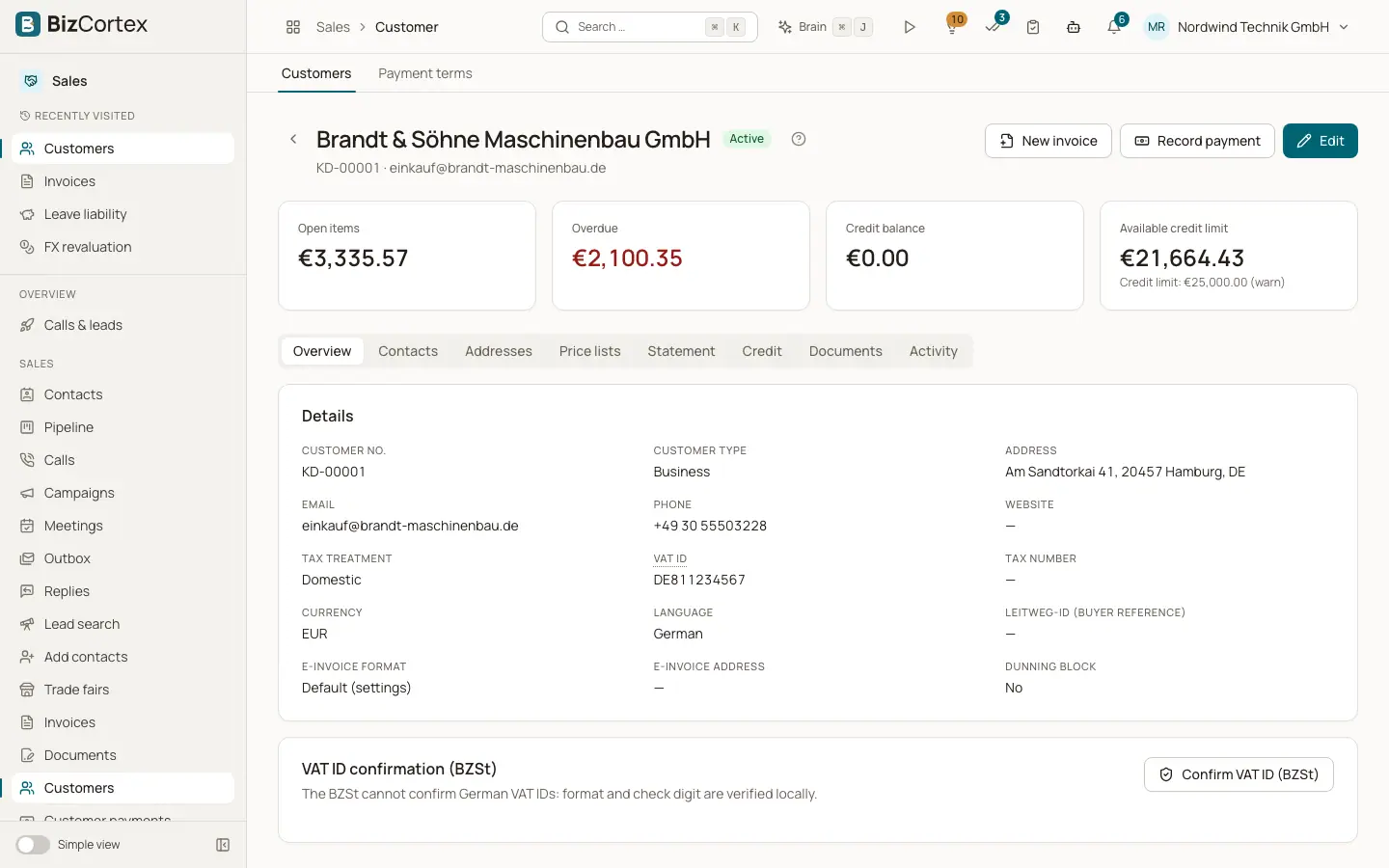
Click a customer in the list to open the customer page. At the top you see four figures: Open items (all open receivables), Overdue, Credit balance and Available credit limit (or "no limit"; the hint shows the limit and the check mode). The buttons "New invoice", "Record payment" and Edit are in the header.
Who can use this
- Owner
- Admin
- Accountant
- Sales
- Viewer (read only)
Fields and options
- Overview
All master data: customer number, type, address, email, phone, website, tax treatment, VAT ID (with its check status), tax number, currency, language, Leitweg ID, electronic invoice format and address, dunning block and notes.
- Contacts
The people at the customer. See the page Contacts and addresses.
- Addresses
Billing and shipping addresses.
- Price lists
Shows the assigned customer price list, the customer group, the group price list and the group discount. The Price lookup lets you pick a product, a quantity and gross or net, and shows the unit price, discount and source (Customer price list, Group price list, Default price list or Product price).
- Statement
The statement of account for a period. See the page Statements.
- Credit
The credit balance and its movements. See the page Customer credit.
- Documents
All invoices, quotes, orders and delivery notes of this customer, each kind in its own sub tab, with number, type, date, status, total and open amount.
- Activity
The change history of the customer record.
Related
- Customers
Create and maintain customers with tax treatment, credit limit, language and electronic invoice settings.
- Statements of account
Show and send a customer statement with running balance and open items.
- Customer credit
Use or refund credit from overpayments and credit notes.