Statements of account
Show and send a customer statement with running balance and open items.
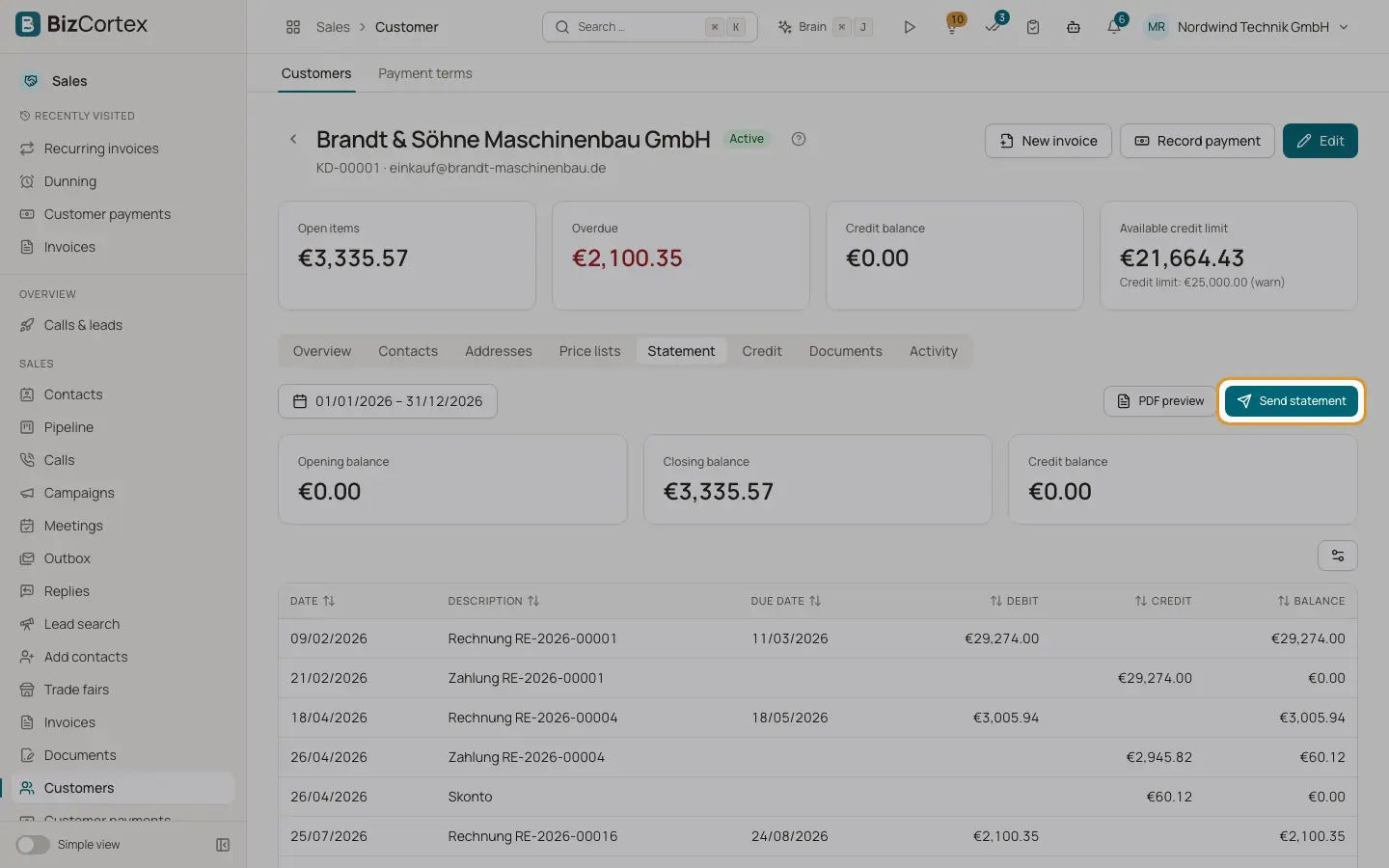
Open the customer page, Statement tab. Choose a period (the current year by default). You see the opening balance, closing balance and credit balance, and a table with date, description, due date, debit, credit and balance.
Who can use this
- Owner
- Admin
- Accountant
- Sales
- Viewer (read only)
Steps
1. Preview
Click "PDF preview" to see and download the statement PDF.
2. Send
Click "Send statement", enter a Recipient (empty = customer email) and an optional Message, and click Send. The email uses the Statement template.
Tips
- Customers with portal access can see their own statement in the customer portal at any time.
Related
- The customer page
Key figures, tabs and quick actions for one customer.
- Customer portal: what customers see
The pages and actions available to your customers in the portal.