Sending an invoice over Peppol
Check the receiver, create the filing and send it, step by step.
Sending over Peppol is done in two places: the invoice creates a filing, and the filing is checked and sent in Finance, Filings. Every Peppol delivery is archived write once with its receipt.
Who can use this
- Owner
- Admin
- Accountant
- Sales
Steps
1. Open the invoice
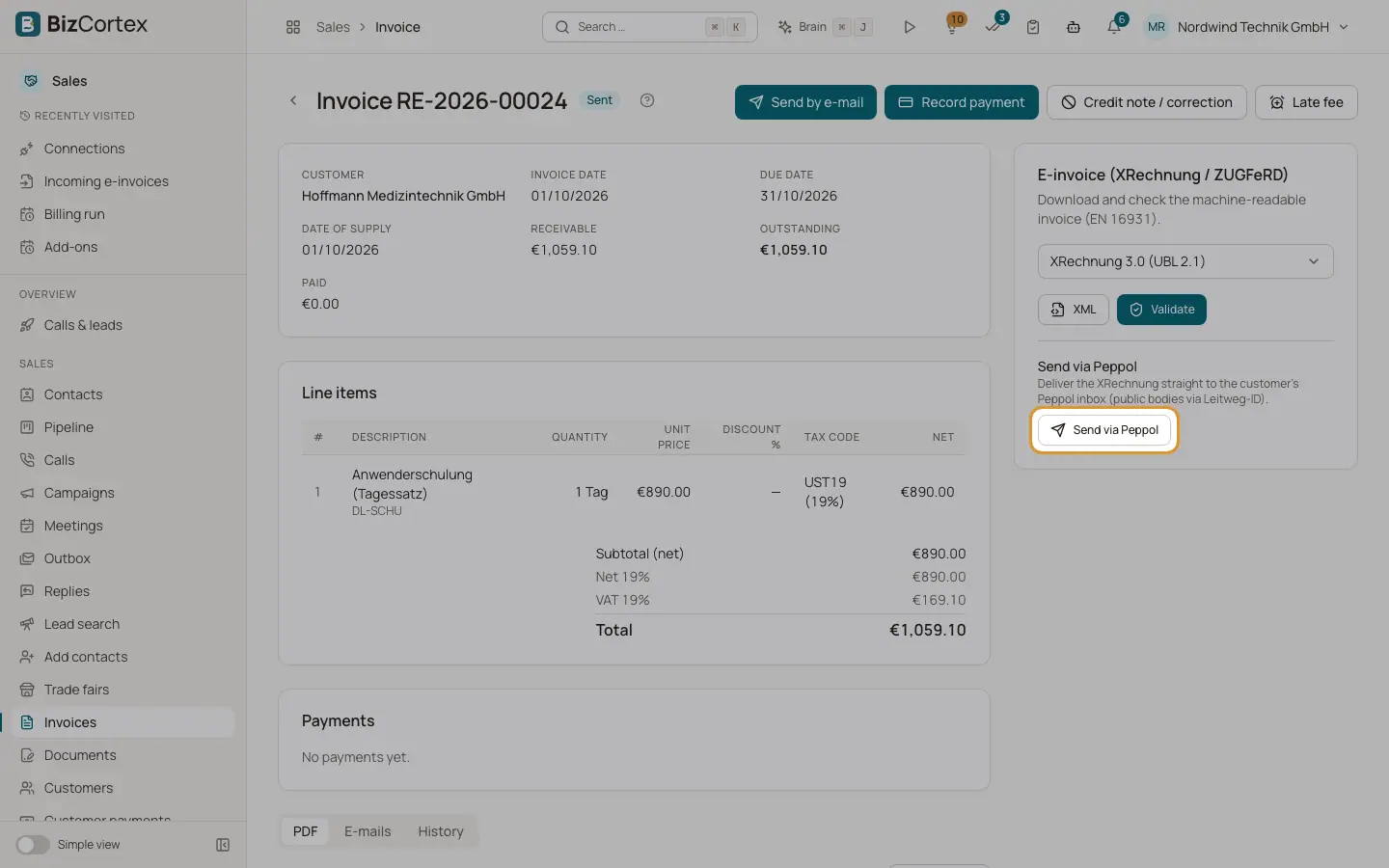
Open an issued invoice. In the E invoice card, find "Send via Peppol".
2. Check the receiver
Click "Send via Peppol". BizCortex looks up the customer in the Peppol network and shows "The receiver is reachable on Peppol" or "The receiver is not reachable on Peppol", the Peppol ID and where it came from (the customer e invoice address, the Leitweg ID with scheme 0204, or entered manually). A "Test mode (sandbox)" badge shows when the connection is in test mode.
3. Create the filing
Click "Create submission". BizCortex builds the electronic invoice (XRechnung UBL in Germany, Peppol BIS 3 elsewhere) and opens the new filing.
4. Check
On the filing click Check. The check result lists errors and warnings: missing sender or receiver ID, wrong syntax, EN 16931 rules and, for XRechnung, the KoSIT validator.
5. Approve and send
Click "Approve & send" and confirm. In test mode the dialog says "Send in test mode"; in live mode "Send for real", which is legally binding.
6. Follow the status
The status goes from Queued to Sending to Transmitted, then Accepted or Rejected. BizCortex asks Storecove for the result automatically. "Download data" and "Download receipt" give you the sent file and the delivery evidence.
Fields and options
- Filing statuses
Draft, Checked, Queued, Sending, Transmitted, Accepted, Rejected, Error (can be sent again), Withdrawn.
- Withdraw
Closes a filing before it is sent. The archived data is kept.
Good to know
- A second click on "Create submission" returns the existing open filing instead of creating a new one.
- If Peppol is not set up you get a message pointing to Connections.
- Approve & send needs the Sales invoice approve permission.
- Credit notes cannot be sent over Peppol from the invoice page yet.
Related
- Filings and connections
One list of everything BizCortex sends to tax offices, networks, banks and your tax adviser, with status, receipt and history, plus the connection settings.
- Setting up Peppol
Connect BizCortex to the Peppol network through Storecove.
- Outgoing electronic invoices
Download, validate and attach XRechnung, ZUGFeRD and other electronic invoice formats.