Sending documents by email
Email quotes, orders, delivery notes and invoices with PDF, electronic invoice and public link.
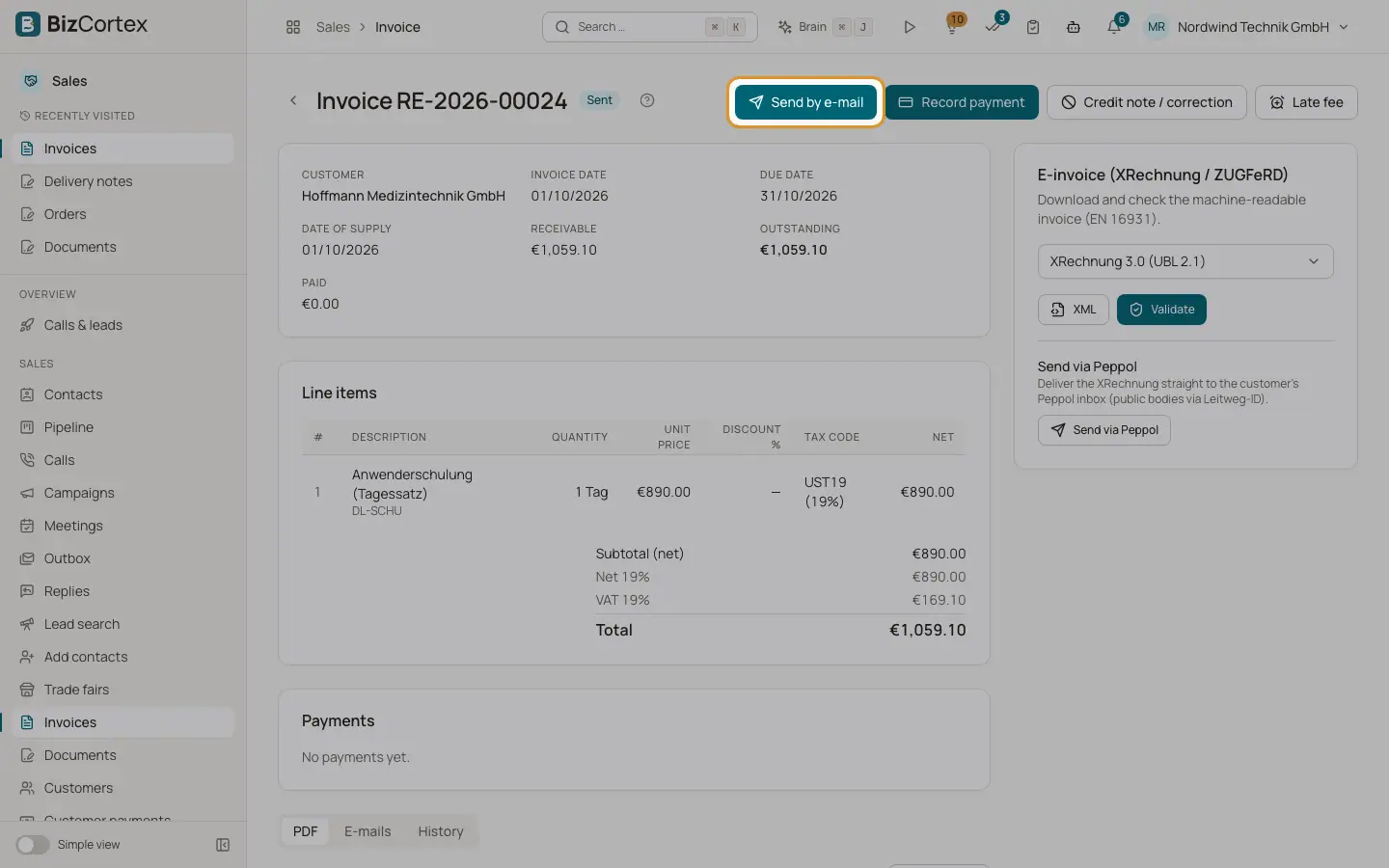
Every document page has a send button ("Send by email", or "Finalize & send" on a draft invoice). The email uses the matching email template, the PDF is attached and the text contains the public link where the customer can view, download, accept or pay.
Who can use this
- Owner
- Admin
- Accountant
- Sales
Steps
1. Open the dialog
Click "Send by email".
2. Recipients
Recipients is prefilled with the customer email. Separate several addresses with commas. Empty = the document contact, then the customer email. Add addresses in "Copy (CC)".
3. Subject and message
Leave Subject and Message empty to use the email template, or type your own.
4. Electronic invoice
For invoices, switch on "Attach e invoice (XRechnung / ZUGFeRD)" to add the electronic invoice in the customer format.
5. Send
Click Send. The email appears in the Emails tab with status Queued, Sent or Failed.
Fields and options
- Attachments
The document PDF named after its number, and for invoices optionally the electronic invoice file.
- PDF layout
Letterhead with your logo, address window, info block, fold marks, VAT per rate, legal notes (reverse charge, intra EU supply, export, small business) and payment terms with cash discount, footer with register, tax and bank details and page numbers. German or English by document language.
- BCC
If Sales settings has a BCC address, every document email goes there too.
Good to know
- Sending a quote sets it to Sent. Sending an order confirms it.
- If the customer has no email address and you enter none, the email cannot be sent.
- English PDFs still use German number formatting.
Related
- Invoices, quotes and other sales documents
The emails that carry invoices, credit notes, quotes, order confirmations, delivery notes and statements.
- Your email signature and handwritten signature
Set up your text signature for emails and your drawn signature for letters, quotes and order confirmations.
- Email templates and email log
Customize the emails for each document type and check what was sent.
- Public document links
What customers see when they open the link in a document email.
- Outgoing electronic invoices
Download, validate and attach XRechnung, ZUGFeRD and other electronic invoice formats.