Outgoing electronic invoices
Download, validate and attach XRechnung, ZUGFeRD and other electronic invoice formats.
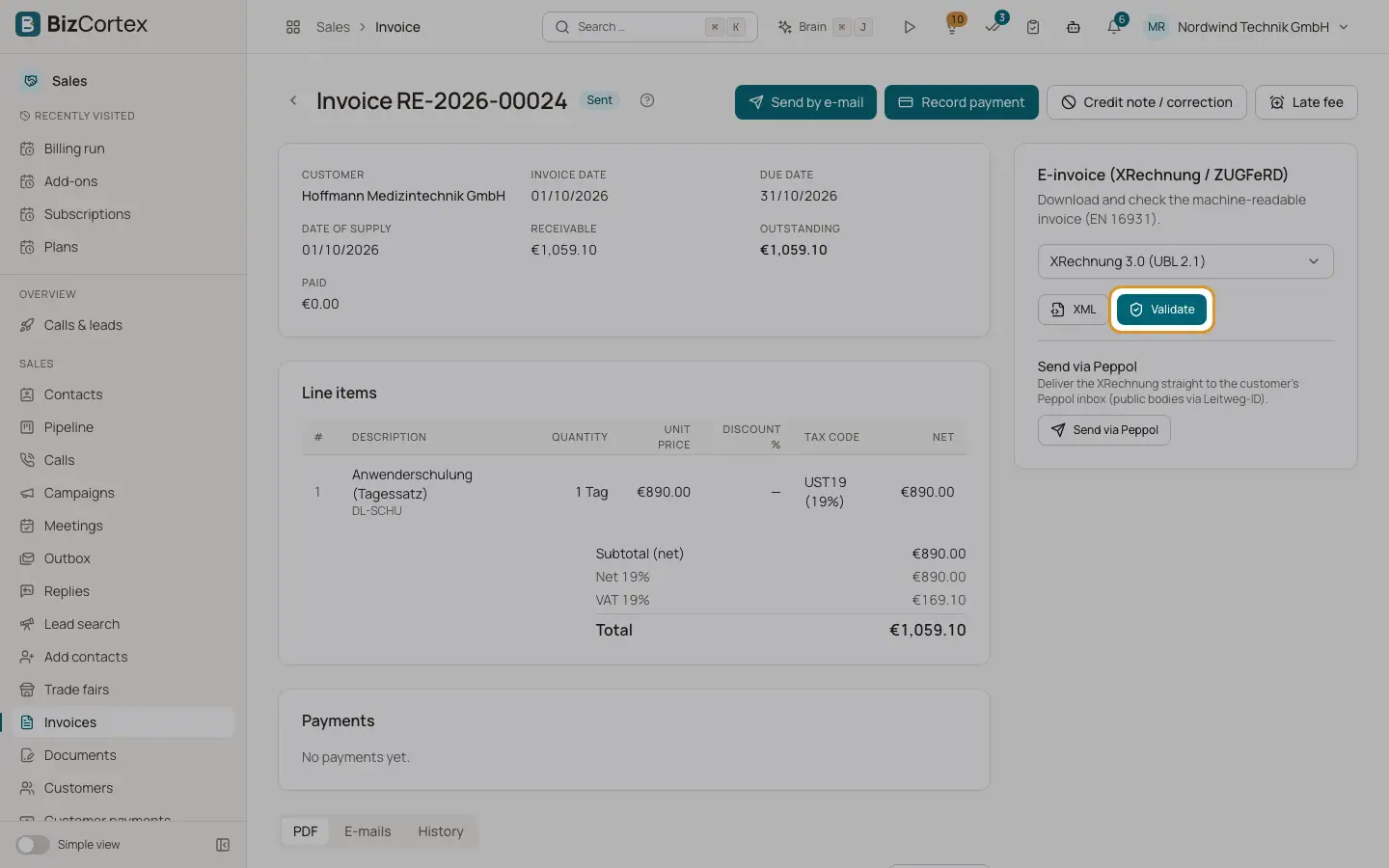
Every issued invoice has the card "E invoice (XRechnung / ZUGFeRD)" on the right side of the invoice page. Here you download the machine readable invoice (EN 16931) and validate it.
Which format is used by default? The format of the customer, else the default format from Sales settings, else the country default.
Who can use this
- Owner
- Admin
- Accountant
- Sales
- Viewer (download and validate only)
Steps
1. Choose a format
Pick the format or profile in the list.
2. Download
Click XML for the XML file. For ZUGFeRD and Factur X formats also click "ZUGFeRD PDF" for the hybrid PDF (PDF/A3 with the XML embedded).
3. Validate
Click Validate. The Validation report shows Valid or Invalid, whether the schema (XSD) is valid, and the errors and warnings with their rule codes.
4. Attach to the email
When you send an invoice, switch on the electronic invoice attachment in the send dialog.
Fields and options
- XRechnung 3.0 (UBL 2.1) and (UN/CEFACT CII)
The German standard for public authorities. Requires the Leitweg ID as buyer reference and electronic addresses.
- ZUGFeRD 2.3 / Factur X MINIMUM, BASIC WL, BASIC, EN 16931 (COMFORT), EXTENDED, XRECHNUNG
Hybrid formats: a readable PDF with embedded XML. EN 16931 is the usual choice for businesses.
- Peppol BIS Billing 3.0 (UBL)
The European Peppol format, also used as EHF in Norway.
- OIOUBL (Denmark), ebInterface 6.1 (Austria), Facturae 3.2.2 (Spain, FACe)
National formats offered for these countries.
- Validation steps
XSD schema check, the EN 16931 business rules, the XRechnung rules for XRechnung formats, and the official KoSIT validator when your provider has set it up.
Good to know
- Only issued invoices can be exported. Drafts are not available.
- The E invoice card is not shown for credit notes.
- Incoming files of the MINIMUM and BASIC WL profiles are header only and do not create bills.
Related
- Electronic invoice formats by country
Which outgoing formats each country offers and which is the default.
- Sending an invoice over Peppol
Check the receiver, create the filing and send it, step by step.
- Incoming electronic invoices
Receive XRechnung and ZUGFeRD invoices from vendors and turn them into draft bills.