The invoice list
Find invoices by status, type, customer and date, and record payments from the list.
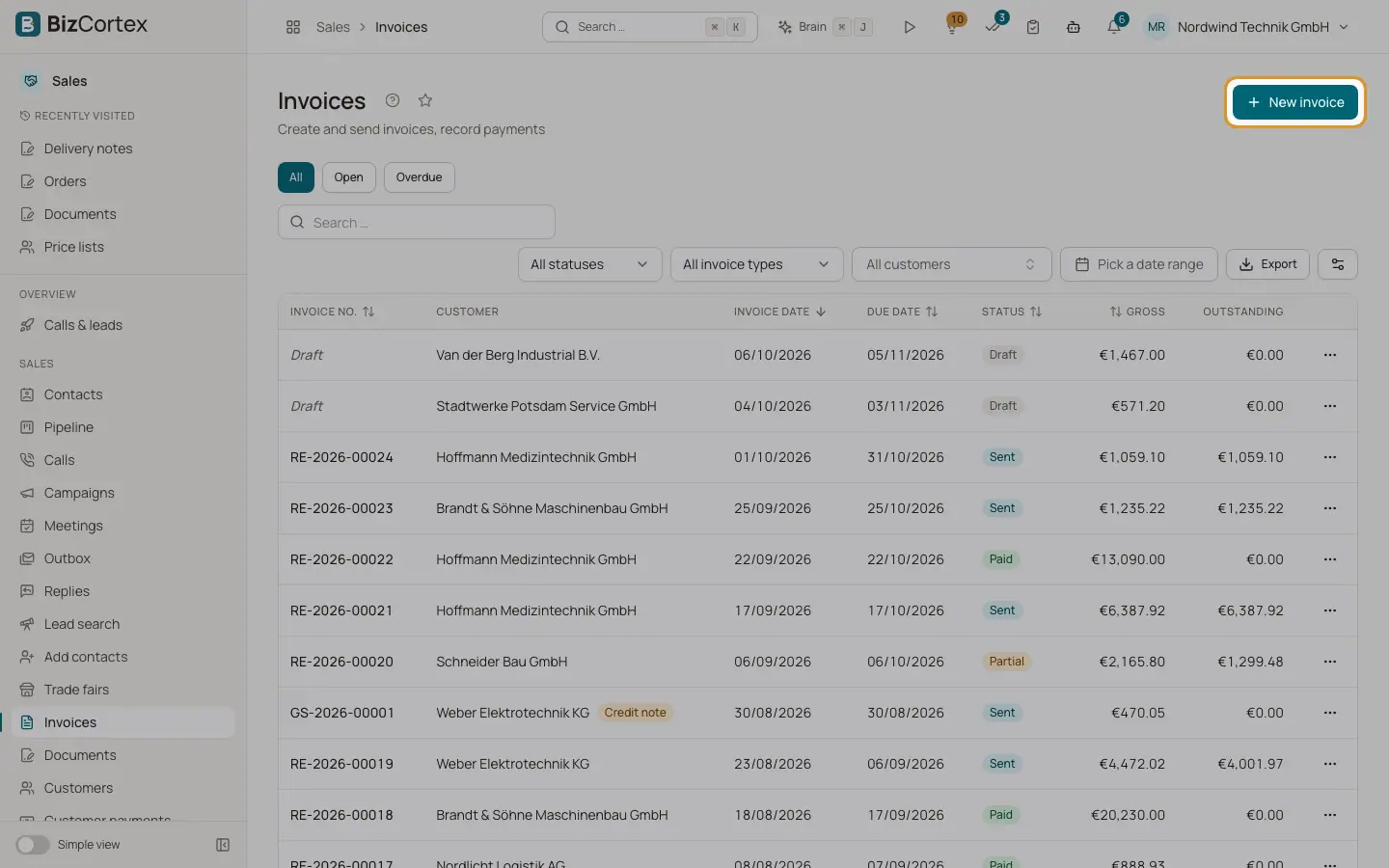
Open Sales, Invoices. This is also the start page of Sales. The list shows Invoice no. (drafts show "Draft"), customer with a badge for special invoice types, invoice date, due date, status, gross amount and Outstanding amount.
Who can use this
- Owner
- Admin
- Accountant
- Sales
- Viewer (read only)
Steps
1. Write a new invoice
Click "New invoice". If you have no invoices yet, the empty page also offers "Start with a quote".
Fields and options
- Quick filter
All, Open (anything still to be paid) and Overdue.
- Status filter
Draft, Sent, Viewed, Partial, Paid, Overdue, Cancelled.
- Invoice type filter
Invoice, Down payment invoice, Partial invoice, Final invoice, Credit note.
- Customer and date range
Limit the list to one customer or an invoice date range.
- Row menu
View, Edit (drafts only) and "Record payment" (open invoices only).
Good to know
- Viewed means the customer opened the invoice in the portal or on the public link.
- Invoices are set to Overdue automatically by a daily background job once their due date has passed.
Related
- Finalizing an invoice
Check the mandatory details, finalize, and understand why an issued invoice is locked.
- Recording customer payments
Post money received, allocate it to invoices, grant cash discounts and keep the rest as credit.