Reactivation
Rules propose lists of lost deals and dormant contacts; you review and approve them.
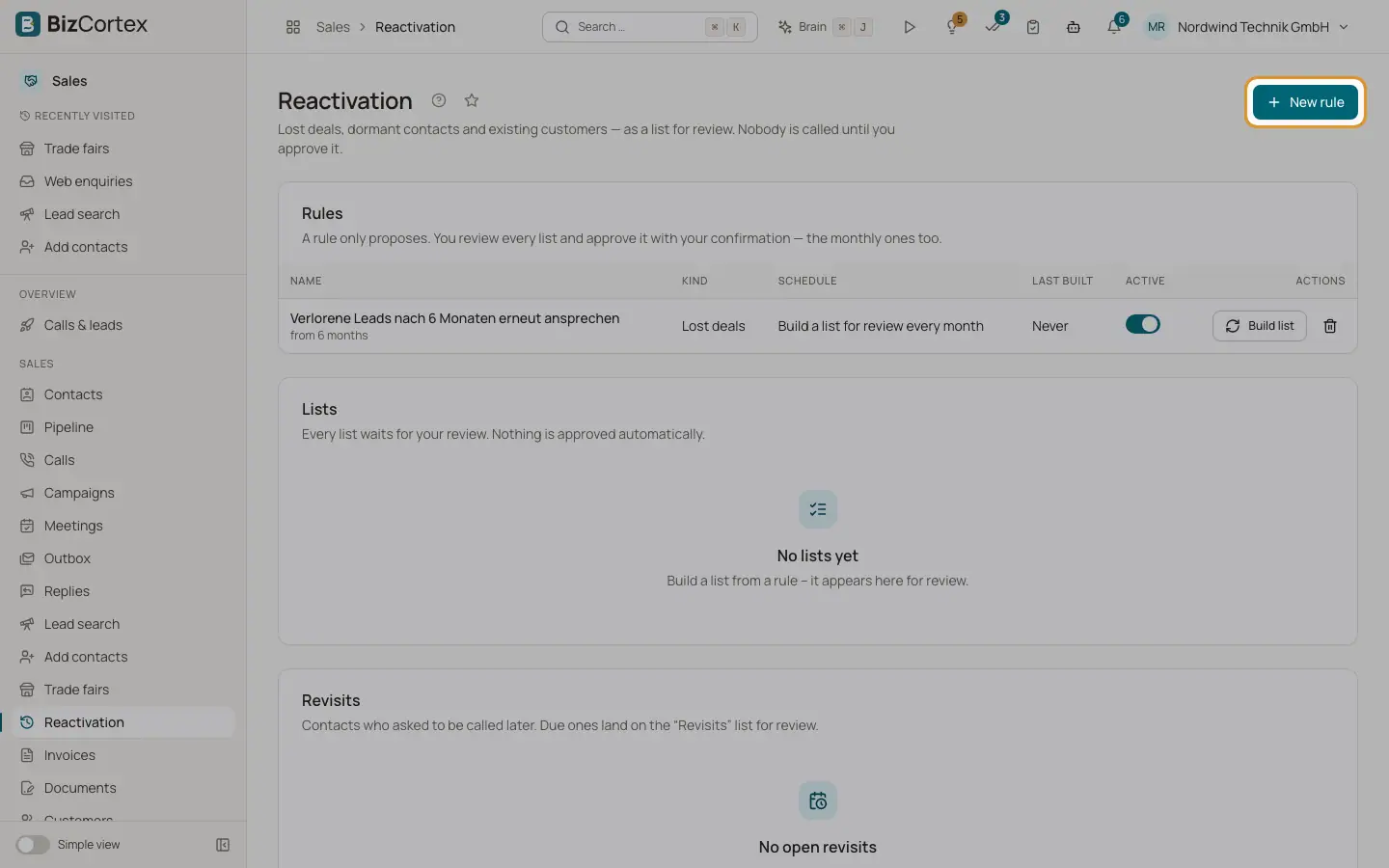
Open the Sales app and click "Reactivation" (specialist page). A rule only proposes. Nobody is called until you review a list and approve it with your confirmation, monthly lists too.
Who can use this
- Owner
- Administrator
- Sales
- Viewer (read only)
Steps
1. Create a rule
Click "New rule". Enter a name and choose the kind. Set the minimum months since the last contact, the stages, exclusion keywords, the source and the schedule ("Manually only" or "Build a list for review every month"). Click "Create rule".
2. Build a list
Click "Build list". When it is ready, click "Open list" or "Review".
3. Review
Use the tabs Proposed, Excluded, Taken out, Approved and All. Click "Take out" or "Put back". Exclusions for an opt out or a clear no cannot be undone.
4. Approve
Click "Approve". Enter the campaign name, who takes the meetings and whether to start right away. Read the confirmation text (at least 20 characters), tick it and click "Approve N contacts". Each contact gets a legal basis valid 90 days and joins a reactivation campaign.
5. Discard
Click "Discard list" to drop a list.
6. Revisits
Contacts who asked to be called later appear under "Revisits" with the due date. Click "Cancel revisit" to remove one.
Fields and options
- Kinds
Dormant open contacts, Lost deals, Lost deals from HubSpot, Existing customers, Revisits.
- Months
At least 3, at most 120. A freshly lost deal is no reason to call.
- Exclusion keywords
Up to 20, in addition to "kein Interesse", "nicht mehr kontaktieren" and "do not contact".
- Exclusion reasons
Opted out, Clear no, Refusal in the lost reason, Contact in the last 30 days, Follow up sequence running, Call already scheduled, Number does not exist, No phone number, Duplicate on the list, On another list.
- List status
Building, For review, Approved, Discarded, Failed.
Good to know
- A list holds at most 2000 contacts.
- Approval does not assume consent to email.
Related
- Pipeline and stages
Every contact after the first call with its stage, next step, sequence and meeting.
- Campaigns
Group contacts and spread the calls over the permitted calling window.