Calls
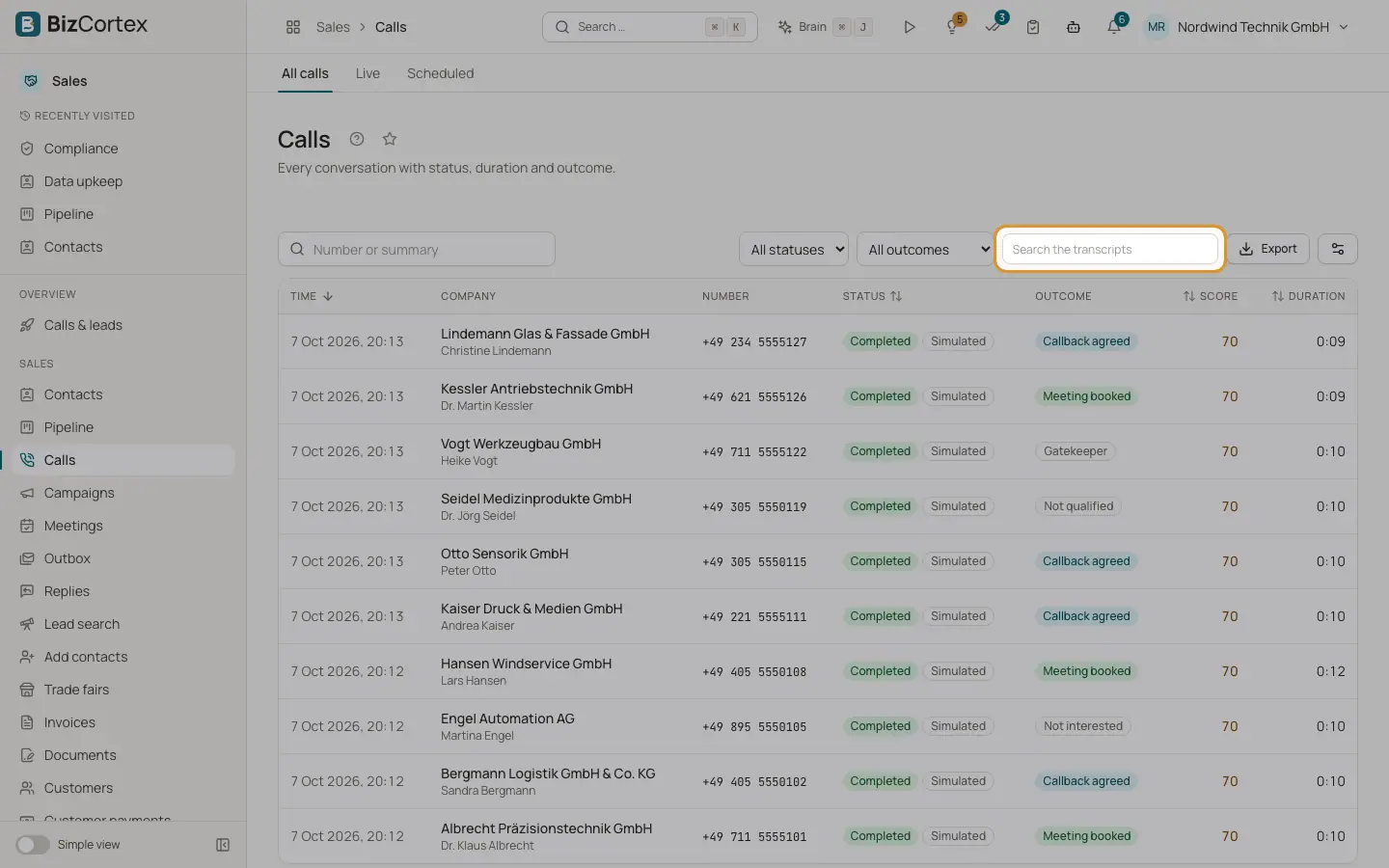
Every conversation of the AI agent with status, outcome, score and duration.
Open the Sales app and click "Calls", then "All calls". Every conversation shows up here with its transcript and compliance record. The Home page widget "Calls today" shows today's count and calls in progress.
Who can use this
- Owner
- Administrator
- Sales
- Compliance (audit only)
- Viewer
Steps
1. Search
Search by number or summary. Use "Search the transcripts" to find words that were spoken.
2. Filter
Filter by status (Dialling, Ringing, Answered, Completed, Failed, No answer, Voicemail) and by outcome.
3. Campaign filter
When you open the calls of a campaign, a badge "Campaign: name" appears. Click the x to clear it.
4. Open a call
Click a row to open the call page.
Fields and options
- Outcomes
Meeting booked, Callback agreed, Not interested, Not qualified, Wrong person, Opt out, Voicemail, Gatekeeper, No answer, Error, Other.
- Score
The call score out of 100.
- Badges
"Simulated" marks a development call without real telephony; "Test" marks a test call.
Related
- The call page
Transcript, findings, score, talk balance, SMS, cost and latency of one call.
- Live and scheduled calls
Follow calls in real time and manage calls planned for a fixed time.