The meeting page
People, reminders, the brief for the rep, rebooking, CRM sync, notetaker and analysis of one meeting.
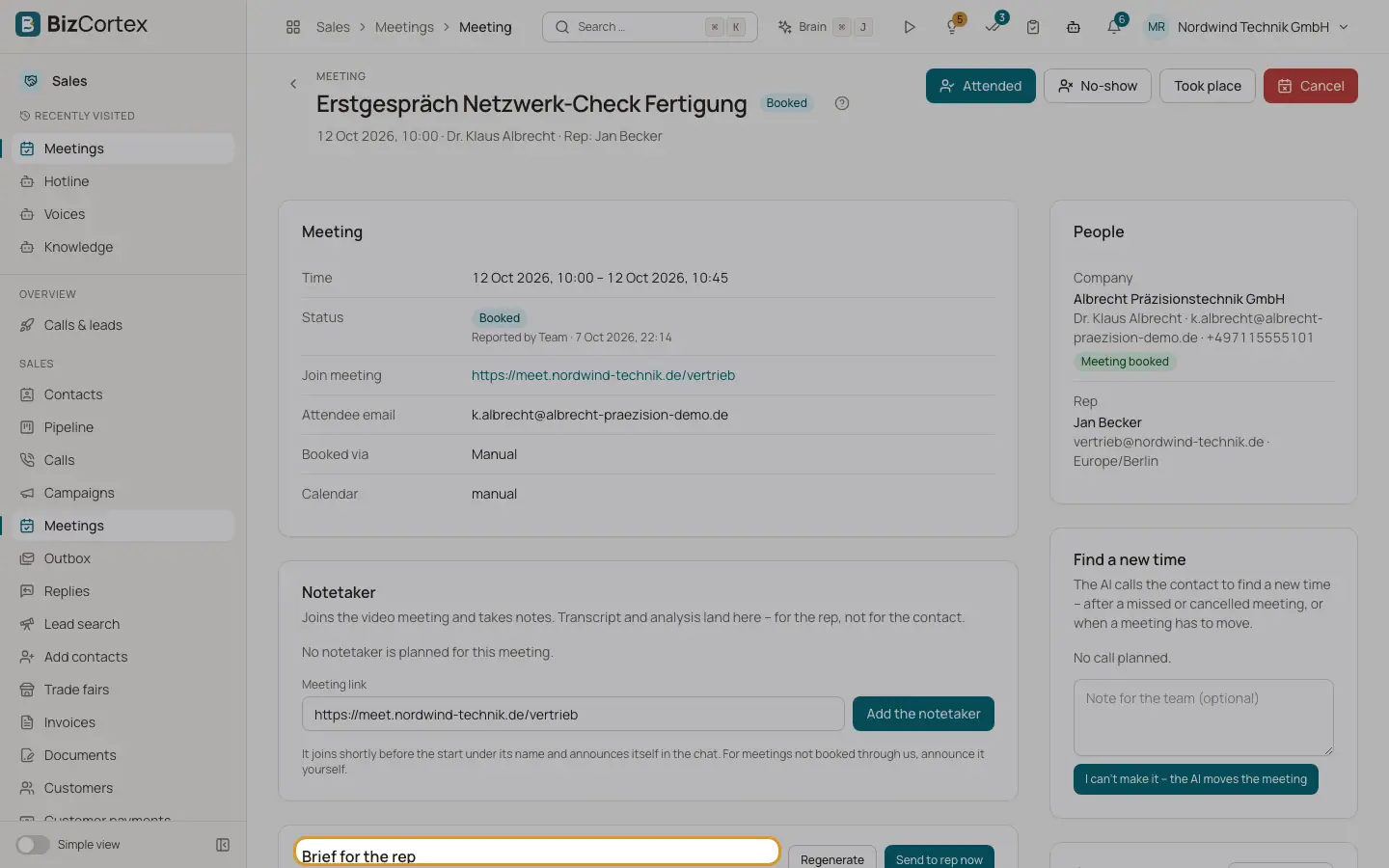
Click a meeting to open it. The cards show the meeting (time, video link "Join meeting", location, reschedule page, calendar, booked via, call), the people, reminders, the brief, rebooking, CRM, notetaker, analysis and history.
Who can use this
- Owner
- Administrator
- Sales
- Viewer
Steps
1. Cancel the meeting
Click "Cancel", give an optional reason and tick "Also cancel at the calendar provider" to notify the contact. Planned reminders and the brief are dropped.
2. Send the brief
The card "Brief for the rep" is the email to the rep before the meeting: facts from the system, text from the model. Use "Regenerate" or "Send to rep now".
3. Find a new time
In the card "Find a new time" click "Let the agent call" after a missed or cancelled meeting, or "I can't make it, the AI moves the meeting". Add an optional note. "Cancel the call" stops it.
4. Sync with CRM
In the card "CRM" click "Sync with CRM" to send contact, company, deal and meeting data to your CRM.
5. Record consent from the meeting
If the analysis says the contact asked for an email, click "Record consent from the meeting" and confirm. The model's reading alone is never proof; the quote, your name and the time are stored.
Fields and options
- Confirmation & reminders
Confirmation (email), Reminder (email), Reminder (SMS), each Planned, Sent, Skipped, Dropped, Failed or Opt out. They are checked again before sending.
- Rebooking states
Planned, Call scheduled, Rebooked, No new meeting, Attempts used up, No call, with the reason when blocked.
- Analysis
Outcome (Moving forward, Follow up needed, No decision, Not a fit, Lost), mood, summary, key points, objections, next steps, budget, decision, need, timeline and a suggested deal stage.
- Follow up email
The recap draft goes to the outbox and is sent only after approval. Without email consent nothing is sent.
- History
Every change with its source.
Related
- The notetaker
A bot that joins video meetings, takes notes and produces a transcript and analysis.
- Follow up outbox
Review, approve or discard the emails the agent drafted after calls.