Compliance centre
Evidence for compliant phone sales: legal bases, blocked calls, AI disclosure records, audit log and retention.
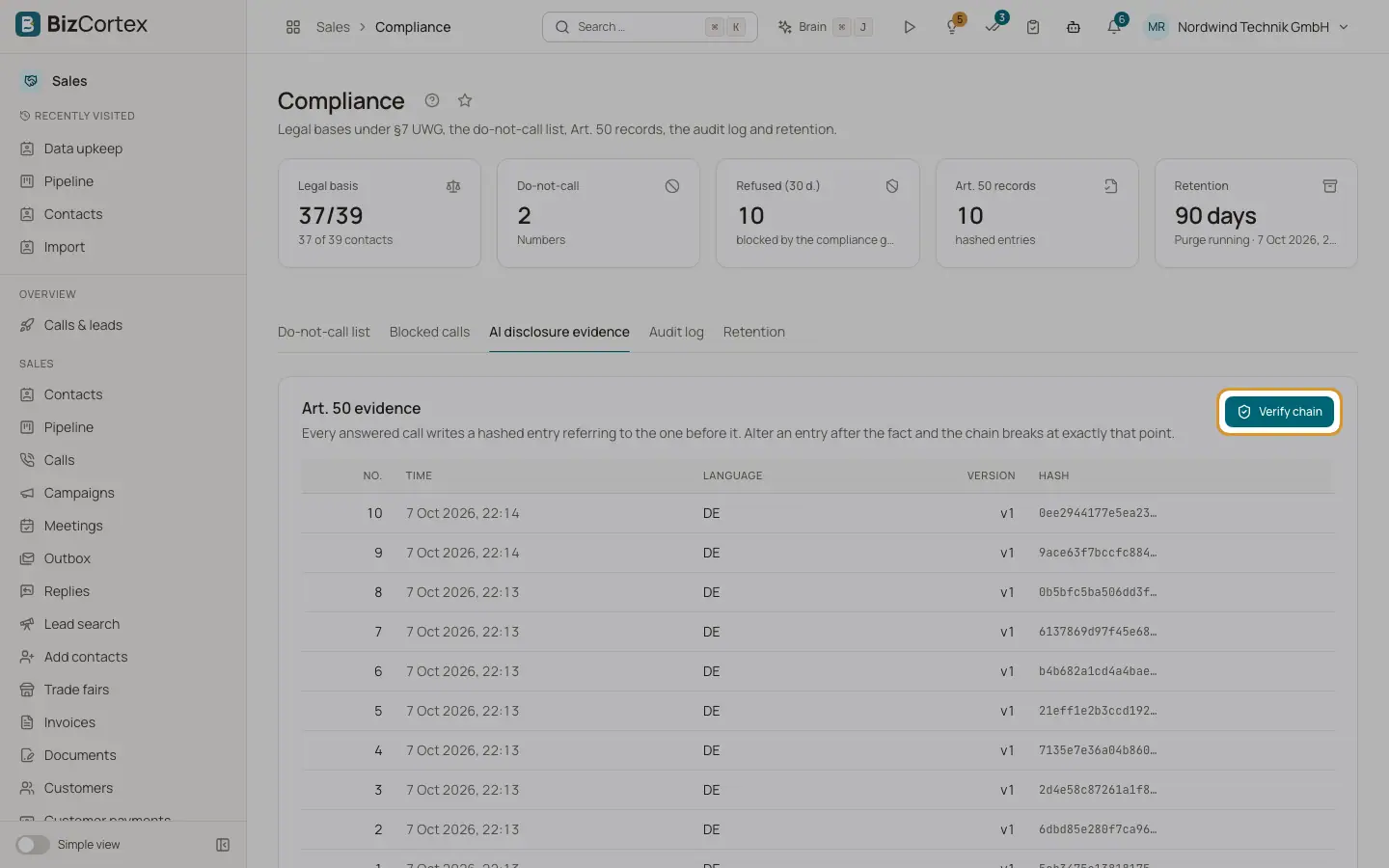
Open the Sales app and click "Compliance" in the settings part of the sidebar (specialist page). At the top you see five numbers: Legal basis (contacts with a basis), Do not call (numbers), Refused (30 days), Art. 50 records (hashed entries) and Retention (days, and whether the purge runs). The tabs below hold the details.
Who can use this
- Owner
- Administrator
- Compliance (audit only)
- Sales (read only)
- Viewer (read only)
Steps
1. Do not call list
See and manage blocked numbers. See the page "Opt outs and the do not call list".
2. Blocked calls
Dial attempts the check refused in the last 30 days, with time, company and reasons. This is the evidence that the check actually works.
3. AI disclosure evidence
Every answered call writes a hashed entry that refers to the one before it. The table shows number, call, language, version and hash. Click "Verify chain" or "Verify in full". "Chain intact" means every hash matches. "Chain broken" names the first entry that was altered after the call.
4. Audit log
Who changed what and when: blocks, legal bases, contact data, outcomes and purges.
5. Retention
Conversation content is deleted nightly at 03:30 after the retention period. The tab shows the period, whether automatic deletion is active, the last and next purge and how many consents are older than five years. Click "Purge now" to run it at once (needs the retention admin permission: Owner, Administrator or Compliance).
Good to know
- The default retention period is 90 days. Blocks, Art. 50 records and consent evidence (five years, §7a UWG) are kept.
- Consents older than five years are not deleted automatically. The decision is yours.
- The retention period cannot be changed on this page.
Related
- Opt outs and the do not call list
Numbers and addresses that must never be contacted again, and how they get there.
- Calling rules: the dial check
The checks every call passes: legal basis, opt outs, calling hours, attempts, countries and approval.