Pipeline and stages
Every contact after the first call with its stage, next step, sequence and meeting.
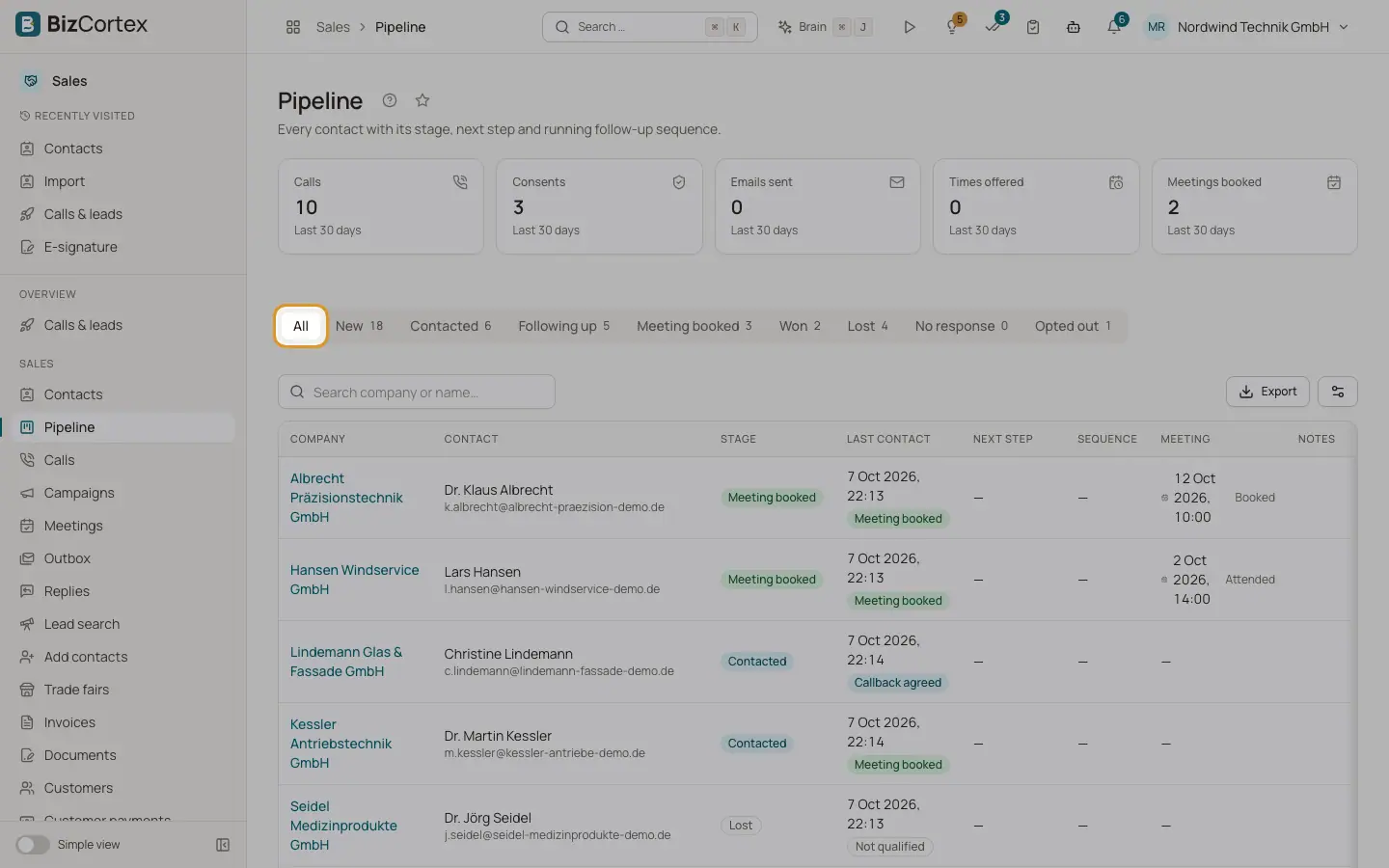
Open the Sales app and click "Pipeline". At the top you see the numbers of the last 30 days: Calls, Consents, Emails sent, Times offered and Meetings booked. Below are tabs for "All" and each stage with its count, a search box and the list of contacts.
The stage of a contact is your deal status. BizCortex calling has no separate deal record; a deal exists only in HubSpot if you switch on the HubSpot deal sync.
Who can use this
- Owner
- Administrator
- Sales
- Compliance (audit only)
- Viewer
Steps
1. Filter by stage
Click a stage tab. Use "Search company or name…" to narrow the list.
2. Change a stage
Use the stage menu on a row ("Move to"), or open the contact and use "Change stage" in the Pipeline card with an optional reason. You see "Stage changed."
3. Mark as lost
When you move a contact to Lost, the dialog "Why was it lost?" asks for a reason and an optional note. Click "Mark as lost". The reason decides whether reactivation may propose this contact again after at least three months. After a clear no, never.
4. Plan the next step
In the Pipeline card of the contact, enter the next step and its due date and click "Set next step".
Fields and options
- New
Not called yet.
- Contacted
A call took place without a meeting or refusal. Also the stage after a cancelled meeting or a no show.
- Following up
A meeting link was sent and is waiting for a booking.
- Meeting booked
A meeting is booked.
- Won
Only a person (or compliance) can move a contact out of Won.
- Lost
Set automatically after "not interested" or "not qualified", or by hand with a reason.
- No response
A follow up call reached no decision.
- Opted out
The contact refused further contact. You cannot set or leave this stage in the pipeline; opt outs are recorded in the compliance centre.
- Lost reasons
"Clear no, never call again", "No need", "Wrong timing", "Budget", "Competitor", "Other reason".
- Columns
Company, Contact, Stage, Last contact, Next step, Sequence (Running, Paused, Completed, Cancelled, with step and next run), Meeting (Booked, Link sent, Cancelled, Completed, Attended, No show) and Notes (Email consent, Unsubscribed, open items in data upkeep, Customer).
Good to know
- Contacts enter the pipeline after their first call. Finished calls move the stage automatically: a booked meeting sets Meeting booked, an opt out sets Opted out, "not interested" sets Lost.
Related
- Reactivation
Rules propose lists of lost deals and dormant contacts; you review and approve them.
- Email follow up settings
Whether and how recap emails, reminders, follow up calls and replies work.