Meetings
What the agent booked, and whether the person showed up.
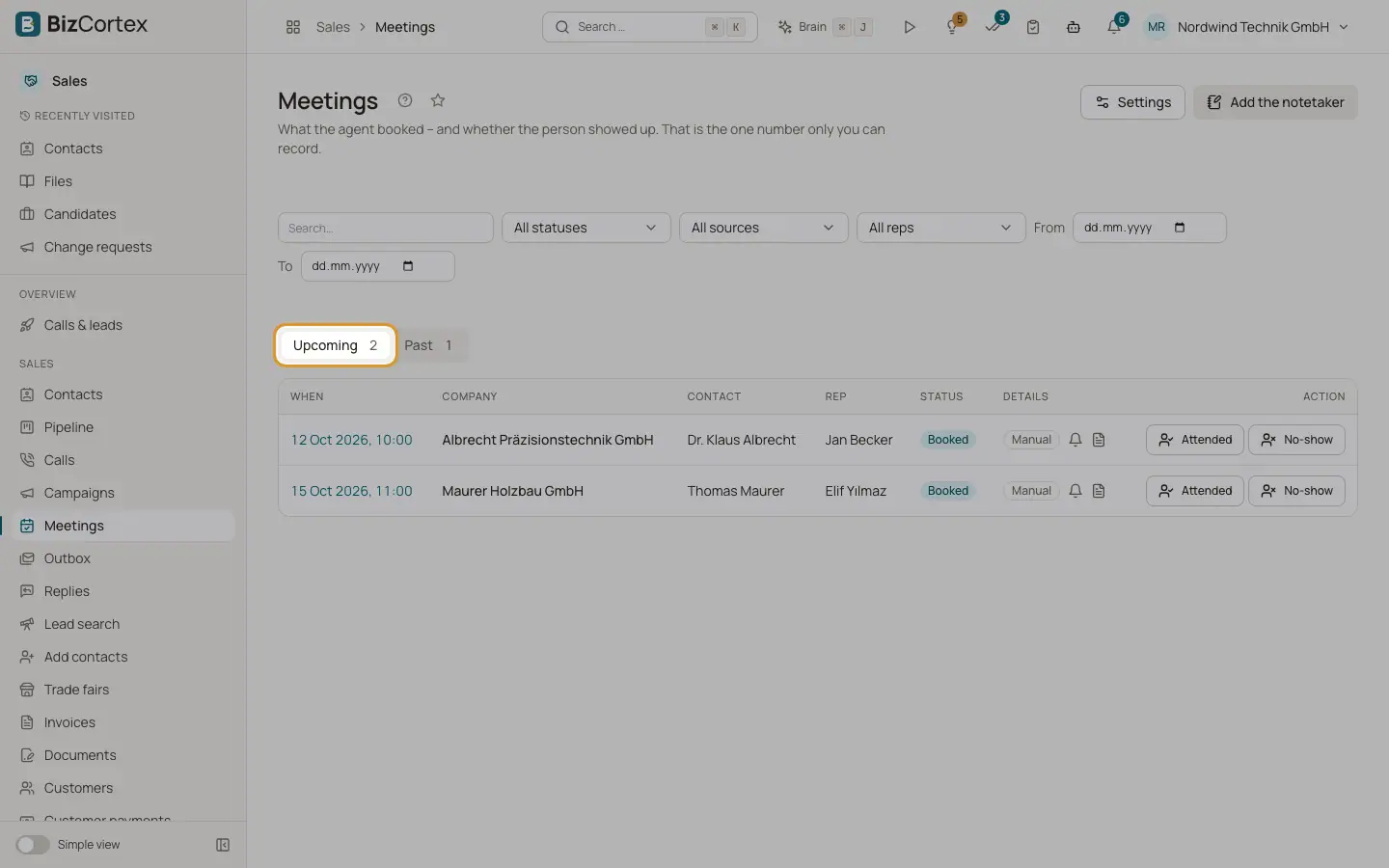
Open the Sales app and click "Meetings", "Overview". The tabs "Upcoming" and "Past" show the meetings with their counts. Whether the person showed up is the one number only you can record.
Who can use this
- Owner
- Administrator
- Sales
- Viewer
Steps
1. Filter
Use "Search…", the status filter, the source filter, the rep filter (when you have more than one rep) and the dates "From" and "To".
2. Record attendance
On a past meeting click "Attended", "No show" or "Took place". "Reset" sets it back to Booked. A past meeting without a record shows "Attendance open".
3. Add the notetaker
Click "Add the notetaker" for a meeting not booked through BizCortex. Paste the meeting link (Zoom, Google Meet, Microsoft Teams or Webex), title, start, duration and rep. Click "Add".
4. Settings
Click "Settings" to open the meeting settings.
Fields and options
- Status
Booked, Link sent, Cancelled, Took place, Attended, No show.
- Source
Call, Booking page, Manual, Link, Calendar, Invitation, Email reply.
- Details
Reminders sent and planned, brief status and notetaker status.
Good to know
- Meetings also appear in the Workspace calendar of the BizCortex user linked to the rep.
Related
- The meeting page
People, reminders, the brief for the rep, rebooking, CRM sync, notetaker and analysis of one meeting.
- Reps and booking calendars
The people who hold the meetings, their calendars, and the free or busy check.