Voice studio: brief and script approval
Answer fifteen questions, generate the call script, test it and submit it for approval.
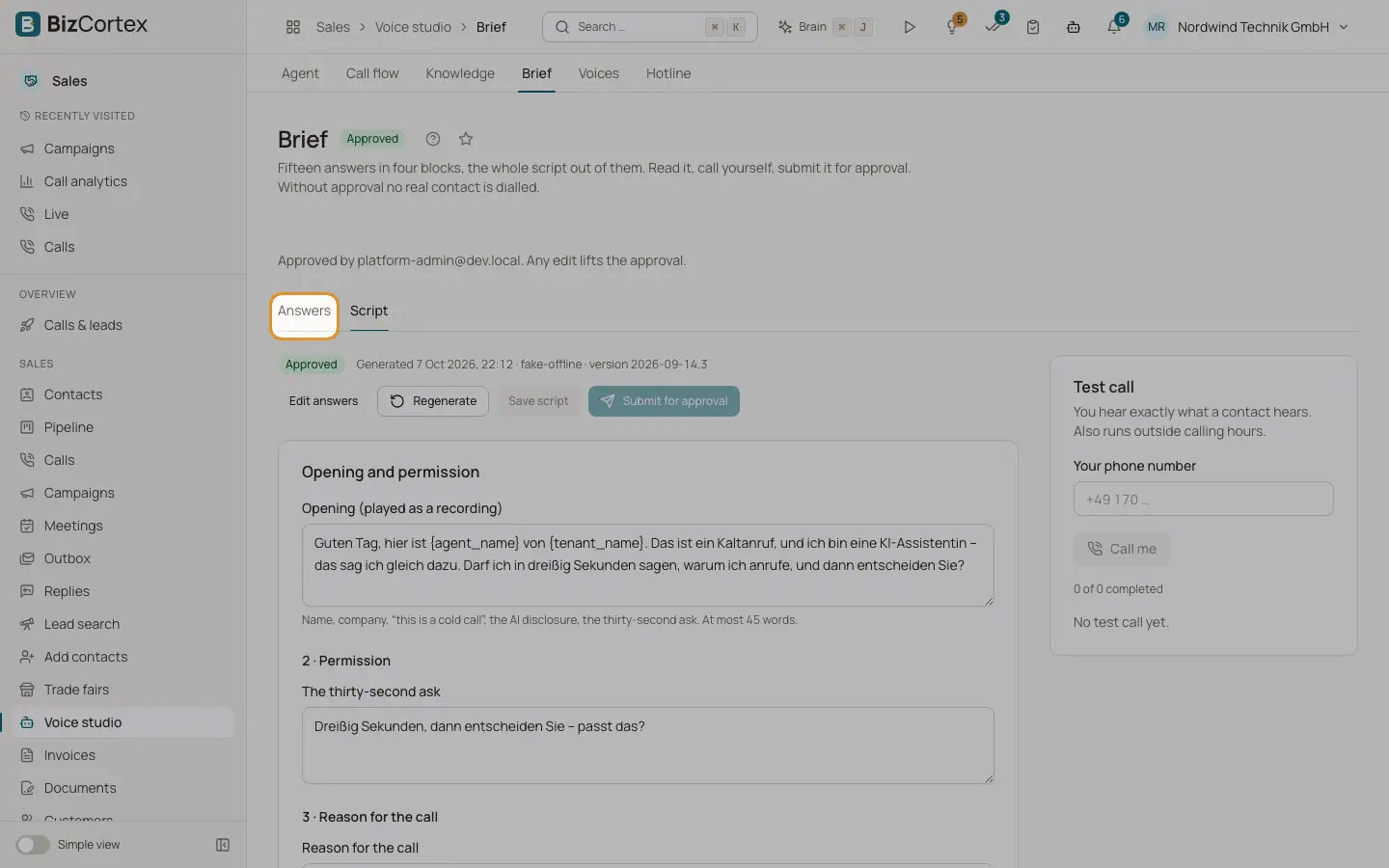
The brief is the basis of your calling agent. Fifteen answers in four blocks become the whole script. You read it, call yourself, and submit it for approval. Without approval no real contact is dialled. Open the Sales app, click "Voice studio" (specialist page), then "Brief". The tabs are "Answers" and "Script".
Who can use this
- Owner
- Administrator
- Sales (read only)
Steps
1. Answer the questions
Work through the blocks "What you sell", "Who to call", "What a good call looks like" and "Rules and setup". Use "Back", "Next" and "Save". The box "Still open" lists missing required answers. Rule for any further question: it must change what the agent says, switch a branch on or off, or create a safety rule.
2. Generate the script
In the last step click "Generate script". If no language model is set up you see a message to add an API key under Integrations.
3. Review and edit the script
The tab "Script" shows the opening (played as a recording, at most 45 words) and the stages Permission, Reason for the call, Problem and check, The questions, Qualified?, The ask, Objections, Rules, Gatekeeper and drift, and Voicemail. Edit the text and click "Save script", or click "Regenerate".
4. Make a test call
Under "Test call" enter your phone number and click "Call me". You hear exactly what a contact hears. Test calls also run outside calling hours.
5. Submit for approval
Click "Submit for approval". You need at least one completed test call. A person on our team reads the script and listens to a test call, then approves it or requests changes with a note.
Fields and options
- Status
Draft, Generated, In review, Approved, Changes requested. Any edit after approval lifts the approval; the script must be approved again.
- Price policy
May the agent talk about price: "Yes, the exact figure", "A range only", "That is what the meeting is for" or "Never".
- Success
"Book a meeting" or "Permission to follow up by email".
- Questions, criteria, objections
At most three questions to ask on every call, two or three qualification criteria and the three most common objections with your best answer.
- Form of address
Formal (Sie) or Informal (du).
- Allow follow up by email
If someone would rather receive something by email, the agent asks for express consent and reads the address back.
- Allowed countries
Country codes, for example DE, AT.
- Attempts per person and per day
Attempts per person: 1 to 10. Attempts per day: 1 to 3.
- Recordings
Optional: up to three real sales calls as a link or file name. They improve the script.
Good to know
- The option "Transfer to your sales team" is marked "soon". This is not available yet.
- When the brief is approved, the opening announcements become new AI disclosure versions.
- In objection handling the agent tries at most 2 answers per objection and 3 per call.
Related
- Voice studio: agent settings
Custom brief text, tools and MCP servers, speech, call and transcription settings.
- Calls and leads overview
The starting page of phone sales: what is still missing before the first lawful call, and the key numbers.