Voice studio: agent settings
Custom brief text, tools and MCP servers, speech, call and transcription settings.
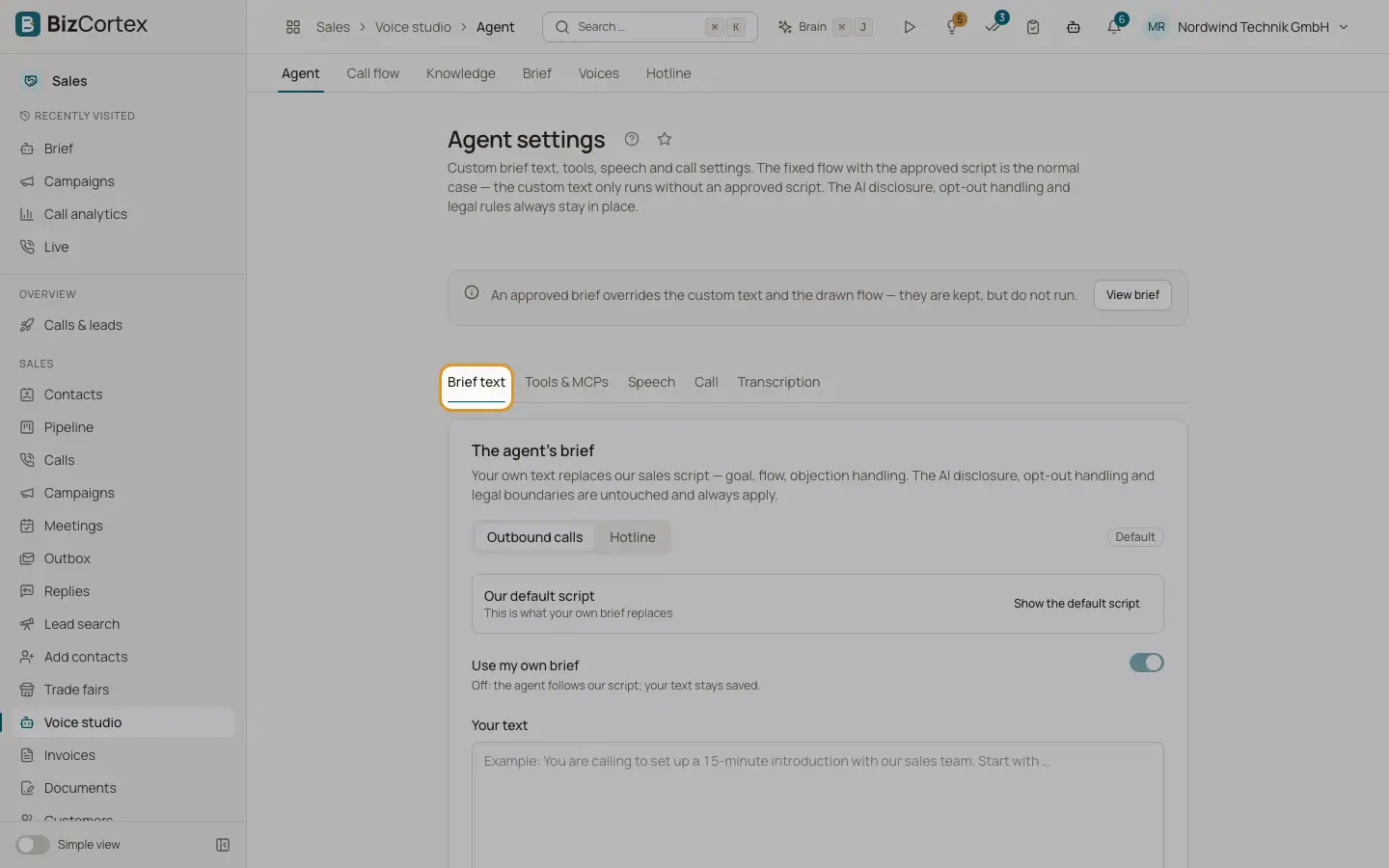
Open Voice studio, "Agent". The fixed flow with the approved script is the normal case. Your own text only runs without an approved script. The AI disclosure, opt out handling and legal rules always stay in place. The page has the tabs "Brief text", "Tools & MCPs", "Speech", "Call" and "Transcription".
Who can use this
- Owner
- Administrator
- Sales (read only)
Steps
1. Brief text
Switch on "Use my own brief" and write your text for "Outbound calls" and for "Hotline" (up to 6000 characters each). Click "Show the default script" and "Use as a starting point" to begin from ours. Click "Save brief". "Reset to default" deletes your own text for good. Headings starting with "#" are removed.
2. Tools & MCPs
Under "Built in tools" choose what the agent may do: Check free slots, Confirm email address, Book meeting, Schedule callback, Transfer to a human, Record outcome, Record email consent, Register opt out and End call. Tools marked "Always on" are required by law or for a clean end of the call. Click "Save tools". The tab also lists connected integrations and the endpoints of your own API.
3. Add an MCP server
Click "Add MCP", enter name, URL (https only; internal addresses are refused), transport (Automatic, SSE, Streamable HTTP), HTTP headers and the connection timeout (1 to 10 seconds, default 3). Click "Create server", then "Test connection". Tick the tools the agent may call (nothing ticked means all) and click "Save selection".
4. Speech
Set background sound (None, Office, Café) and volume, response eagerness, interruption sensitivity, the reminder on silence, and pronunciations (word and how it is spoken). Click "Save speech settings".
5. Call
Set voicemail detection (Leave a message or Hang up), Hang up on IVR, Learn from our own calls, keypad input detection, end call on silence, max call duration and ring duration. Click "Save call settings".
6. Transcription
Choose denoising (Off or Remove noise (SIP)) and add boosted keywords such as product names. Your company name and rep are always included. Click "Save transcription settings".
Fields and options
- Response eagerness
1 to 10. Higher is faster but more likely to talk over the person.
- Interruption sensitivity
1 to 10. Low means an "mhm" does not interrupt.
- Reminder on silence
Seconds of silence before checking in (5 to 120) and how often (0 to 5).
- Pronunciation
Up to 200 entries. Applies to speech only, not to the transcript.
- End call on silence
10 to 600 seconds.
- Max call duration
2 to 60 minutes. Two minutes before the limit the agent starts closing.
- Ring duration
10 to 90 seconds before the call counts as unanswered.
- Keypad input
Timeout 0.5 to 10 seconds, termination key, digit limit 1 to 32.
- Boosted keywords
Up to 100 keywords of up to 50 characters each.
Good to know
- An approved brief overrides the custom text and the drawn flow. They are kept but do not run.
- Background sound "Own file" is marked "soon". This is not available yet.
- Denoising "Enhanced (noise and background speech)" is not available on this installation.
Related
- Voice studio: call flow
View the call flow as a diagram and design your own steps, questions and branches.
- Voice studio: knowledge
The answers the agent gives to specific questions, and what it should find out.