Email follow up settings
Whether and how recap emails, reminders, follow up calls and replies work.
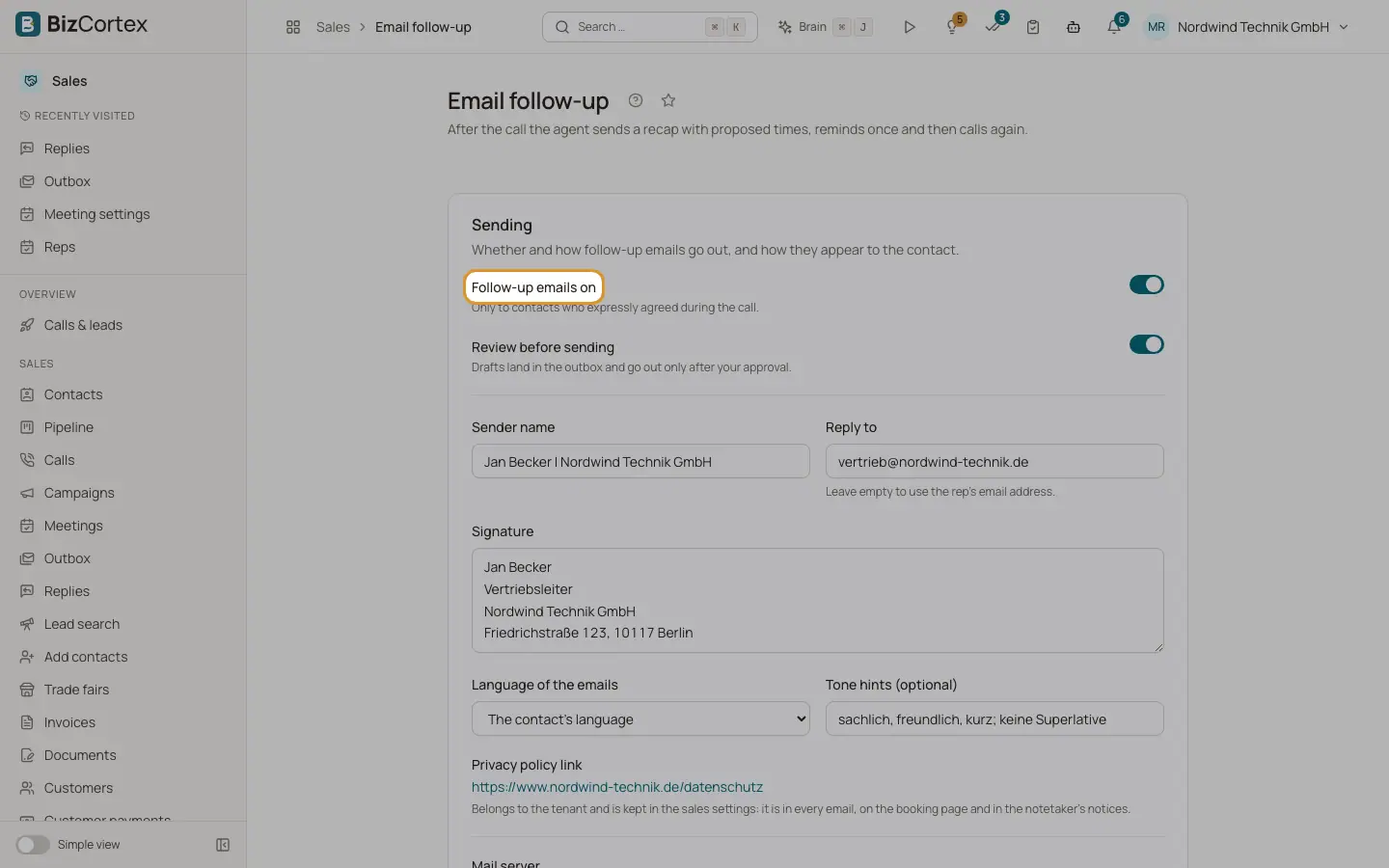
After the call the agent sends a recap with proposed times, reminds once and then calls again. Open the Sales app and click "Email follow up" in the settings part of the sidebar (specialist page). Emails only go to contacts who expressly agreed during the call.
Who can use this
- Owner
- Administrator
- Sales
- Viewer (read only)
Steps
1. Switch it on
Switch on "Follow up emails on" (off by default). Switch on "Review before sending" to have drafts land in the outbox for approval.
2. Sending
Set the sender name, reply to address (empty uses the rep's email), signature, language (the contact's language, German or English) and tone hints. Click "Send test email" to check.
3. Sequence
Switch each step on or off: Recap after the call, Reminder, Follow up call.
4. Preview
Choose step and language and click "Generate preview".
5. Replies
Under "Replies to emails" switch on "Track replies", choose where replies go and whether the rep gets a copy, and which actions may happen automatically.
Fields and options
- Minutes after the call
Recap delay, default 30 (0 to 1440).
- Reminder after business days
Default 3 (1 to 30).
- Follow up call
Business days after the reminder, default 3 (1 to 60).
- Send at (hour)
Default 9 (6 to 20).
- Proposed times per email
Default 3 (1 to 6). Window for proposals: 7 days (1 to 30). Proposals valid: 7 days (1 to 30).
- Privacy policy link
Kept in the sales settings. It appears in every email, on the booking page and in the notetaker notices.
- Mail server
Emails go out through the platform unless you add your own server under Integrations (credential "smtp").
- Act automatically
Book proposed times, Mark "not interested" as lost, Act on "later", Postpone when out of office, Act on "wrong person", Pass on meeting changes. If a switch is off or the agent is unsure, the reply goes to review.
Good to know
- The confirmation email after a booking is controlled in the meeting settings.
Related
- Follow up outbox
Review, approve or discard the emails the agent drafted after calls.
- Pages your contacts see
The booking page, the unsubscribe page, the meeting link and the notetaker page.