Campaigns
Group contacts and spread the calls over the permitted calling window.
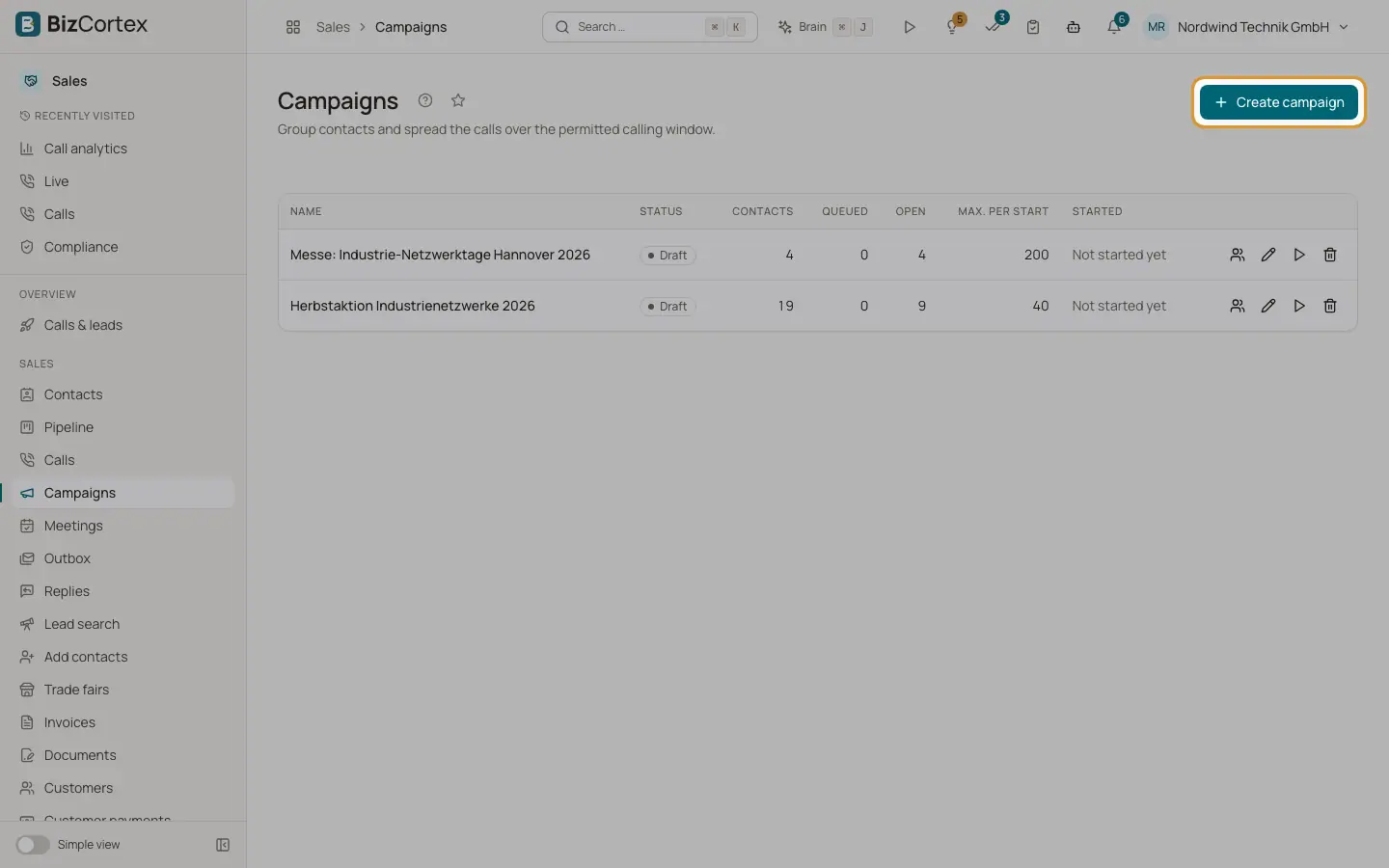
A campaign groups contacts and schedules the calls over the permitted window. Every call still passes the compliance check on its own. Open the Sales app and click "Campaigns". The list shows Name, Status, Contacts, Queued, Open, Max. per start and Started.
Who can use this
- Owner
- Administrator
- Sales
- Compliance (audit only, read)
- Viewer (read)
Steps
1. Create a campaign
Click "Create campaign". Enter the name, the language and "Max. per start" (default 50). Switch on "Retries" to set "Attempts per contact" and "Gap (business days)". Set "Not before" and "Finish by" if needed. Click "Save".
2. Add contacts
Open the campaign and click "Add contacts". Search, select and click "Assign". Only contacts with a documented legal basis are actually called; the check happens when dialling.
3. Start
Click "Start". Up to "Max. per start" calls are queued and spread over the calling window. You see "N calls queued". If nobody is open you see "No open contacts to call."
4. Pause
Click "Pause". Scheduled calls that were not placed yet are removed again.
5. See the calls
Click "Calls of the campaign" to open the call list filtered to this campaign.
6. Edit or delete
Use "Edit" to change the settings. "Delete" removes the campaign and its assignments; calls already placed are kept.
Fields and options
- Status
Draft, running, paused, done. A campaign is done when no contact is open or the "Finish by" time has passed.
- Max. per start
1 to 5000. This many calls are spread over the calling window per start.
- Attempts per contact
1 to 10. A contact not reached is tried again after the gap while attempts remain.
- Gap (business days)
1 to 30.
- Member status
open, queued, done, refused. With the attempts, next attempt and last outcome.
Good to know
- Contacts who opted out, have a dead number or reached the attempt limit are marked refused already when the calls are queued.
- A refusal about the moment (outside the window, no free line) moves the contact to the next business day. A refusal about the person ends it as refused.
- For a campaign you started, the daily sweep only works through due retries. Start the next batch yourself with "Start".
Related
- A/B variants
Test a change of the pitch against the unchanged script.
- Calling rules: the dial check
The checks every call passes: legal basis, opt outs, calling hours, attempts, countries and approval.