Contacts list
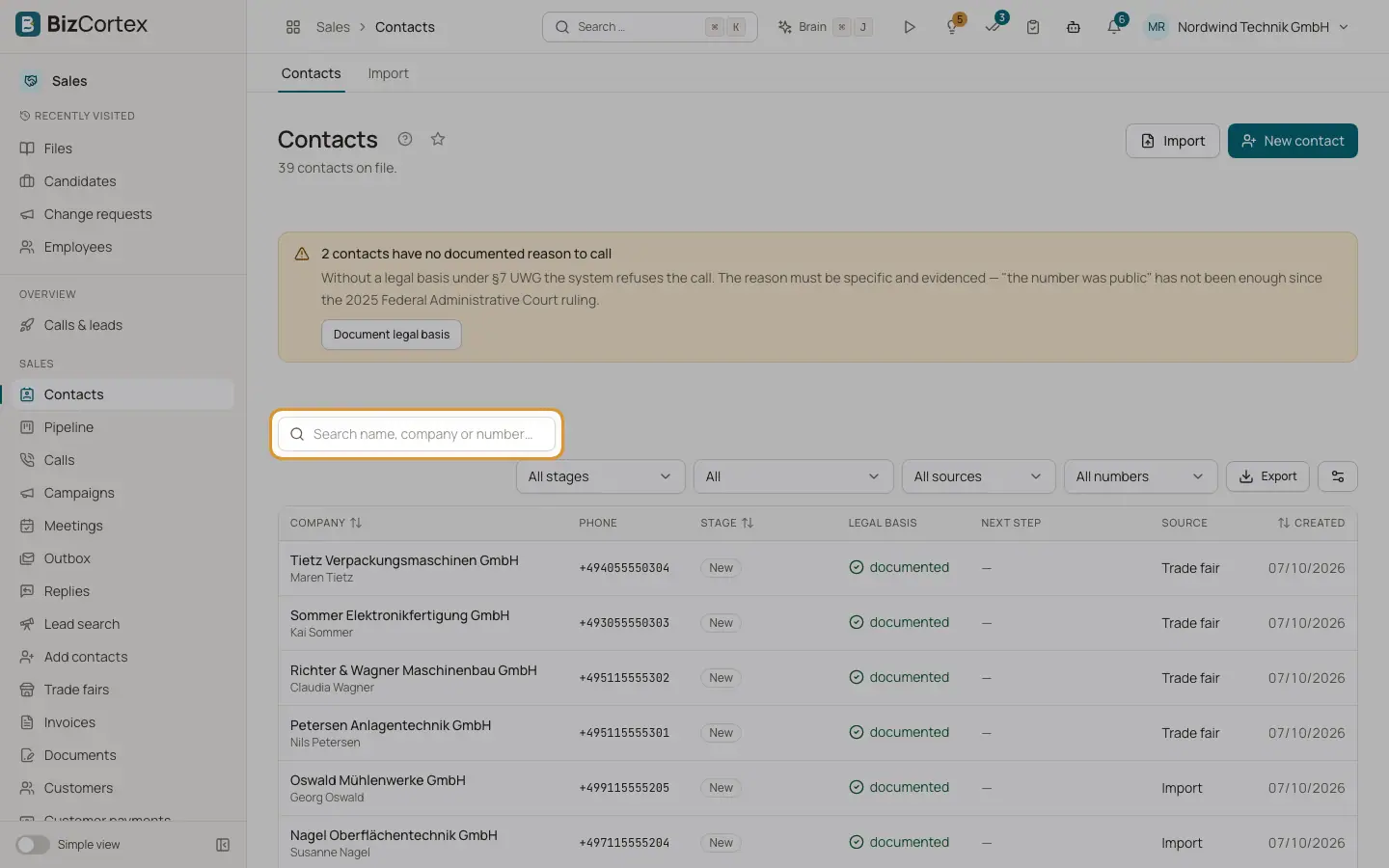
All contacts for phone sales with company, stage, legal basis, source and next step.
Contacts (also called leads) are the people and companies the agent may call. Open the Sales app and click "Contacts" in the sidebar. The page title shows how many contacts are on file.
If some contacts have no documented reason to call, a warning shows how many. Without a legal basis under §7 UWG the system refuses the call. The reason must be specific and evidenced: "the number was public" has not been enough since the 2025 Federal Administrative Court ruling. Click "Document legal basis" to see only those contacts.
Who can use this
- Owner
- Administrator
- Sales
- Compliance (audit only)
- Viewer
Steps
1. Search
Type in the search box "Search name, company or number…" to find a contact.
2. Filter the list
Use the filters next to the search: "Filter stage" (all stages or one stage), "Filter legal basis" ("All", "With legal basis", "Only without legal basis"), "Filter source" (Manual, Import, Discovered, Web form, Trade fair, Referral) and "Filter number" (Unchecked, Reachable, Not in service). Click "Clear filters" to reset.
3. Open a contact
Click a row to open the contact page.
4. Add contacts
Click "New contact" to add one by hand or "Import" to upload a file. Both buttons need the CRM lead write permission.
Fields and options
- Company and Contact
The company name and the named contact person.
- Phone
The number in international format.
- Stage
Where the contact stands in the pipeline: New, Contacted, Following up, Meeting booked, Won, Lost, No response or Opted out.
- Legal basis
"documented" or "missing".
- Next step
The planned next action and its due date.
- Source
How the contact came in.
- Created
When the contact was created.
- Badges
"Test" marks a test contact; "Customer" marks a contact that was converted to a customer in Sales.
Related
- The contact page
Everything about one contact: dial check, calls, pipeline, meetings, emails, research, timeline and legal basis.
- Legal basis and consent
Document the reason to call (§7 UWG) and record express consent for email.
- Pipeline and stages
Every contact after the first call with its stage, next step, sequence and meeting.