Integrations: connect apps
Calendars, CRM, ticketing, your own data, notifications and connectors the agent uses.
Open the Administration app and click "Integrations", "Apps". What you connect here is used by the agent during a call or right after it. Every connection is yours and can be disconnected at any time. Connecting and disconnecting needs the credential write permission (Owner, Administrator).
Who can use this
- Owner
- Administrator
- Sales (read only)
- Viewer (read only, no credentials)
Steps
1. Connect by OAuth
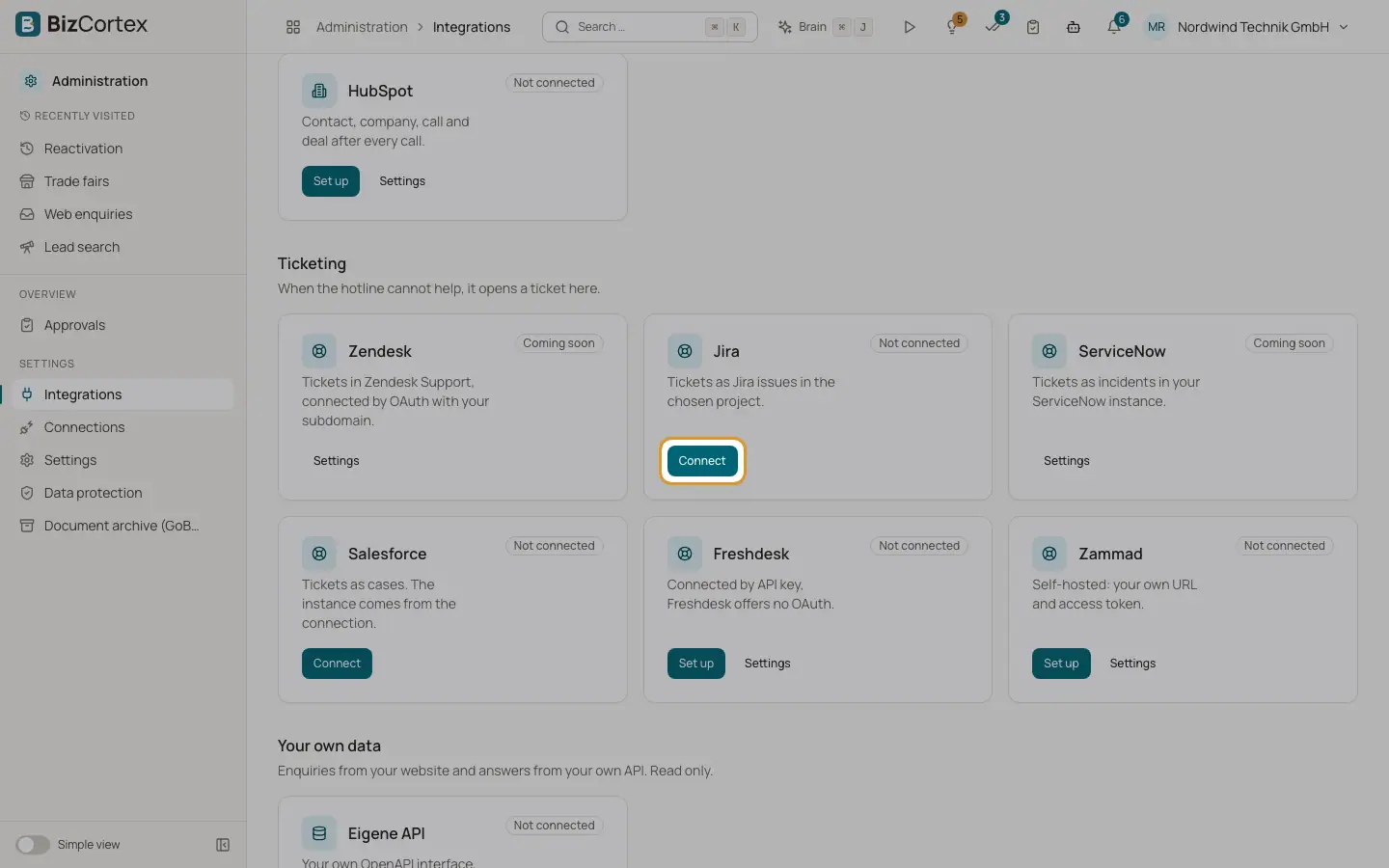
Click "Connect". You are sent to the provider and grant only the permissions needed. Afterwards you see "Provider is connected".
2. Connect by key
Click "Set up" or "Paste key", enter the API key or token and click "Save". The key is stored encrypted and never shown again, only its last characters.
3. Open the settings of an app
Click "Settings" on a card. The page shows the stored connection, kind (Pasted key, OAuth, Channel webhook), last error, and the buttons "Reconnect", "Paste key" and "Disconnect".
Fields and options
- Book meetings
Cal.com (the default connection, by key) and Calendly (OAuth or key; suggests slots and sends the link).
- Check calendar conflicts
Google Calendar and Microsoft 365, free or busy only: no titles, attendees or locations are read.
- CRM
HubSpot: contact, company, call and deal after every call.
- Ticketing
Zendesk (OAuth with your subdomain), Jira, ServiceNow (your instance), Salesforce (cases), Freshdesk (API key) and Zammad (self hosted URL and token).
- Your own data
Your own OpenAPI interface, read only calls.
- Notifications
Slack (post booked meetings to a channel) and Microsoft Teams (through a workflow webhook).
- Everything else
Zapier and Make: a webhook in, a scenario out.
- Status
Connected, Not connected, Coming soon, Reconnect needed.
Good to know
- An app shown as "Coming soon" has no platform connection set up yet. It is not available yet on this installation.
Related
- Inbound URLs, calendar webhooks and deliveries
Receive data from other apps and check that calendar events reach BizCortex.
- HubSpot
What lands in HubSpot from your calls, which script runs per deal stage, and pulling contacts.