Voice studio: knowledge
The answers the agent gives to specific questions, and what it should find out.
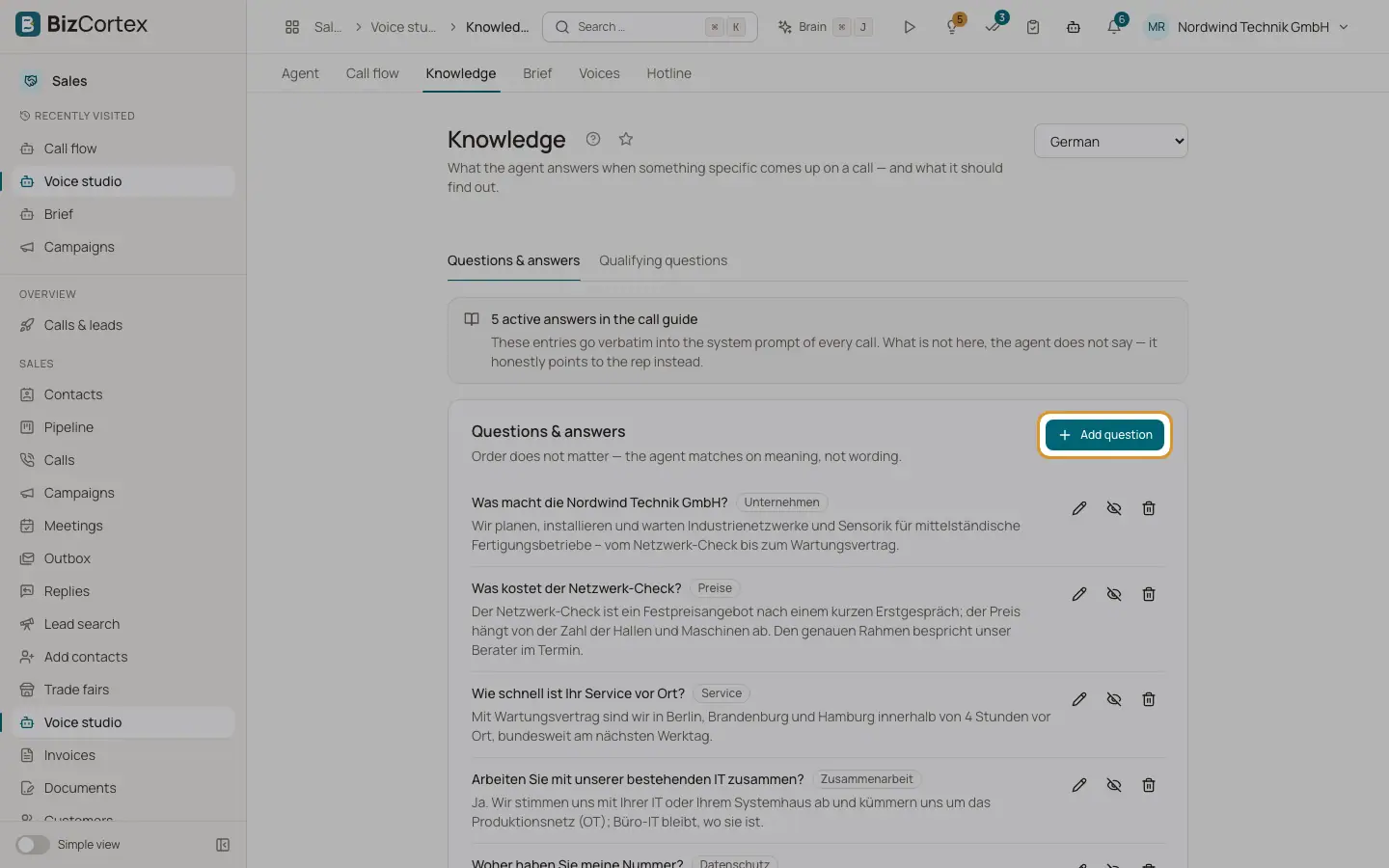
Open Voice studio, "Knowledge". Choose the call language (German or English). The entries go verbatim into every call. What is not here, the agent does not say; it honestly points to the rep instead. The page has two tabs: "Questions & answers" and "Qualifying questions".
Who can use this
- Owner
- Administrator
- Sales
Steps
1. Add an answer
On "Questions & answers" click "Add question". Enter the question (for example "What does it cost?"), a category and the answer written the way it should be said on the phone: short, spoken, no lists. Order does not matter; the agent matches on meaning.
2. Deactivate or delete
Use "Deactivate temporarily" and "Reactivate", or delete an answer.
3. Add a qualifying question
On "Qualifying questions" click "Add question". Enter a key (cannot be changed later), the question, what the answer tells you and the answer type. Switch on "Ask during the call" to have the agent ask at a fitting moment; you can then branch on the answer ("Next question (default)" or "Stop asking"). Otherwise the answer is extracted from the conversation afterwards.
Fields and options
- Question and answer lengths
Question 3 to 300 characters, answer 3 to 1200 characters, category up to 60.
- Badges
"in the call", "after the call", "from the brief", "inactive".
Tips
- Without entries the agent improvises when asked something specific, and on a call improvising means inventing.
Related
- Voice studio: agent settings
Custom brief text, tools and MCP servers, speech, call and transcription settings.