Payslips
Read a payslip, its calculation trace and the PDF, and how employees get it.
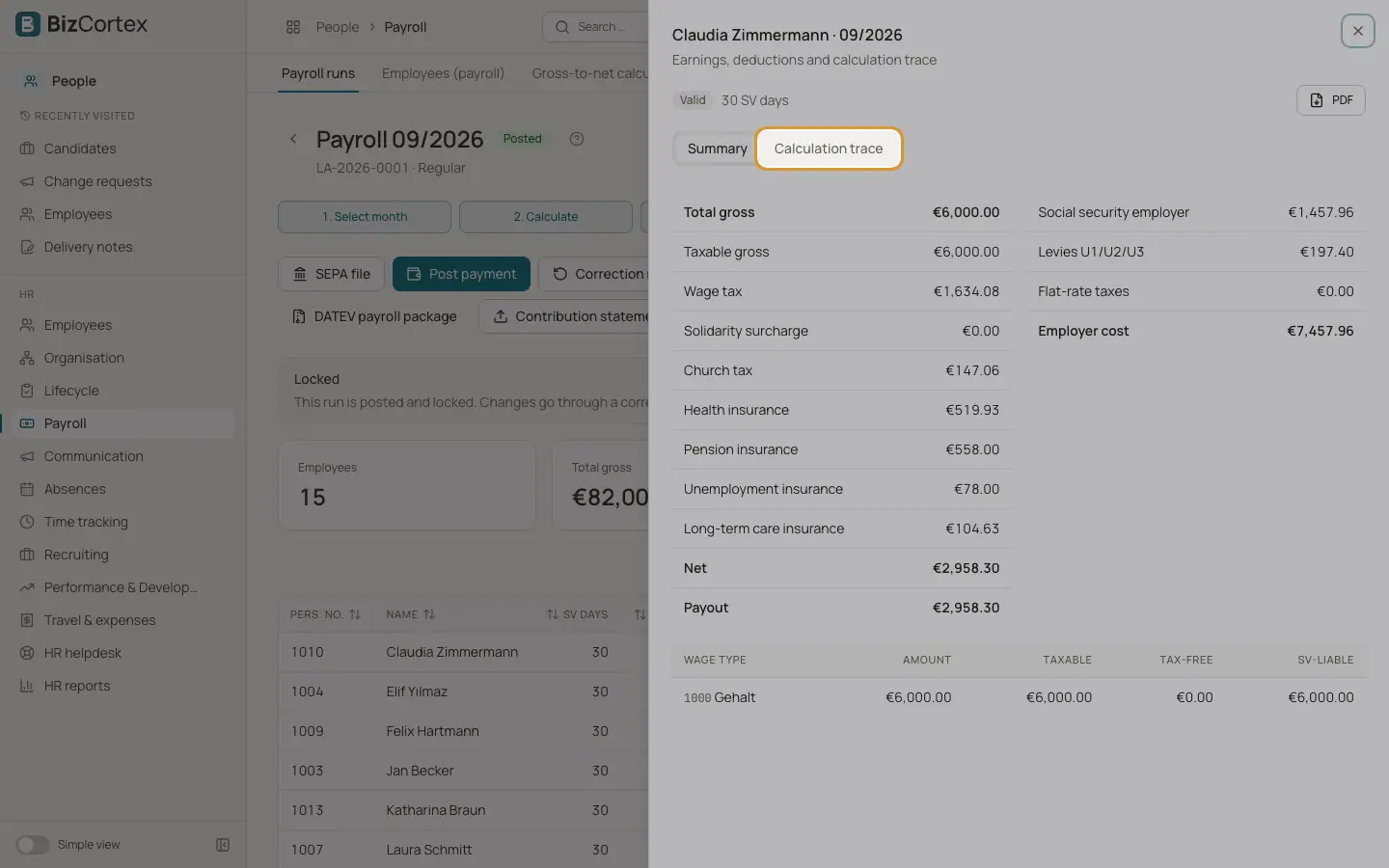
A payslip has the tabs Summary and Calculation trace. The summary shows each wage type with amount and whether it is taxable, tax free or liable to social security, then total gross, taxable gross, wage tax, solidarity surcharge, church tax, health, pension, unemployment and care insurance, net, payout, the employer share, the levies and the employer cost. The calculation trace explains every step: General, Gross pay, Social security, Wage tax, Net and Employer.
Who can use this
- Owner
- Admin
- HR manager
- Accountant
- Employees see their own valid payslips in My area
Steps
1. Open a payslip
Click an employee in the run.
2. Download the PDF
Click PDF. The payslip uses the German layout with master data, earnings, deductions, net, payout, employer shares and year to date totals including social security days.
3. Employee access
After posting, the payslip is valid and the employee can download it in My area, Payslips.
Fields and options
- Status
Draft, Valid or Superseded (replaced by a correction).
Related
- Payroll runs: calculate, approve, post and pay
The monthly payroll from draft to payment, including correction runs.
- Payslips
View and download your payslips.