Leave balances and leave encashment
Check the balance per employee and pay out remaining leave.
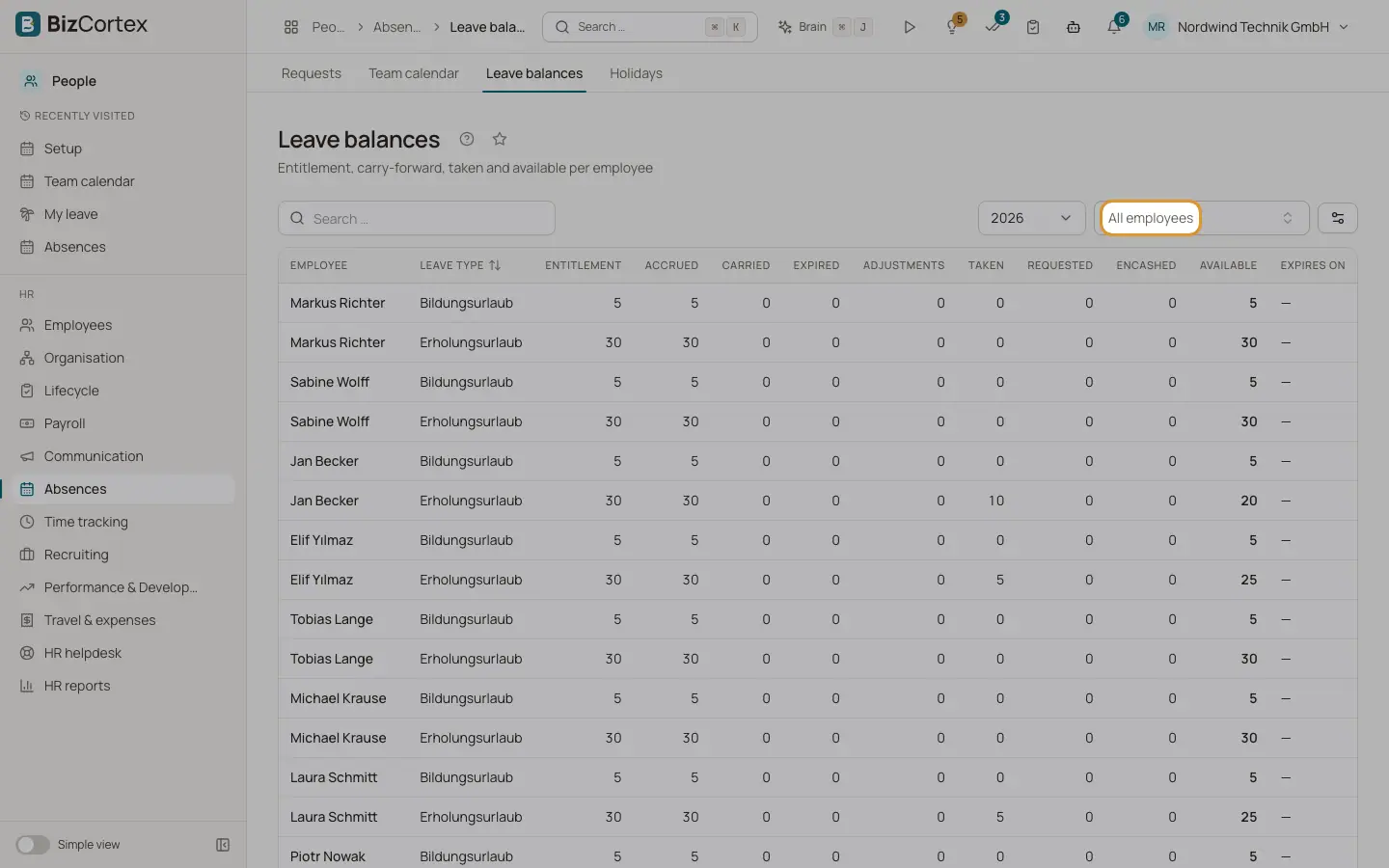
People, Absences, Leave balances shows per employee, leave type and year: entitlement, accrued, adjustments, carried, expired, taken, encashed, requested and available days. Leave encashment calculates the payout of remaining leave that can no longer be taken, for example at the end of employment (§ 7(4) BUrlG).
Who can use this
- Owner
- Admin
- HR manager
Steps
1. Check balances
Open Leave balances, choose the year and optionally an employee ("All employees").
2. Calculate an encashment
Open Leave encashment and click "Calculate encashment". Choose the employee, leave type and year. Enter the days, or leave the field empty to pay out all remaining days. The result shows days times daily rate equals amount.
3. Approve and pay
Click Approve, then "Mark as paid" when the amount was paid with payroll.
Fields and options
- Daily rate
Monthly gross times 3, divided by 13 times the working days per week.
- Status
Pending, Approved or Paid out.
Good to know
- Only leave types that are deducted from the balance can be encashed.
- Only pending encashments can be deleted.
Related
- Leave liability
Calculate the provision for untaken leave for the annual accounts.
- Absence setup: leave types, policies and entitlements
Define which absences exist and how many days each employee gets.
- HR reports and leave liability
Headcount, turnover, sickness rate, leave liability and upcoming dates.