Payroll settings
General settings, yearly parameters, health insurers, wage types and account mapping.
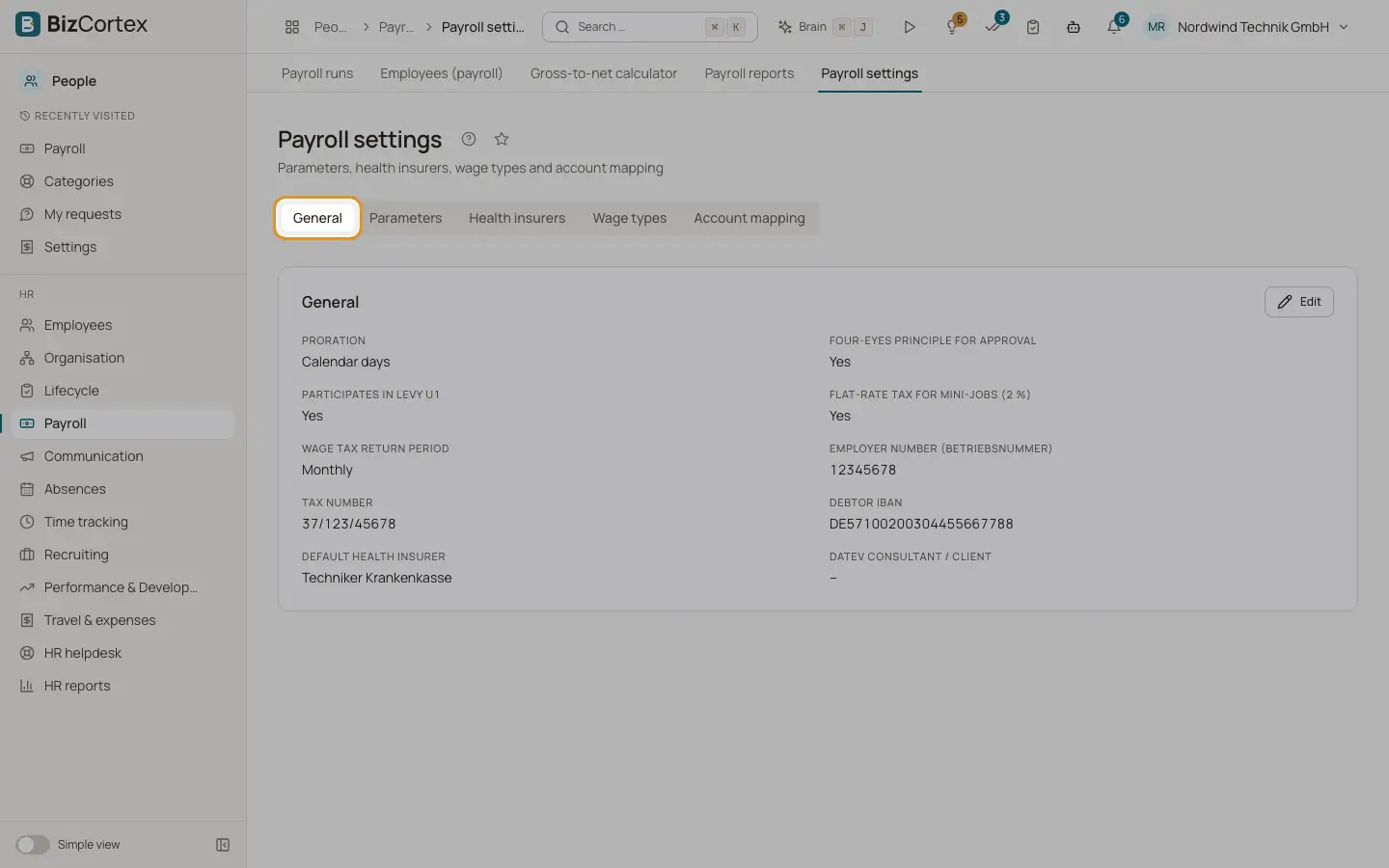
People, Payroll, Settings has the tabs General, Parameters, Health insurers, Wage types and Account mapping.
Who can use this
- Owner
- Admin
- HR manager
- Accountant (read only)
Steps
1. General
Enter the employer number (Betriebsnummer, 8 digits), the tax office number (4 digits), the tax number, the debtor name, IBAN and BIC for SEPA payments (or use the IBAN from the company profile), the default health insurer and the DATEV consultant and client numbers. Choose the proration (Calendar days or 30 day method), the four eyes principle for approval, participation in levy U1, the 2 percent flat rate tax for mini jobs, the flat rate church tax and the wage tax return period (Monthly, Quarterly, Yearly).
2. Parameters
Choose a year to see all yearly values such as tax brackets, contribution ceilings and rates. Values marked "to verify" were not checked against official test data.
3. Health insurers
Click "New health insurer". Enter name, company number (8 or 9 digits), additional contribution in percent, the U1 and U2 rates and refund rates, and whether it is the Minijob Zentrale.
4. Wage types
Review the default wage types or click "New wage type". Set number, name, category, tax treatment (current, one off, free, flat rate), social security treatment (current, one off, free), flat tax rate, surcharge, DATEV wage type and an optional posting account.
5. Account mapping
Default accounts follow SKR03 or SKR04. Map different accounts per posting type here, for example Salaries, Wages, Statutory social expenses, Wages payable, Social security payable and Bank (payout).
Fields and options
- Wage type categories
Salary, Hourly wage, Overtime, Other recurring earning, One off payment, Severance, Sunday/holiday/night surcharge, Benefit in kind, Company car, Commuting allowance, Capital forming (employer and transfer), Pension salary conversion, Employer pension contribution, Sick pay supplement, Advance, Net deduction, Garnishment and Net addition.
Good to know
- System wage types cannot be deleted.
- Four eyes principle is on by default.
Related
- Payroll data per employee and salary structures
Include employees in payroll, add earnings and deductions and assign salary structures.