Absence setup: leave types, policies and entitlements
Define which absences exist and how many days each employee gets.
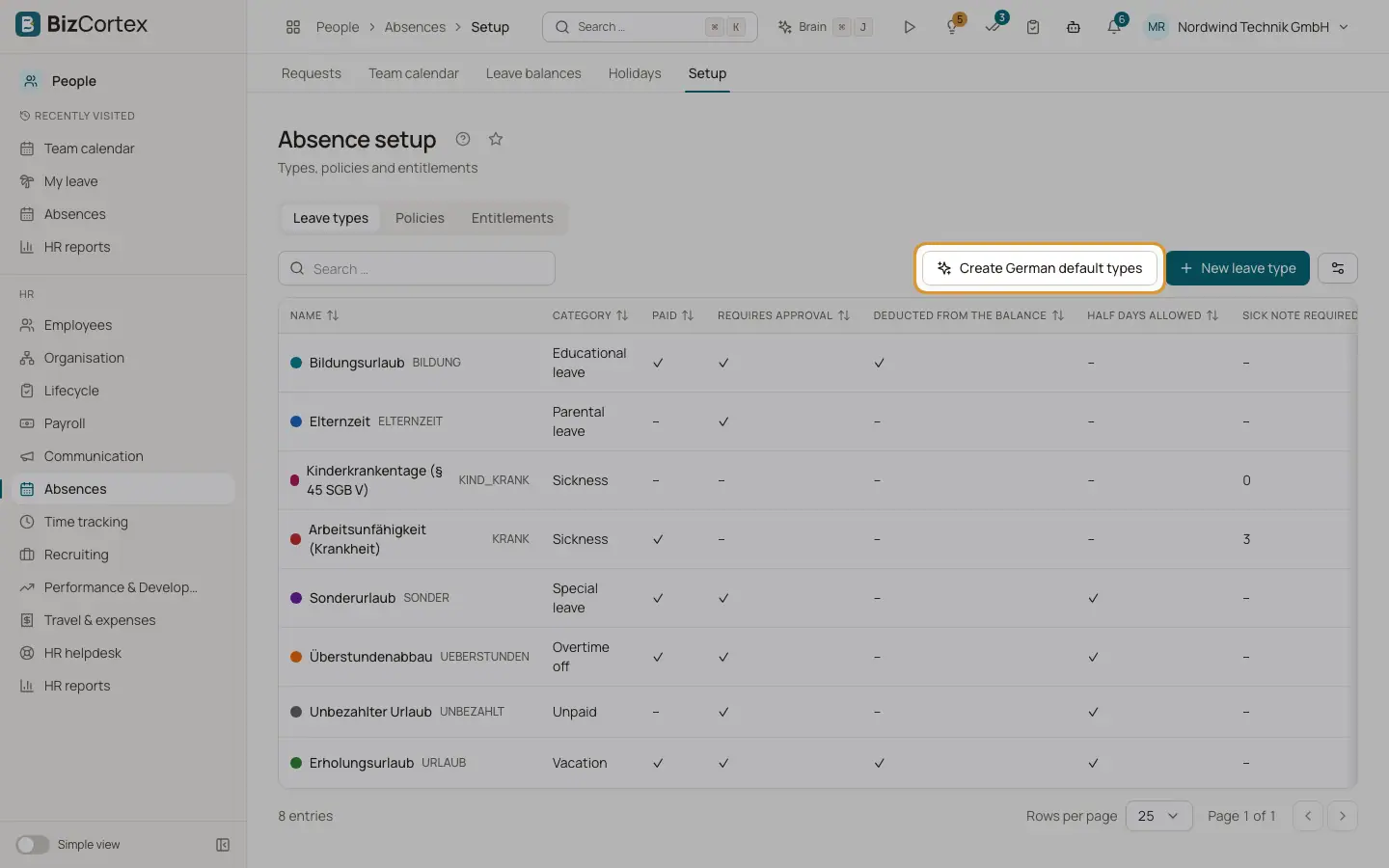
People, Absences, Setup has the tabs Leave types, Policies and Entitlements. Leave types describe the kinds of absence. Policies decide how many days employees get per year. Entitlements are the resulting days per employee and year, plus carried forward days and manual adjustments.
Who can use this
- Owner
- Admin
- HR manager
Steps
1. Create the German default types
Click "Create German default types". BizCortex creates vacation, sickness, sick child days, special leave, parental leave, unpaid leave, overtime off and educational leave with sensible settings, plus default policies.
2. Edit a leave type
Click "New leave type" or edit an existing one. Set code, name, category, color and the switches Paid, "Requires approval", "Deducted from the balance", "Half days allowed", Active, plus "Sick note required after day" and "Max. consecutive days".
3. Create a policy
Click "New policy". Choose the leave type, enter "Days per year" or turn on "Use the employee's entitlement" (vacation days per year from the personnel record). Choose pro rata for partial years (§ 5 BUrlG), the accrual (Yearly on 1 January or Monthly, one twelfth per month) and the carry forward rules. Limit the policy to a department, location or employee group and set a priority. Empty filters apply to all employees.
4. Generate entitlements
In the Entitlements tab click "Generate entitlements" for a year. The result shows how many entitlements were created, updated or unchanged.
5. Carry forward
Click "Carry forward remaining days" to move the remaining days from one year to the next, within the maximum of the policy.
6. Book expired days
Click "Book expired carry forward" to expire carried forward days whose expiry date has passed. A daily job does this automatically.
7. Manual adjustment
Click "Manual adjustment" to add or remove days for one employee and year with a note.
Fields and options
- Category
Vacation, Sickness, Special leave, Parental leave, Unpaid, Overtime off, Educational leave or Other.
- Sick note required after day
A certificate is required when the absence is longer than this number of days.
- Carry forward
Switch, maximum days (empty means unlimited) and the expiry month and day, for example 31 March.
- Kind of entitlement
Entitlement, Carried forward or Adjustment.
Good to know
- A leave type code must be unique.
- A leave type that is used by requests cannot be deleted. Deactivate it instead.
- A carried forward entitlement needs an expiry date.
Related
- Leave balances and leave encashment
Check the balance per employee and pay out remaining leave.
- Holidays and the working day calculator
Public holidays per federal state, company holidays and the working day calculator.