Daily records and working time account
Daily evaluation of working time with Working Hours Act checks, and overtime balances.
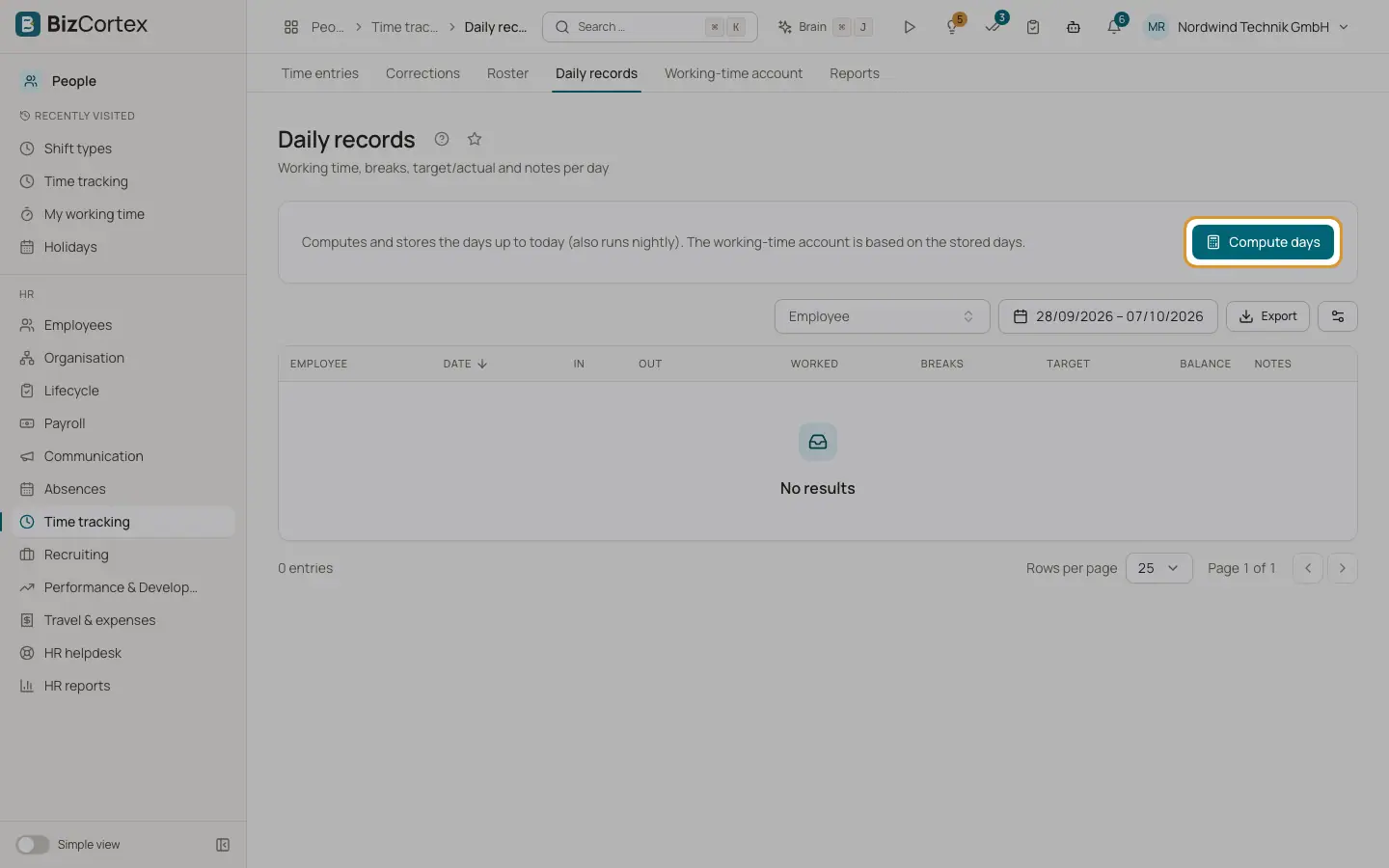
People, Time tracking, Daily records evaluates each working day per employee: first in, last out, worked time, breaks, target, balance, notes and violations. A nightly job computes the previous day. The working time account adds up the balances of the daily records plus manual bookings.
Who can use this
- Owner
- Admin
- HR manager
Steps
1. Compute days
Click "Compute days" to evaluate all days up to today now. The result shows how many employees, days and violations were evaluated.
2. Read the notes
Notes such as late, left early, Sunday, holiday, night work, no time recorded, absence, open and break deducted explain the day.
3. Open the working time account
Open Working time account and choose an employee. You see the balance, the minutes from the days and the bookings.
4. Add a booking
Click "Add booking". Choose the kind (Opening balance, Adjustment, Payout or Time off in lieu) and enter minutes. Positive is a credit, negative a debit, for example minus 600 for a payout of 10 hours.
Fields and options
- Target
Planned working time from the roster or the contract.
- Balance
Worked time minus target.
Tips
- The rules follow the German Working Hours Act: more than 6 hours of work need 30 minutes break, more than 9 hours need 45 minutes, breaks count only in blocks of at least 15 minutes, at most 10 hours per day, at least 11 hours rest, and night work is between 23:00 and 6:00.
Related
- Time tracking reports and settings
Working Hours Act violations, recording gaps, summaries, timesheets and the time tracking settings.
- Roster, shift types and shift swaps
Plan shifts per employee and day and handle swap requests.