Document templates
Build contract, letter and reference templates with placeholders.
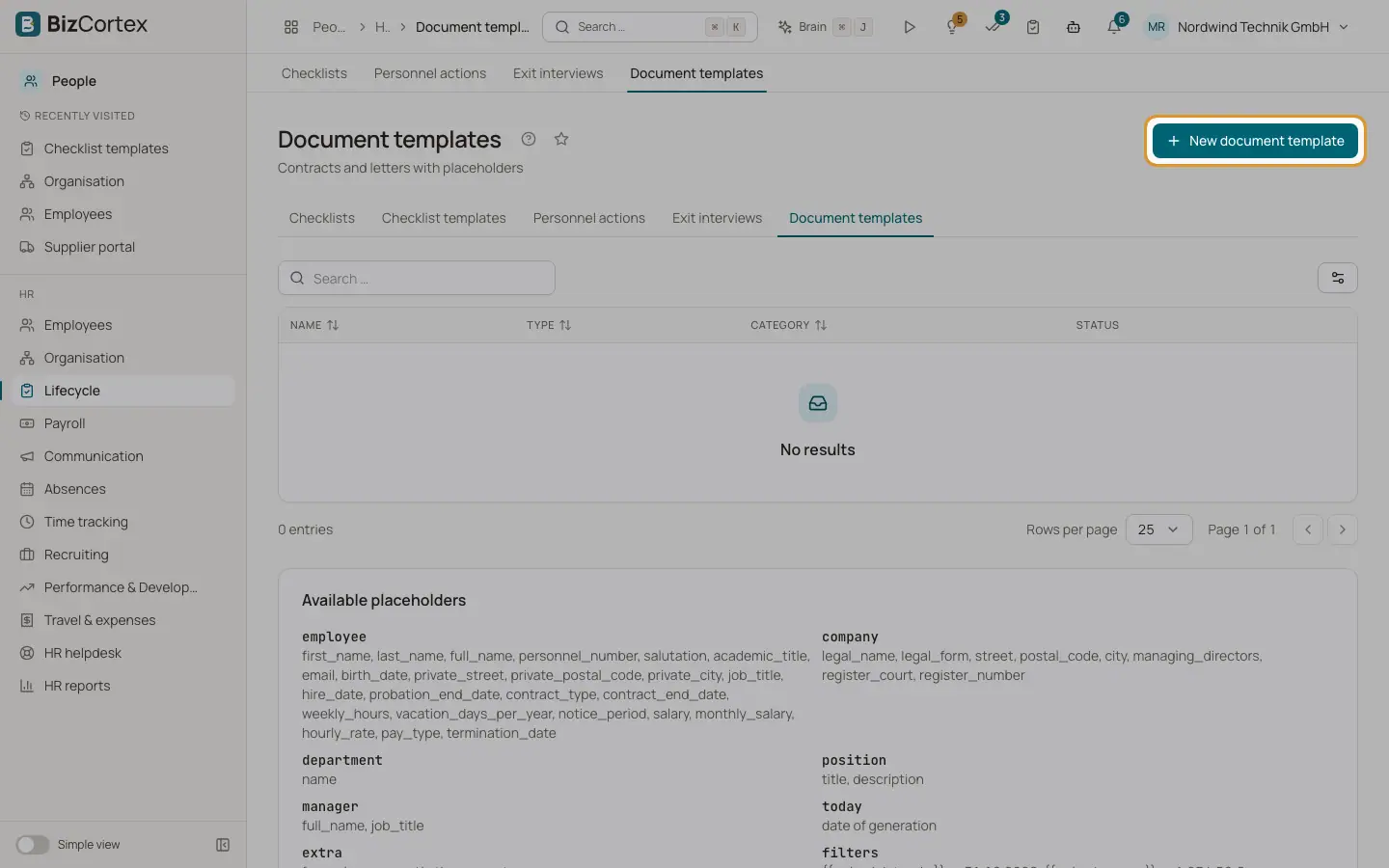
People, Lifecycle, Document templates holds templates for contracts and letters. A template is HTML text with placeholders that are filled with the data of the employee when you generate a document. Generated documents are printed on your company letterhead.
Who can use this
- Owner
- Admin
- HR manager
Steps
1. Create a template
Click "New document template". Enter a name, choose the kind (Contract, Reference letter, Letter or Other) and write the template body.
2. Use placeholders
The list "Available placeholders" shows what you can use, for example {{ employee.full_name }}, {{ employee.hire_date | date_de }}, {{ company.legal_name }}, {{ department.name }}, {{ position.title }}, {{ manager.full_name }} and {{ today }}. Values entered as additional placeholders when generating are available as extra.
3. Deactivate
Turn off Active to hide a template from the generator without deleting it.
Tips
- Use the filters date_de and money for German date and amount formats.
- Templates of the kind Reference letter appear in the reference letter generator.
Good to know
- A template with a syntax error cannot be saved. The error message names the problem.
Related
- Personnel documents
Keep the personnel file, decide what the employee may see and generate letters from templates.