HR and payroll at a glance
Which HR tools exist, where you find them and who may use them.
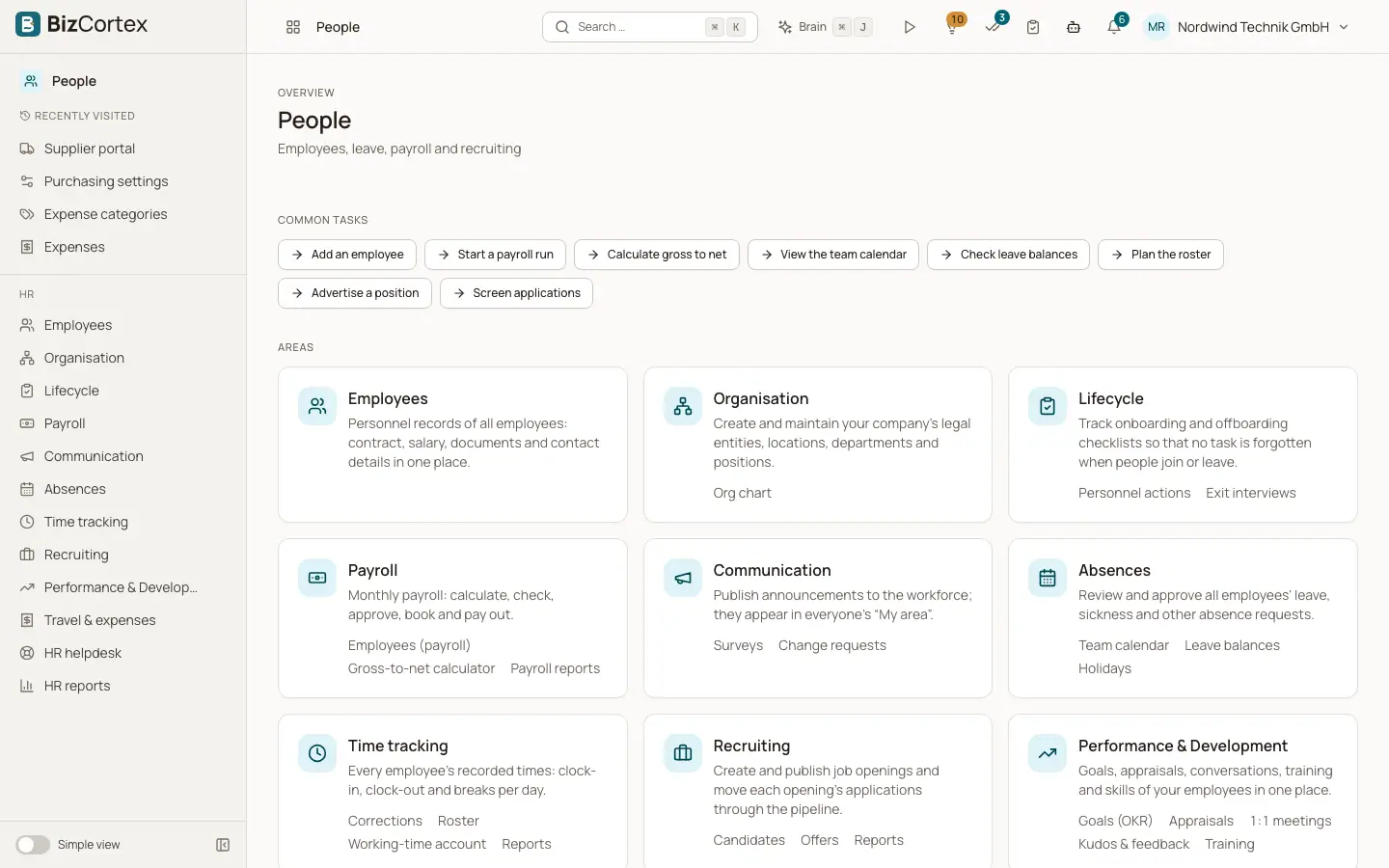
The HR tools live in the People app of the app launcher. The People package contains HR core (personnel records), Absences (leave), Time tracking (attendance), Recruiting, Performance and Development, Expense claims, the employee Helpdesk and Payroll. The package is part of the Pro and Enterprise bundles. It is not part of the Starter bundle.
Employees do not need access to the People app. They use My area, a separate app in the launcher, to see their own profile, payslips, documents, tasks, announcements, surveys, leave, working time, goals, reviews, expense claims and helpdesk tickets. Managers also see a team view of their direct reports in My area.
Who can use this
- Owner
- Admin
- HR manager
- Accountant (finance steps and payroll approval)
- Every employee through My area
Steps
1. Open the People app
Click the app launcher and choose People. The sidebar shows Employees, Organisation, Lifecycle, Communication, HR reports and the other HR areas you have access to.
2. Set up the organisation first
Create your companies, locations, departments and positions under Organisation. Locations decide the public holidays of the employees who work there.
3. Add employees
Create the personnel records under Employees. Link each record to a user account so the person can use My area.
4. Turn on the rest step by step
Set up leave types, time tracking, payroll and the other areas when you need them. Each area works on top of the personnel records.
Fields and options
- Owner and Admin
Full access to all HR areas, including confidential helpdesk tickets and payroll.
- HR manager
Full access to the HR suite and payroll. The finance step of expense claims and confidential helpdesk tickets are excluded, unless the HR manager is assigned to such a ticket.
- Accountant
Reads expense claims and runs their finance step, reads the leave liability report, reads payroll, approves payroll runs and posts them. Accountants can also read employee records and payslips.
- Viewer
Read only role. The HR suite and payroll stay hidden for viewers.
- Employee, Sales, Purchase
No access to the People app. They use My area for their own data.
Tips
- Personal data in HR is sensitive. Give the HR manager role only to people who really need it.
- Line managers do not need an HR role. A manager sees the requests of direct reports in My area because of the Manager field in the personnel record.
Good to know
- Some sidebar items are marked as advanced and only appear when advanced navigation is turned on in your preferences.
Related
- Employee list
Find, filter and open the personnel records of your company.
- Organisation structure and org chart
Maintain companies, branches, locations, departments, positions, pay grades and skills.
- Absence requests
Record, approve, reject and cancel vacation, sickness and other absences.
- Payroll runs: calculate, approve, post and pay
The monthly payroll from draft to payment, including correction runs.