Payroll runs: calculate, approve, post and pay
The monthly payroll from draft to payment, including correction runs.
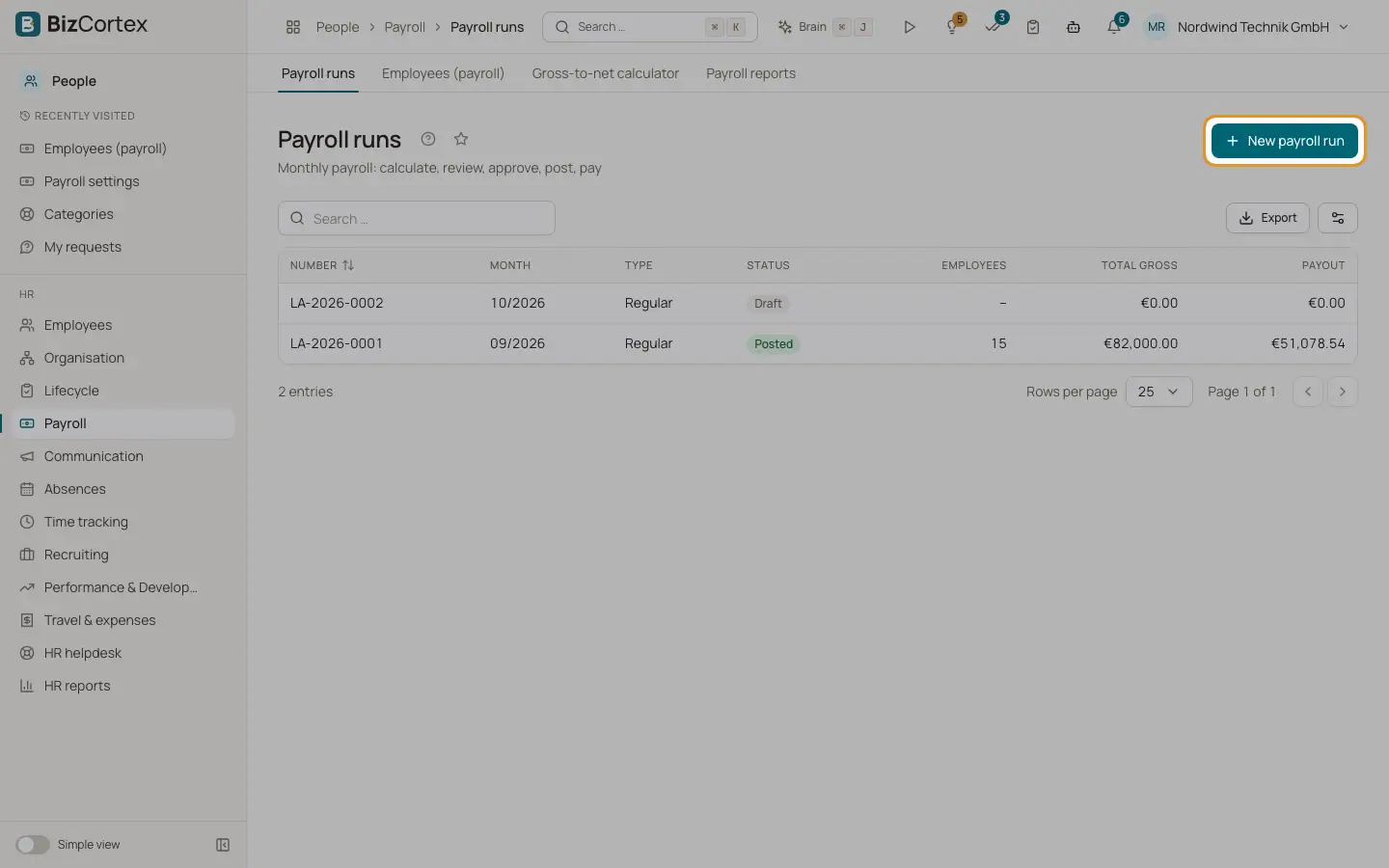
People, Payroll, Payroll runs lists all runs with number, month, type, status, employees, gross and payout. A run moves through the steps Select month, Calculate, Review, Approve, Post and Pay. There is one regular run per month.
Who can use this
- Owner
- Admin
- HR manager (calculate)
- Accountant (approve, post, pay)
Steps
1. Create a run
Click "New payroll run". Choose year, month and payment date.
2. Calculate
Click Calculate. A payslip is created for every employee employed in the month and included in payroll. Notes about the calculation are shown with a counter. Use Recalculate after changes.
3. Review
Open payslips to check them. Click "Mark as reviewed".
4. Approve
Click Approve. With the four eyes principle the approver must differ from the person who calculated the run. "Withdraw approval" goes back.
5. Post
Click Post. One journal entry is posted to the general ledger, dated the last day of the month, with the cost centers of the employees. Payslips become valid and the run is locked.
6. Pay
Click "SEPA file" to download a SEPA credit transfer file for all payouts with a valid IBAN. Click "Post payment" to post the payouts against the bank account.
7. Exports
Download the payroll journal as PDF or XLSX, the DATEV LODAS file, the DATEV payroll package, and create the contribution statements for sv.net.
8. Correct a posted month
Click "Correction run". The month is recalculated with the current master data. Only differences are posted, and the old payslip becomes Superseded.
Fields and options
- Status
Draft, Calculated, Reviewed, Approved, Posted or Paid.
- Type
Regular or Correction (retro calculation).
- Employer cost
Gross plus employer social security, levies, subsidies, flat rate taxes and employer pension.
Good to know
- A posted run is locked. Changes go through a correction run.
- Only open runs can be deleted.
- Correction runs do not update later months automatically. Recalculate later runs if needed.
- Unpaid leave from Absences reduces the social security days and the salary.
Related
- Payslips
Read a payslip, its calculation trace and the PDF, and how employees get it.
- Payroll reports and statutory filings
Payroll journal, contribution statements, wage tax return, DEÜV, U1/U2 refunds and the payroll account.