Expense settings and categories
Accounts, allowance rates, approval threshold, SEPA debtor and expense categories.
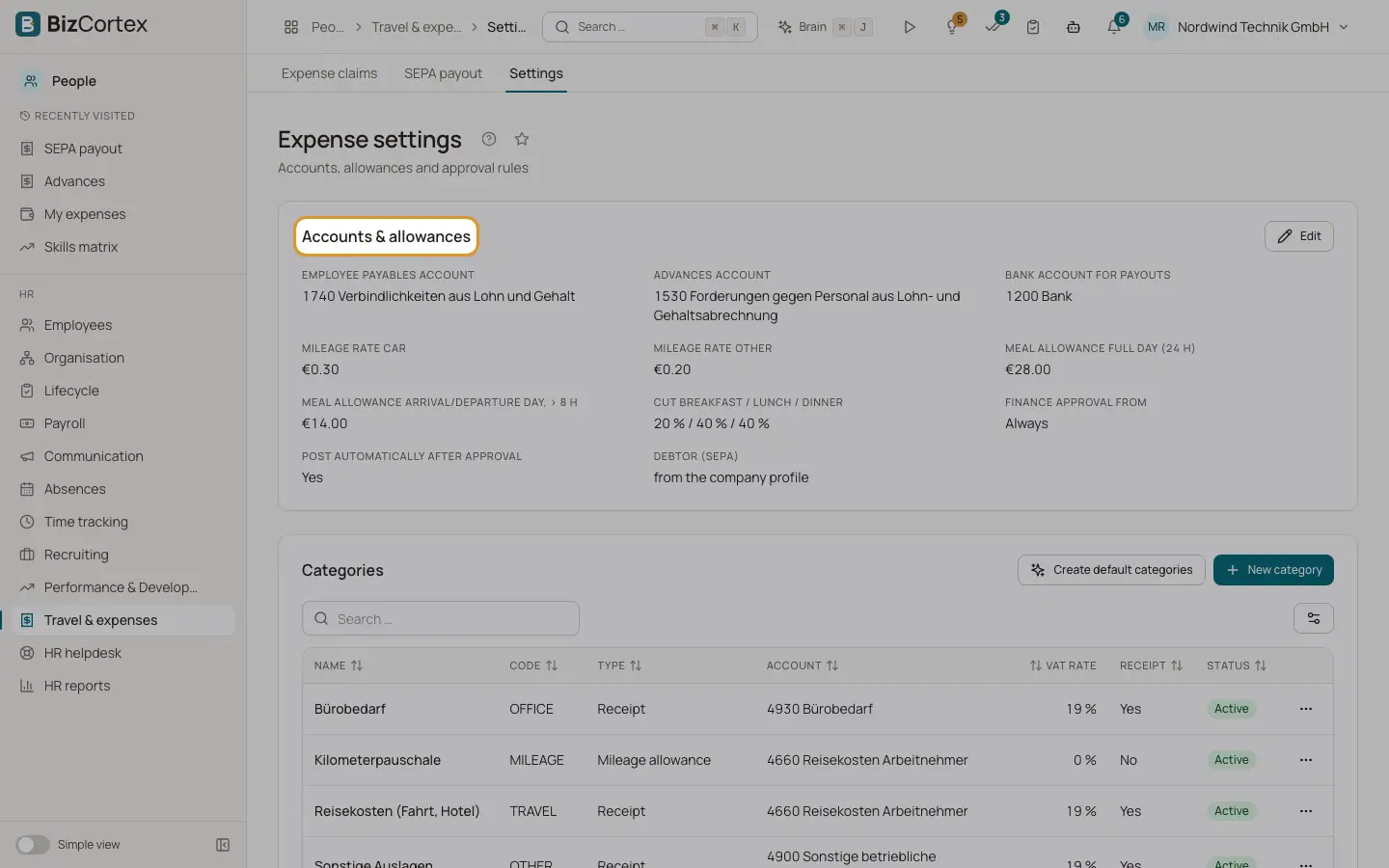
People, Travel & expenses, Settings has the cards "Accounts & allowances" and Categories.
Who can use this
- Owner
- Admin
- HR manager
Steps
1. Accounts and allowances
Set the employee payables account, the advances account and the bank account for payouts. Set the mileage rates (car and other, 0 to 5 per km), the meal allowance for a full day and for arrival or departure days, and the meal cuts in percent.
2. Approval rules
Set "Finance approval from". Claims up to this amount skip the finance step. Empty means every claim needs finance approval. Turn "Post automatically after approval" on or off.
3. SEPA debtor
Enter debtor name, IBAN and BIC. Empty fields use the company profile.
4. Create default categories
Click "Create default categories". BizCortex adds travel, accommodation, mileage allowance, meal allowance, office supplies, phone and internet, and other expenses. Existing codes are skipped.
5. Edit categories
Click "New category". Enter name, code, type, expense account, VAT rate (default 19), "Receipt required" and Active.
Good to know
- A category used by claims cannot be deleted. Deactivate it instead.
- Code and type of a category cannot be changed after creation.
Related
- Travel and expense claims
How employees claim expenses and how claims are approved, posted and paid.