Absence requests
Record, approve, reject and cancel vacation, sickness and other absences.
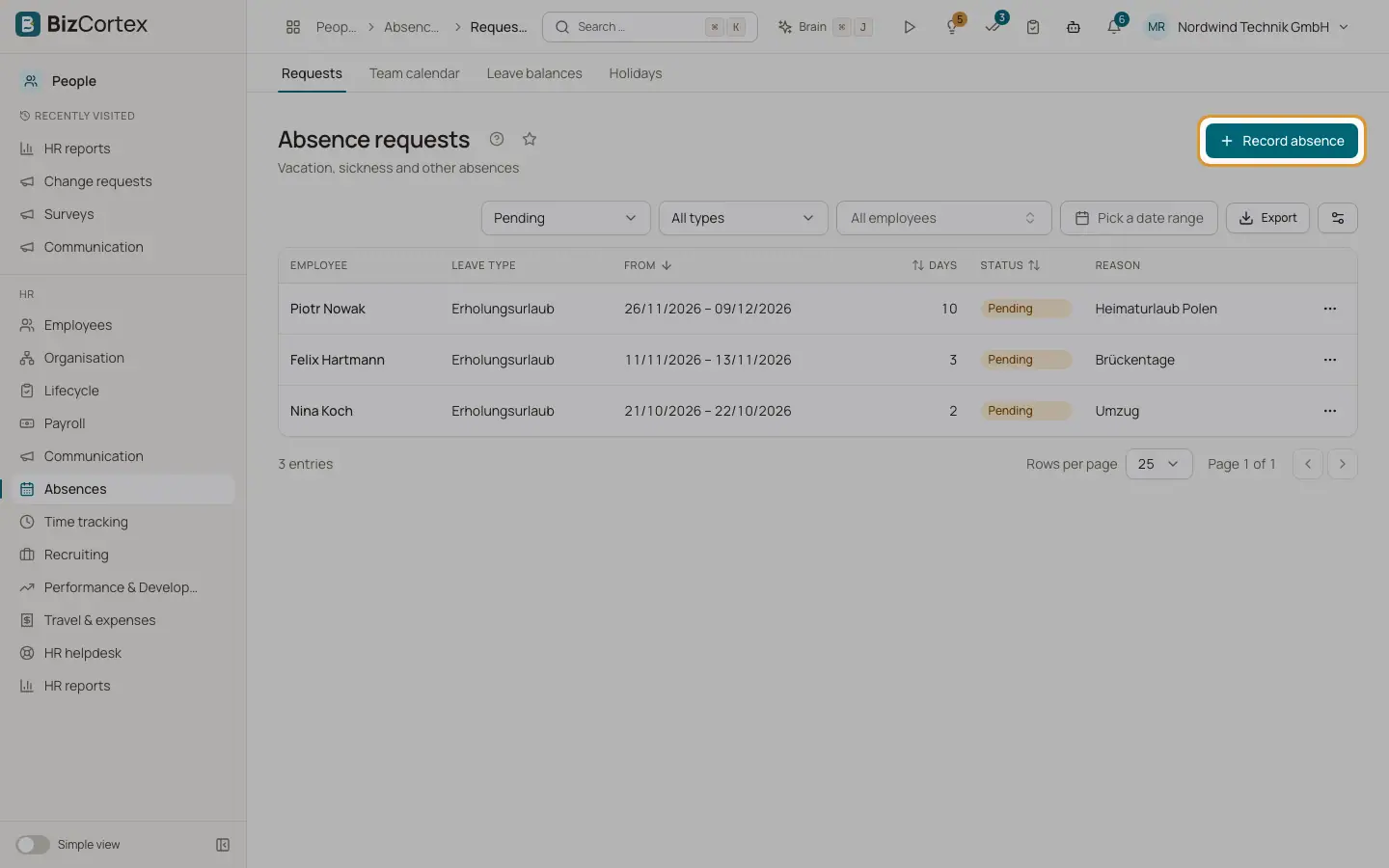
People, Absences, Requests lists the absence requests of all employees. Leave requests can reveal sick leave, which is health data. Only HR, the employee and the direct manager can see a request.
When a request is created, BizCortex counts the working days in the period. It uses the working days of the employee, the public holidays of the employee location and the company holidays. Leave types that need approval start as Pending. Leave types without approval, such as sickness, are approved at once.
Who can use this
- Owner
- Admin
- HR manager
- Managers for their direct reports (My area, Team requests)
- Employees for themselves (My area, My leave)
Steps
1. Record an absence
Click "Record absence". Choose the employee and the leave type, enter From and To and optionally "First day half day" and "Last day half day" and a reason. The preview shows the working days, the holidays in the period and the available balance.
2. Approve or reject
Click Approve (optionally with a decision note) or Reject (with a reason). The employee receives a notification.
3. Cancel
Click Cancel and confirm. The balance is restored.
4. Upload a sick note
For sick leave, click "Upload sick note" and choose a PDF or image of the certificate (AU). The request then shows "Sick note on file". It is also filed in the personnel file as a Sick note.
5. Filter
Filter by status ("All statuses"), type ("All types"), employee, department and period.
Fields and options
- Status
Pending, Approved, Rejected or Cancelled.
- Days
Working days of the request. A half day counts as 0.5 and is marked with ½.
- Sick note missing
Shown when the leave type requires a certificate after a number of days and none is attached.
Tips
- If your administrator set up an approval workflow for leave requests, the request is approved through the approval inbox instead. The Approve and Reject buttons are then blocked for that request.
- The direct manager receives a notification for each new request.
Good to know
- A request must lie within the employment period and must contain at least one working day.
- Requests must not overlap with another pending or approved request.
- If the leave type is deducted from the balance and the balance is too low, the request is refused with the requested and available days.
- Employees can withdraw their own requests. Once an approved absence has started, only HR can cancel it.
Related
- My leave and team requests
How employees request leave and how managers decide on it in My area.
- Absence setup: leave types, policies and entitlements
Define which absences exist and how many days each employee gets.
- Team calendar
See at a glance who is away and when.