Employee list
Find, filter and open the personnel records of your company.
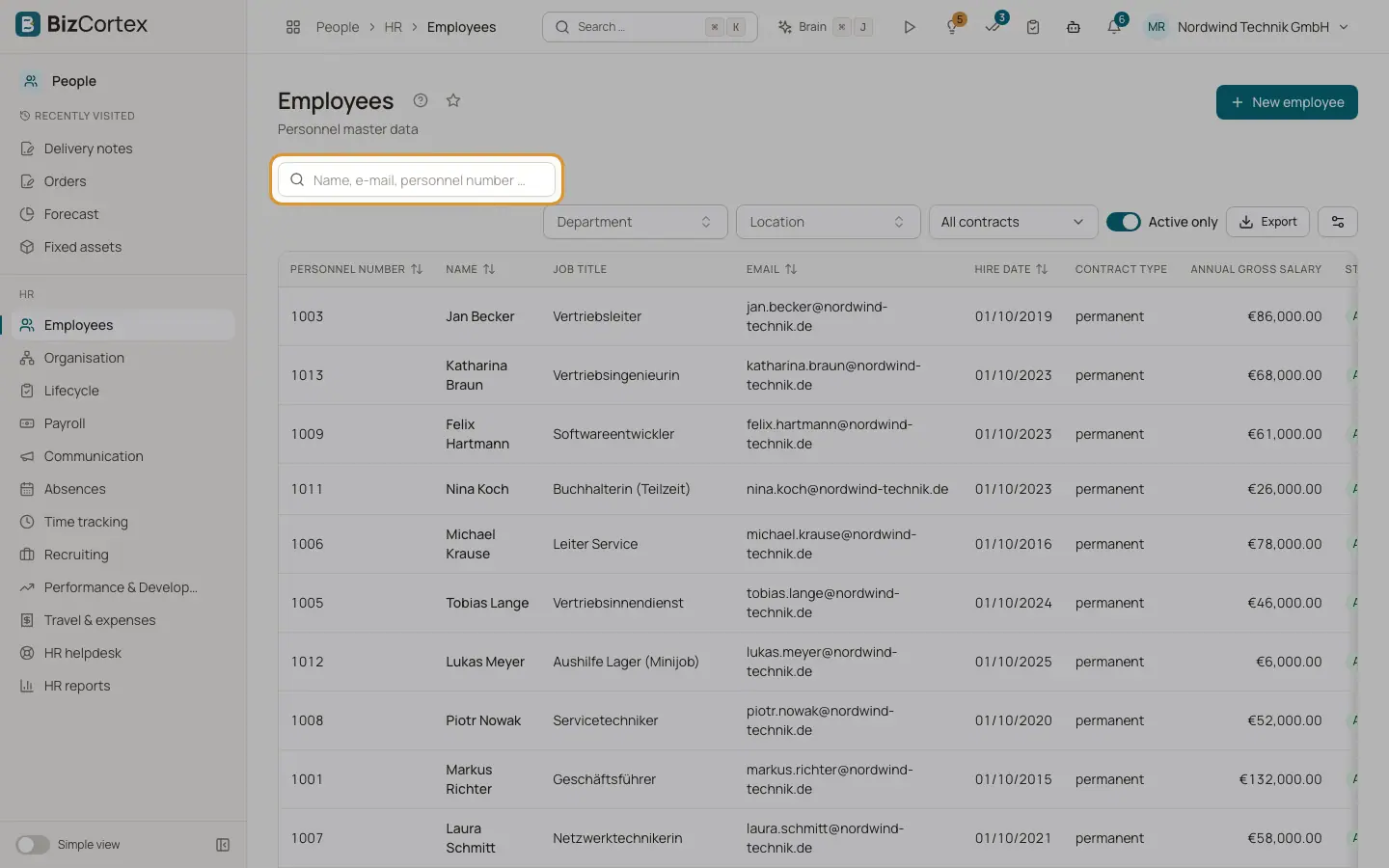
People, Employees shows the personnel master data of all employees. The records are the basis for leave, time tracking, expense claims, performance and payroll. When the list is empty, you see the buttons "Add your first employee" and "Set up the organisation".
Who can use this
- Owner
- Admin
- HR manager
- Accountant (read only)
Steps
1. Search
Type into the search field. It searches name, email and personnel number.
2. Filter
Use the Department, Location and contract type filters ("All contracts", permanent or fixed term). Turn on "Active only" to hide people who have left.
3. Sort
Click a sortable column header such as Personnel number, Email or Hire date.
4. Open a record
Click a row or use View in the row menu to open the employee record.
5. Create a record
Click "New employee". This opens the step by step wizard.
Fields and options
- Personnel number
Unique number of the employee. BizCortex assigns the next free number automatically if you leave it empty (five digits, for example 00001).
- Name, Job title, Email
Basic identification of the person.
- Hire date
First day of employment.
- Contract type
permanent or fixed term.
- Annual gross salary
Only shown to users who may see salary data.
- Status
Active, or Left once the exit date has passed.
Tips
- Use the department filter together with "Active only" to get a quick headcount list of one team.
Related
- Create an employee
Enter a new personnel record step by step with the wizard.
- The employee record and its tabs
All tabs of a personnel record and what you can do in each of them.