Asset categories
Default accounts, useful life and method per class of assets, also from the official AfA table.
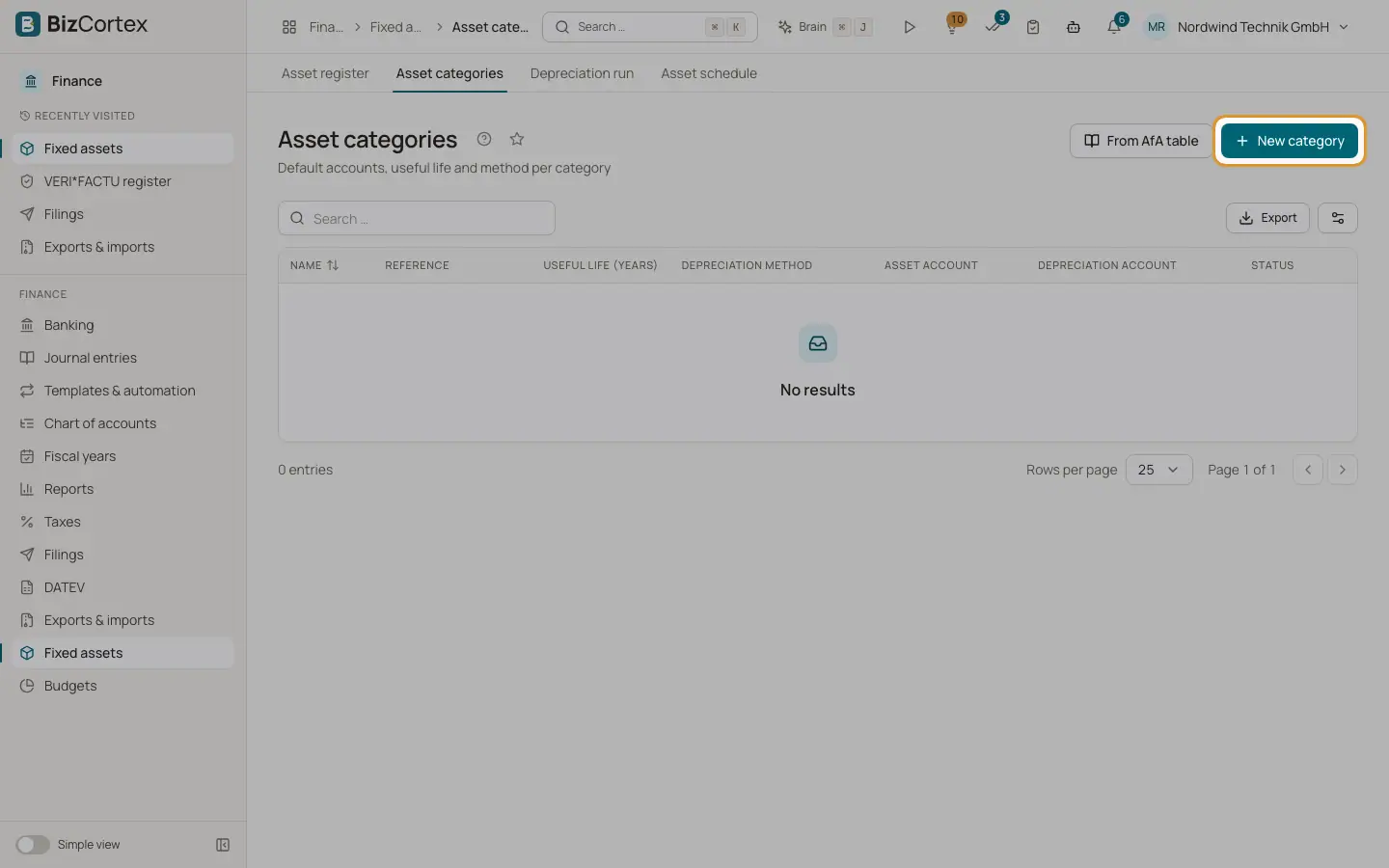
Open Finance, Fixed assets, Asset categories. A category, for example Vehicles or Office equipment, holds default values. When you create an asset in a category, empty fields are taken from it.
Who can use this
- Owner
- Admin
- Accountant
Steps
1. Create a category
Click "New category". Enter Name, Useful life (years) from 1 to 100, Depreciation method, Asset account, Depreciation account and an optional Description. Leave Active on.
2. Create from the AfA table
Click "From AfA table". Search the official German AfA table under "AfA table (reference)", for example for a passenger car. The useful life and the asset account of your chart are filled in. You can change the Name and the method.
3. Edit or delete
Use the row menu.
Fields and options
- Reference
The AfA table entry the category was created from.
- Status
Active or Inactive.
Good to know
- Category names must be unique.
- A category used by assets cannot be deleted; deactivate it instead.
- The AfA table is a curated subset of the official table. Creating a category from it needs a SKR03 or SKR04 chart; for other charts create the category by hand.
Related
- Depreciation methods
The five depreciation methods and the German rules behind them.
- Creating and editing an asset
Enter a fixed asset with its cost, useful life, method and accounts.