Budgets
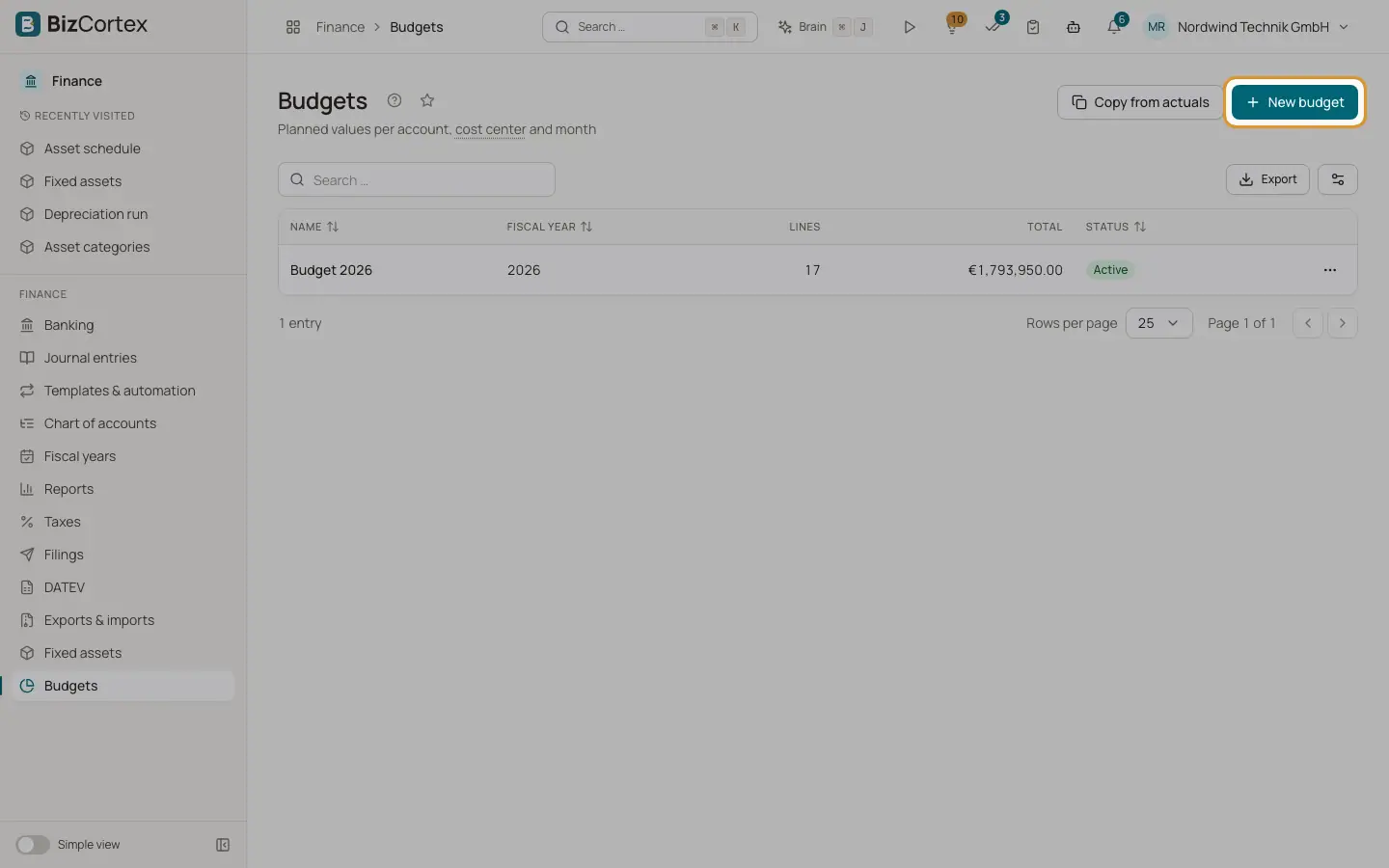
Create yearly budgets with planned values per account, cost center and month.
Open Finance, Budgets. A budget holds planned amounts for one fiscal year, per account and optionally per cost center, for each month or as a lump sum for the year. You can compare it with the actual figures from the ledger at any time.
Who can use this
- Owner
- Admin
- Accountant
- Viewer (read only)
Steps
1. Create a budget
Click "New budget". Enter a Name and the Fiscal year (four digits) and leave Active on.
2. Plan the figures
Choose "Edit plan" in the row menu to open the budget grid.
3. Copy from actuals
Click "Copy from actuals" to create a budget from the actual figures of an earlier year.
4. Compare
Choose "Budget vs. actual" in the row menu.
Fields and options
- Fiscal year
The year the budget is for.
- Lines
Number of planned values.
- Total
Sum of all planned values.
- Status
Active or Inactive.
Related
- Planning in the budget grid
Enter planned amounts per account and cost center for the year or for each month.
- Copying a budget from actuals
Create a new budget from the actual figures of an earlier year plus an uplift.
- Budget vs. actual
Compare planned values with the actual ledger figures per account, for any range of months.