Fiscal years
Create fiscal years with their monthly periods and see their status.
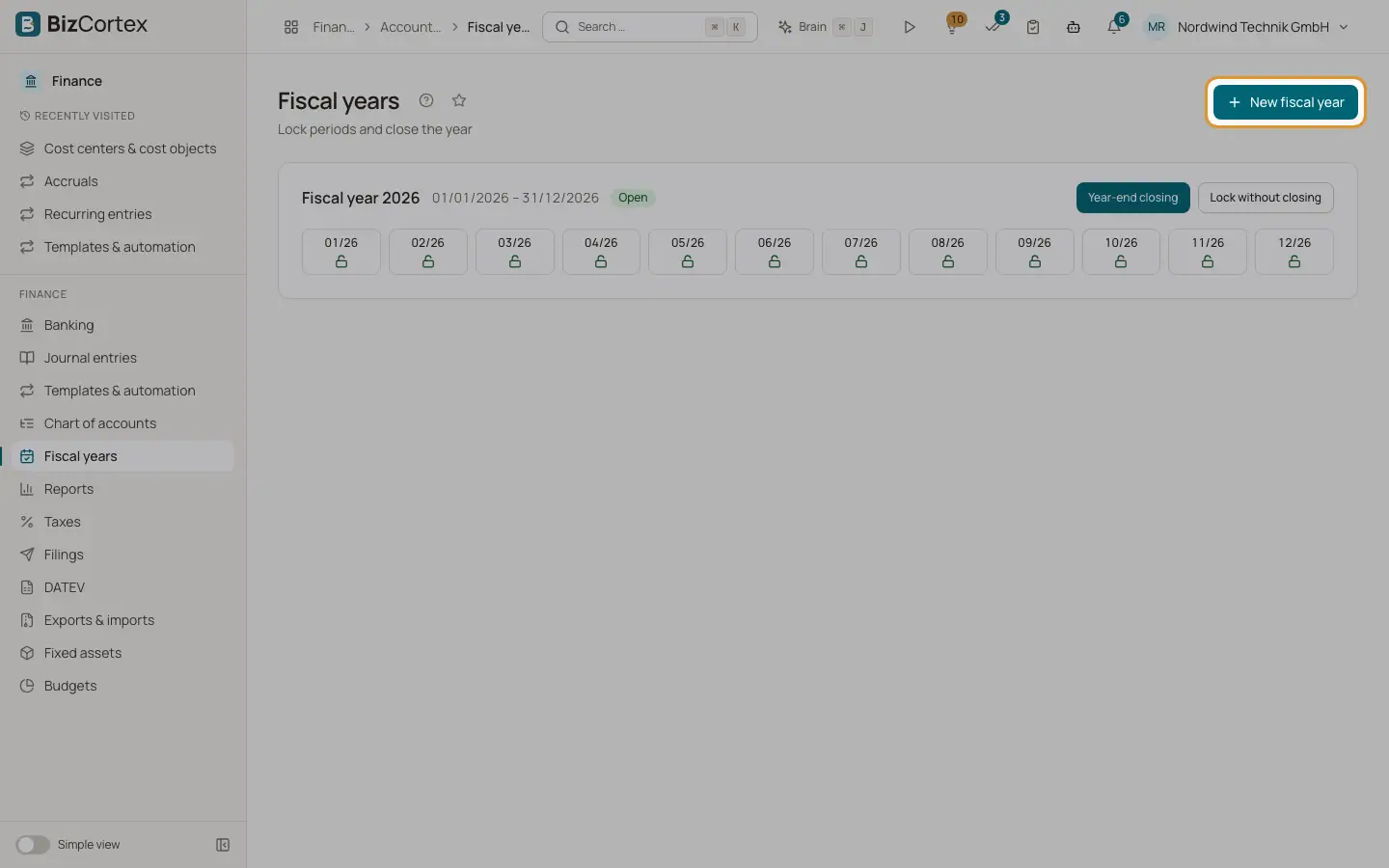
Open Finance, Fiscal years. A fiscal year (Geschäftsjahr) covers usually 12 months and is split into monthly periods. You can only post into dates that are covered by an open fiscal year. Each fiscal year is shown as a card with its name, its dates, its status (Open or Closed), a tile for each month and the closing history.
Who can use this
- Owner
- Admin
- Accountant (manage)
- Viewer (read only)
Steps
1. Create a fiscal year
Click "New fiscal year". Enter the Start date. The End date is optional; without it the fiscal year runs 12 months. The Name is optional too: for a year that starts on 1 January it becomes the year number, otherwise for example 2026/2027.
2. Check the periods
One tile per month shows the month and a lock symbol. An open lock means postings are allowed.
3. Lock or close
Lock single months, or close the year with the year end closing wizard. See the pages on period locks and year end closing.
Fields and options
- Start
The first day of the fiscal year.
- End
Optional. Default: 12 months after the start, minus one day.
- Name
Optional, for example 2027.
- Status
Open or Closed.
Good to know
- Fiscal years must not overlap.
- The year end closing creates the next fiscal year automatically when it does not exist yet.
Related
- Locking periods
Lock finished months so that nobody can post into them anymore.
- Year end closing
Close the profit and loss accounts, carry the balances forward and lock the year with a guided wizard.