General ledger
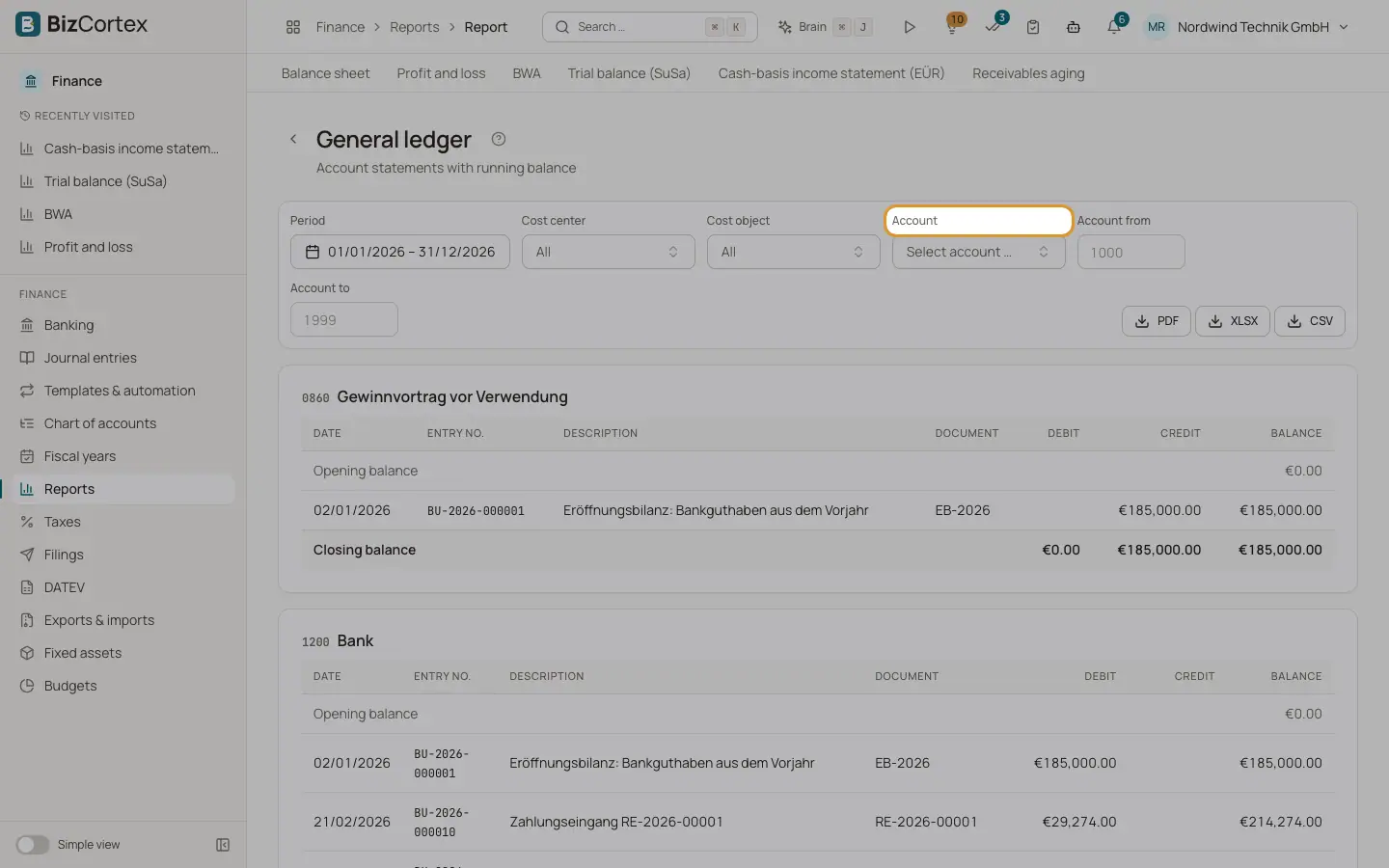
Account statements with running balance for one, several or a range of accounts.
Open Finance, Reports, General ledger. The report shows one card per account with an opening balance row, every posting with a running balance, and the closing balance. It is the printable version of the account ledger for many accounts at once.
Who can use this
- Owner
- Admin
- Accountant
- Viewer
Steps
1. Choose accounts
Choose one account under Account, or enter a range under "Account from" and "Account to", for example 1000 to 1999. Without a choice, all accounts with postings are shown.
2. Filter
Set the period and, if needed, a cost center or cost object.
3. Open an entry
Click the entry number of a line to open the journal entry.
Fields and options
- Date, Entry no., Description, Document
Data of the posting.
- Debit, Credit, Balance
Line amounts and running balance.
Related
- Account ledger
All postings of one account in a period, with opening balance, running balance and closing balance.
- Journal (Primanota)
All postings of a period in entry number order, with every line.