German VAT return (UStVA)
Compute the monthly or quarterly UStVA from your bookings, download it and send it to ELSTER.
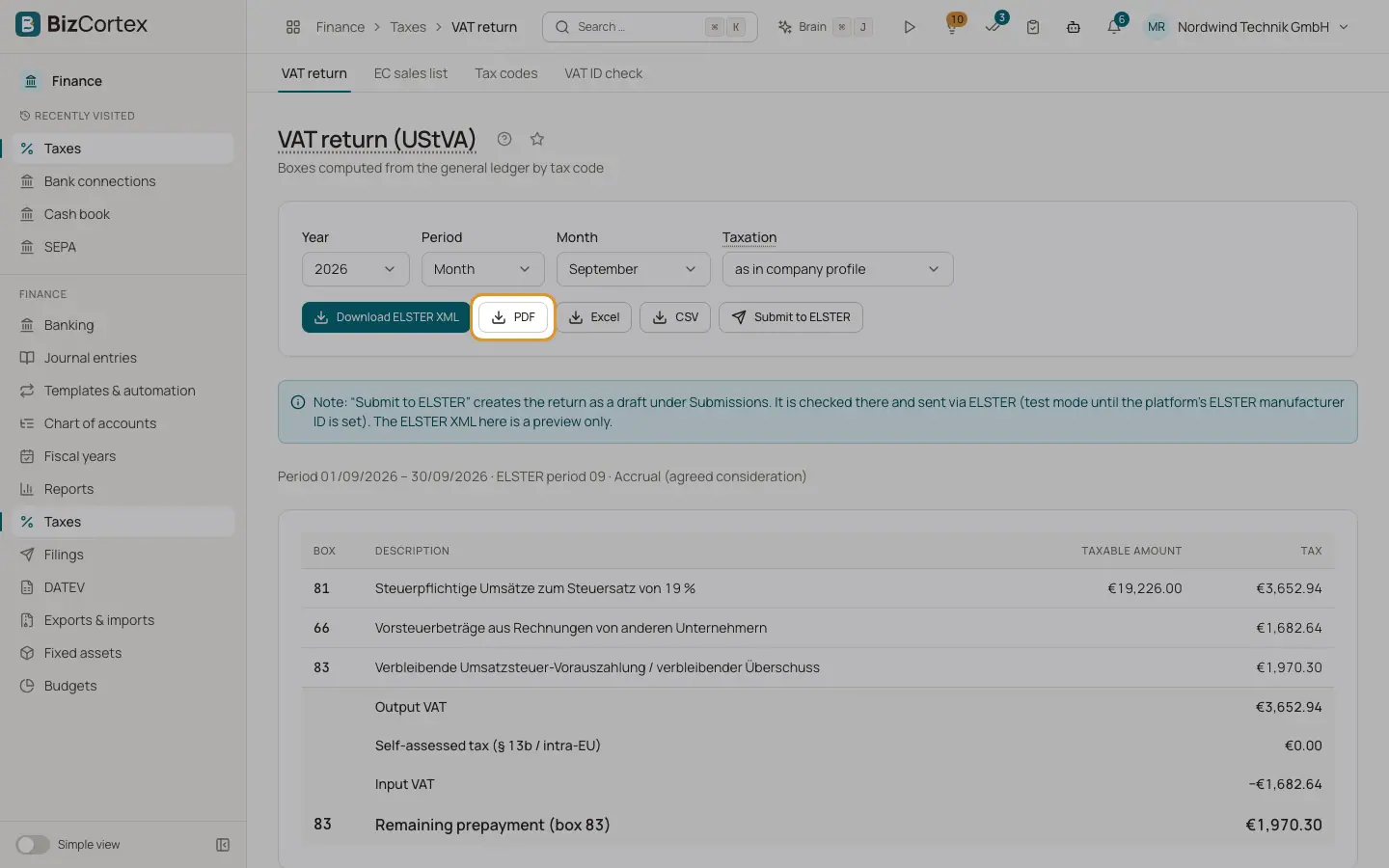
The page "VAT return (UStVA)" computes the German advance VAT return from the general ledger. It is shown for German companies. Open Taxes, then "VAT return".
The period defaults to your filing period from the company profile (month or quarter). Choose a full year to prepare the annual VAT return instead.
Who can use this
- Owner
- Admin
- Accountant
- Anyone with the Tax return write permission (to submit)
Steps
1. Choose the period
Choose year and month, quarter or year in the period picker.
2. Choose the taxation method
Under "Taxation", keep "as in company profile", or choose "Accrual (agreed consideration)" (Soll) or "Cash (received consideration)" (Ist) to compare.
3. Review the boxes
The page shows the period, the ELSTER period code and the method, then a table with box, description, taxable amount and tax, grouped into "Output VAT", "Self assessed tax (§ 13b / intra EU)" and "Input VAT". At the end you see "Special prepayment (box 39)" and "Remaining prepayment (box 83)" or "Refund (box 83)".
4. Download
Use "Download ELSTER XML" (a preview only), "PDF", "Excel" or "CSV".
5. Submit
Click "Submit to ELSTER" (for a full year: "Submit VAT return to ELSTER"). This creates the return as a draft under Filings. There you check it, approve it and send it. See the ELSTER page.
Good to know
- The ELSTER XML download on this page is a preview and is not sent anywhere.
- Until the platform operator sets an ELSTER manufacturer ID, filings are sent in test mode only.
- If there are OSS sales in the period, a note "Not included: OSS tax" shows their amount. OSS sales belong in the OSS return.
- If the period has no tax relevant postings, the page says "No tax relevant postings in this period".
Related
- How the UStVA is calculated
Which postings count, how accrual and cash basis differ, and how box 83 is formed.
- ELSTER: sending German tax returns
Create German tax returns as drafts, check them with ERiC and send them to the tax office through ELSTER.
- Filings and connections
One list of everything BizCortex sends to tax offices, networks, banks and your tax adviser, with status, receipt and history, plus the connection settings.
- Filing extension and special prepayment
Calculate the special prepayment for the German permanent filing extension and post it.