Receivables aging
Open customer invoices by days overdue, per customer and document.
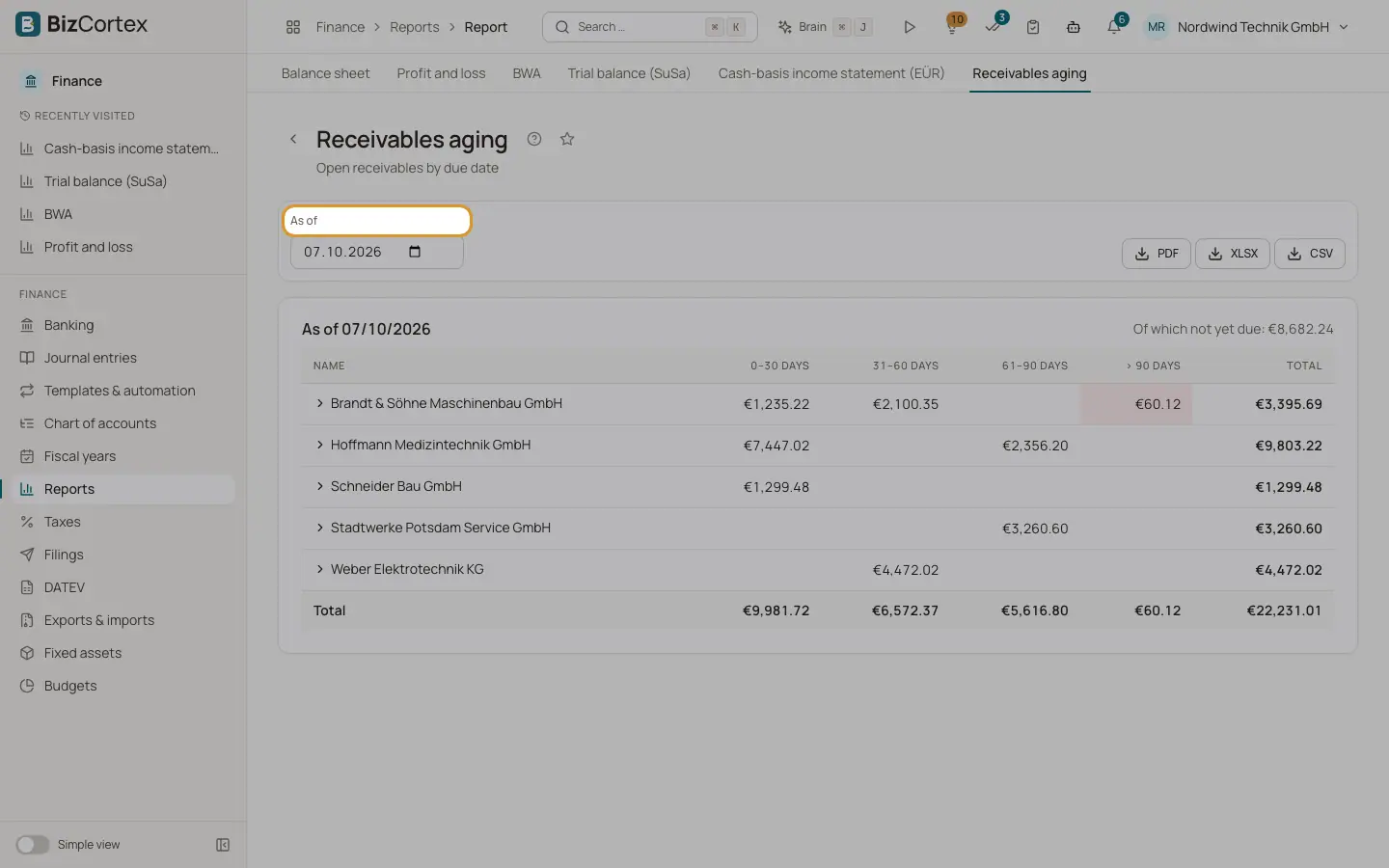
Open Finance, Reports, Receivables aging. The report shows all sales invoices that were open on the As of date, grouped by customer and sorted into the buckets 0 to 30 days, 31 to 60 days, 61 to 90 days and more than 90 days overdue. The first bucket also contains invoices that are not due yet; their sum is shown as "Of which not yet due".
Who can use this
- Owner
- Admin
- Accountant
- Viewer
Steps
1. Choose the date
Set As of. Today is the default. You can also choose a past date; payments dated after it are ignored.
2. Expand a customer
Click a customer to see the single invoices with number, issue date, due date and days overdue.
Fields and options
- Name
The customer.
- 0 to 30, 31 to 60, 61 to 90, more than 90 days
Open amounts by days past the due date.
- Total
All open amounts of the customer.
Related
- Payables aging
Open supplier bills by days overdue, per supplier and document.